Ad Widget

Collapse

Monitor SSL certificate expiry

Collapse
X
 
  • Time
  • Show
Clear All
new posts
  • stevew
    Junior Member
    • Dec 2006
    • 29

    #1

    Monitor SSL certificate expiry

    I have various methods to monitor my SSL certificates but I would like to get the process into Zabbix and under tighter control.

    What I want is to be able to set off a trigger based on the number of days prior to expiry, actions firing to alert staff to renew the certificate in question.

    The problem is how to monitor the SSL certificate for a specific URL (or server/service)

    I use the excellent script 'ssl-check' http://prefetch.net/articles/checkcertificate.html which when cron'ed gives me a report/email and works very well.

    I can see this could be run on each server and the output picked up by the Zabbix agent, but thats a lot of admin overhead and I want something that retains central setup. It could be run on the zabbix server against a full list of all certificates to check and picked up by custom items for the Zabbix server agent, but again thats a lot of external effort.

    Has anyone else got a solution to this or is there a plan to include some method in Zabbix in the near furture?
  • alixen
    Senior Member
    • Apr 2006
    • 474

    #2
    Hi,

    I use the script below as external script ssl-cert-check.sh:
    Code:
    #! /bin/sh
    SERVER=$1
    PORT=$2
    TIMEOUT=25
    /etc/zabbix/externalscripts/timeout $TIMEOUT /etc/zabbix/externalscripts/ssl-cert-check -s $SERVER -p $PORT -n | sed 's/  */ /g' | cut -f6 -d" "
    It is actually a wrapper that uses two other scripts:
    timeout : coming from http://www.pixelbeat.org/scripts/timeout
    ssl-cert-check : from http://prefetch.net/code/ssl-cert-check

    I have set up a template with an item:
    Key: ssl-cert-check.sh[443]
    Period : 86400 (once a day)
    and a few triggers that fire up 30, 15 and 7 days before expiration.

    I have been using it to check SSL certificates on several hosts for almost a year without any problem.

    Hope this helps.
    Alixen
    http://www.alixen.fr/zabbix.html

    Comment

    • stevew
      Junior Member
      • Dec 2006
      • 29

      #3
      That sounds very promising

      You have set up the script on the Zabbix server? How does Zabbix call it, I don't have any experience getting Zabbix to use external scripts as part of its items, will have to do some reading.

      Thank you for the information

      Comment

      • stevew
        Junior Member
        • Dec 2006
        • 29

        #4
        Have done a little reading up and this approach wont cope with the requirement I have. A single host will have many SSL certificates (web hosting servers).

        I want to be able to check, say, 10 SSL certificates per host

        I'm wondering if there is a way to do it with a web page on the zabbix server which runs the ssl-check script and returns 1 of 2 values; OK, Expiring. where OK means the cert is fine and Expiring means there are less than some determined number of days (say 30) until the cert expires. Then a web content check could be set up to set off a trigger based on the content not being OK.

        The content check would have to post the actual host url to the locally (on the zabbix server) testing page, rather than call the testing page on each and every host.

        Comment

        • alixen
          Senior Member
          • Apr 2006
          • 474

          #5
          Hi,

          I have also servers with several virtual hosts and certificates.
          I just create an host for each virtual host and link it to SSL certificate check template.
          Otherwise, you could consider to modify ssl-check-cert.sh script to get virtual host name as an argument. However, it will be harder to use it in a template.

          Regards,
          Alixen
          http://www.alixen.fr/zabbix.html

          Comment

          • stevew
            Junior Member
            • Dec 2006
            • 29

            #6
            That makes sense and I've implemented it in a similar way now

            Many thanks

            Comment

            • Aas
              Junior Member
              • Apr 2011
              • 1

              #7
              SSL certificate expiration monitoring with Zabbix

              I found this good template&script for monitoring https ssl certificates

              Althought, I don't know whether it can be adjusted to monitor all certificates on some system.

              Comment

              • frater
                Senior Member
                • Oct 2010
                • 340

                #8
                I wrote this one a while ago.
                I thought I posted it here as well


                Code:
                #!/bin/bash
                export PATH=${PATH}:/usr/local/sbin:/sbin:/usr/sbin:/bin:/usr/bin
                
                TIMEOUT=29
                RETVAL=-0.5
                
                # If called by zabbix, handle some things different
                if echo "${BASH_SOURCE}" | grep -q "zabbix" ; then
                  # get rid of 1st parameter (on Zabbix 1.8x)
                  # shift 1
                
                  # Change TimeOut value to the one in /etc/zabbix/zabbix_server.conf
                  ZABBIX_TIMEOUT=`grep -i '^Timeout' /etc/zabbix/zabbix_server.conf 2>/dev/null | awk -F= '{print $2}' | tr -cd '0-9'`
                  if [ -z "${ZABBIX_TIMEOUT}" ] ; then
                    TIMEOUT=3
                  else
                    # Let's take 1 second less than the one in /etc/zabbix/zabbix_server.conf and just hope to be in time
                    TIMEOUT=$(( ${ZABBIX_TIMEOUT} - 1 ))
                  fi
                fi
                
                # Zabbix 2.0 sends parameters quoted, where < 1.9 sends them unquoted
                # This way it works on both
                HOST=`echo "$*" | awk '{print $1}'`
                PORT=`echo "$*" | awk '{print $2}'`
                SCRATCH=`mktemp`
                
                [ -z "${HOST}" ] && exit 1
                [ -z "${PORT}" ] && PORT=443
                
                # openssl is able to check plain smtp/pop3/ftp/imap connections
                # that use TLS to setup a secure connection
                TLS=
                echo "x${PORT}x" | egrep -q 'x(25|587)x'  && TLS="-crlf -starttls smtp"
                echo "x${PORT}x" | egrep -q 'x110x'       && TLS="-starttls pop3"
                echo "x${PORT}x" | egrep -q 'x21x'        && TLS="-starttls ftp"
                echo "x${PORT}x" | egrep -q 'x143x'       && TLS="-starttls imap"
                
                # Retrieve Certificate in background because it doesn't support TimeOuts
                # exec 2>/dev/null doesn't seem to be necessary if called this way....
                echo "" | openssl s_client -connect ${HOST}:${PORT} ${TLS}  2>/dev/null >${SCRATCH} &
                sleep .1
                
                # double the TIMEOUT and wait for half a second each time
                let TIMEOUT*=2
                
                # Wait for certificate
                n=1
                while [ ! -s ${SCRATCH} ] ; do
                  sleep .48
                  [ $n -ge ${TIMEOUT} ] && break
                  let n++
                done
                
                # If we have retrieved the certificate, we'll process it and retrieve the expiration date
                if [ -s ${SCRATCH} ] ; then
                  EXPIRE_DATE=`sed -ne '/-BEGIN CERTIFICATE-/,/-END CERTIFICATE-/p' ${SCRATCH} | openssl x509 -enddate -noout 2>/dev/null | sed 's/notAfter\=//'`
                  if [ ! -z "${EXPIRE_DATE}" ]; then
                    EXPIRE_SECS=`date -d "${EXPIRE_DATE}" +%s`
                    EXPIRE_TIME=$(( ${EXPIRE_SECS} - `date +%s` ))
                
                    # We finally have it...
                    RETVAL=$(( ${EXPIRE_TIME} / 24 / 3600 ))
                  fi
                else
                  # Too late you lazy bastard, I might as well kill you...
                  kill -9 %1 2>/dev/null
                fi
                
                rm -f ${SCRATCH} 2>/dev/null
                echo ${RETVAL}
                Zabbix agents on Linux, FreeBSD, Windows, AVM-Fritz!box, DD-WRT and QNAP

                Comment

                • Alex_SYB
                  Senior Member
                  • Feb 2012
                  • 133

                  #9
                  Dredging up an old thread, but it seems to be the lastest of the SSL threads.

                  I have noticed it is returning
                  |days=X (X= int)

                  Can I presume that what i really need is just the X

                  Comment

                  • Alex_SYB
                    Senior Member
                    • Feb 2012
                    • 133

                    #10
                    I have changed it after some investigating to


                    #!/bin/dash
                    SERVER=$1
                    PORT=${2:-443}
                    TIMEOUT=25
                    end_date="$(/usr/bin/timeout $TIMEOUT /usr/bin/openssl s_client -host $SERVER -port $PORT -showcerts < /dev/null 2>/dev/null | sed -n '/BEGIN CERTIFICATE/,/END CERT/p' | openssl x509 -enddate -noout 2>/dev/null | sed -e 's/^.*\=//')"

                    if [ -n "$end_date" ]
                    then
                    end_date_seconds=$(date "+%s" --date "$end_date")
                    now_seconds=$(date "+%s")
                    CALC=$((($end_date_seconds-$now_seconds)/24/3600))
                    echo $CALC
                    else
                    exit 124
                    fi

                    Comment

                    • sccuser
                      Member
                      • May 2013
                      • 77

                      #11
                      Originally posted by Alex_SYB
                      Dredging up an old thread, but it seems to be the lastest of the SSL threads.

                      I have noticed it is returning
                      |days=X (X= int)

                      Can I presume that what i really need is just the X
                      Let give it a try.

                      Code:
                      [root@monitor ~]# ./ssl-cert-check -s www.google.com -p 443 | awk '{print $6}' | egrep -v "^#|^$"
                      74
                      [root@monitor ~]#

                      Comment

                      • jonxor
                        Junior Member
                        • Jun 2016
                        • 24

                        #12
                        In case anyone is interested in using this as an external check, instead of having to run a command from the agent, I made a fork of the shell script from the first post.

                        (Link is gone, my old cloud host went away, I'll try to get a github one of these days)

                        Run as you normally would with -s SERVER and -p PORT and then a -z to have it output ONLY the number of days remaining until expiration. Do your zabbix alert logic how you wish.

                        I created a host group dedicated to just cert expiration, and named the hosts by the domains I wanted checked.

                        This way you can easily make clones, and just change the name to whatever new host you want to monitor.
                        Last edited by jonxor; 11-10-2020, 06:37.

                        Comment

                        • Ritesh
                          Junior Member
                          • Jan 2017
                          • 1

                          #13
                          Receiving an error while running this script

                          I am receiving and error while running the below scripts which saying Unable to load certificates. I tried to debug the script and found that this curent script is trying to load the certificates from temp folder which created in script.
                          Could you some help me in reading the certificates on my server in location etc/ssl/certs/.
                          Attached Files

                          Comment

                          • seanwasere
                            Junior Member
                            • May 2012
                            • 12

                            #14
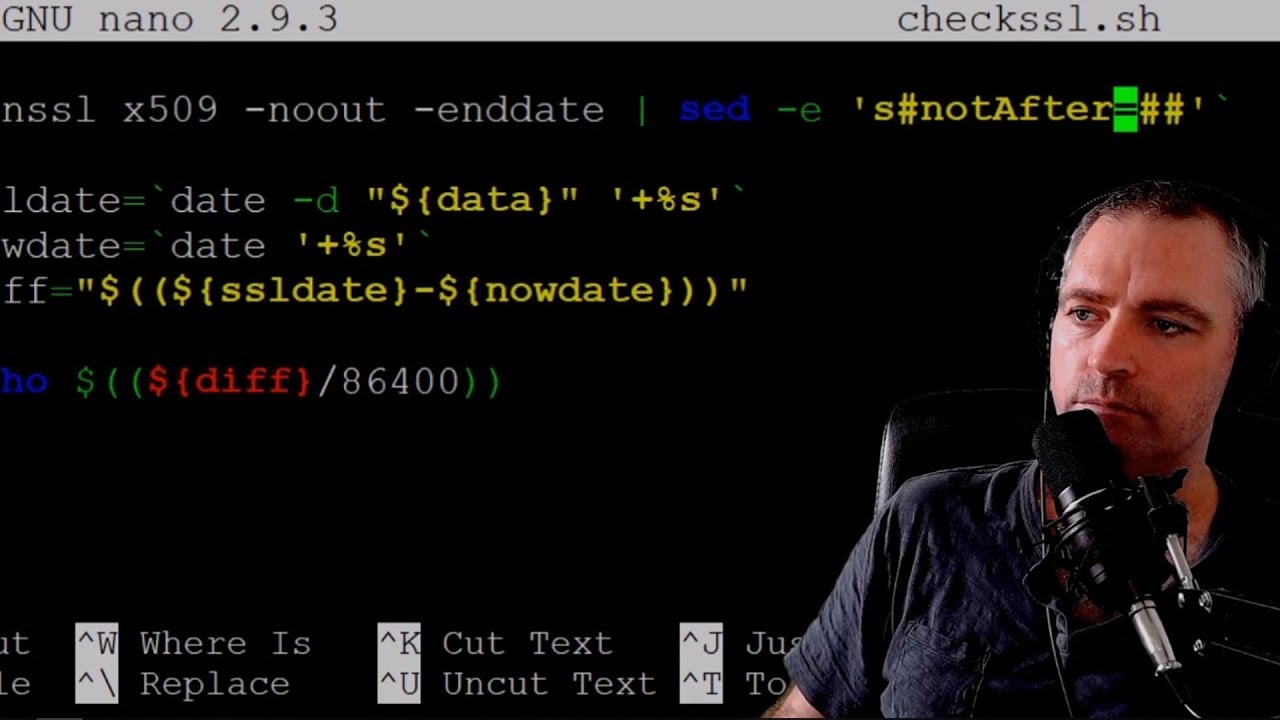
                            Here is a video tutorial on how to monitor multiple website SSL certificate expiry dates using Zabbix.


                            The script is on a gist at https://gist.github.com/Sean-Bradley...1d0af14a6570ea and allows you to pass the URL as an argument.
                            Last edited by seanwasere; 26-07-2019, 18:31.

                            Comment

                            • frater
                              Senior Member
                              • Oct 2010
                              • 340

                              #15
                              Originally posted by seanwasere
                              Here is a video tutorial on how to monitor multiple website SSL certificate expiry dates using Zabbix.


                              The script is on a gist at https://gist.github.com/Sean-Bradley...1d0af14a6570ea and allows you to pass the URL as an argument.
                              The idea is to improve on an idea, not worsen it.
                              I wrote my script in 2012 and that one is only doing part of the job.
                              It has no support for starttls and mine has code to resolve timing issues.

                              It's not much more than the last line of my script I wrote 8 years ago and published here.
                              Zabbix agents on Linux, FreeBSD, Windows, AVM-Fritz!box, DD-WRT and QNAP

                              Comment

                              Working...