
I do not know whether this content can be posted here.
If it is not allowed, please let me know, thanks
Dashboard effect
Integrate Energy meter
Import the Templates of IAMMETER to ZABBIX
Add Energy meter: WEM3080
Add Energy meter WEM3080T
Reference
Abstract: Use the energy meter of IAMMETER in ZABBIX.
This is a step-by-step tutorial, showing how to integrate the IAMMETER`s power meter (both single phase and three phase) into ZABBIX.
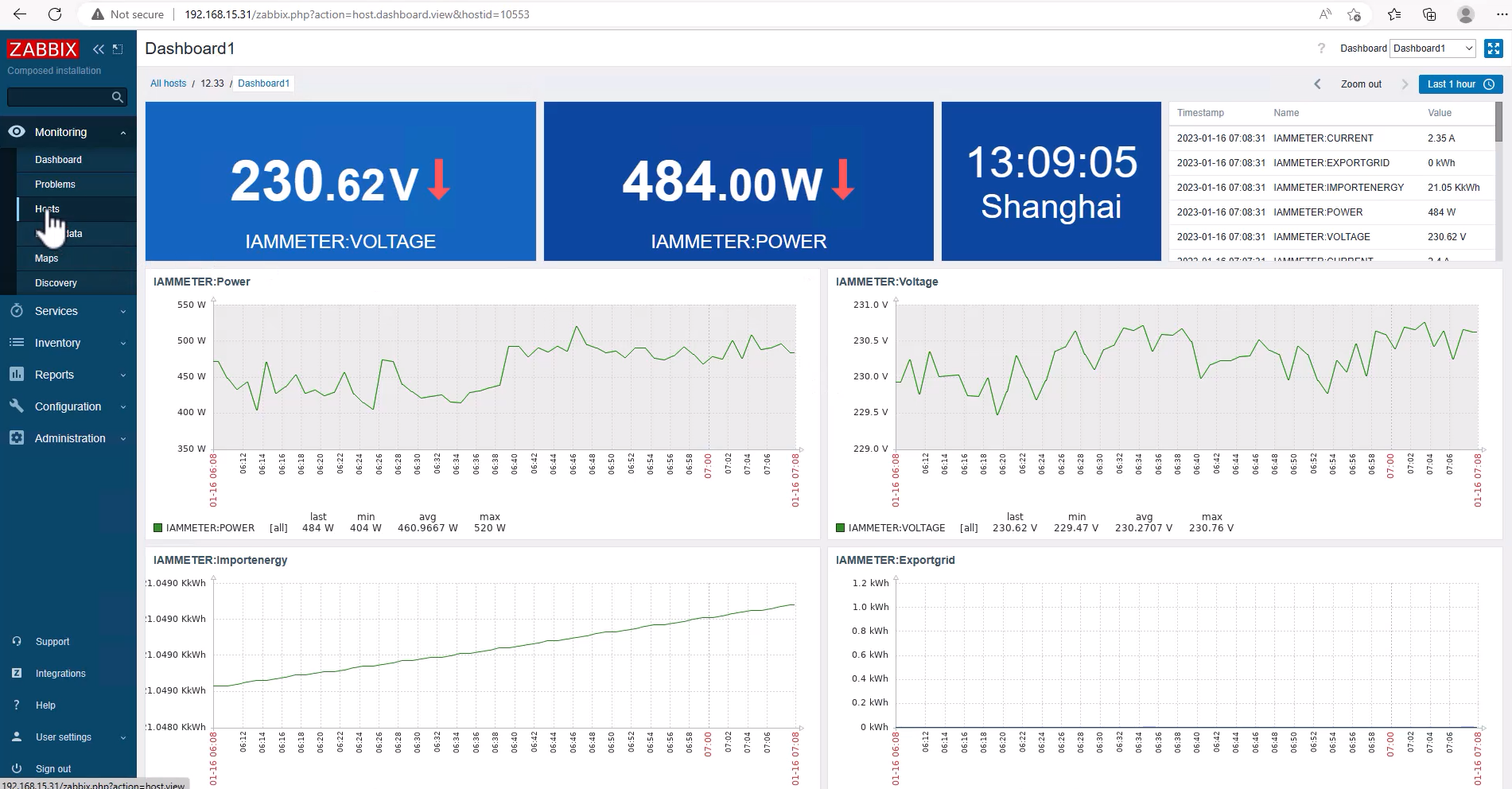
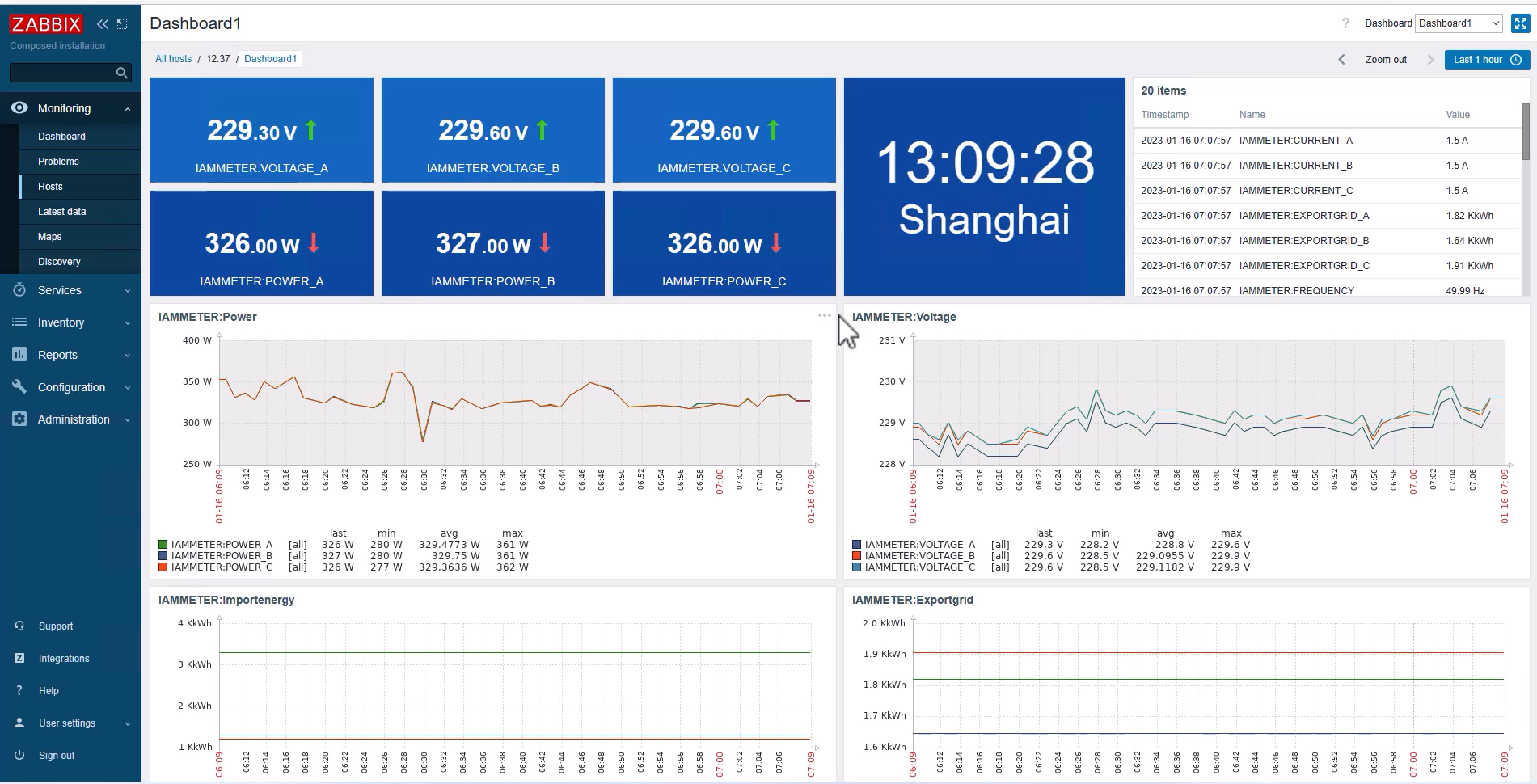
Dashboard effect
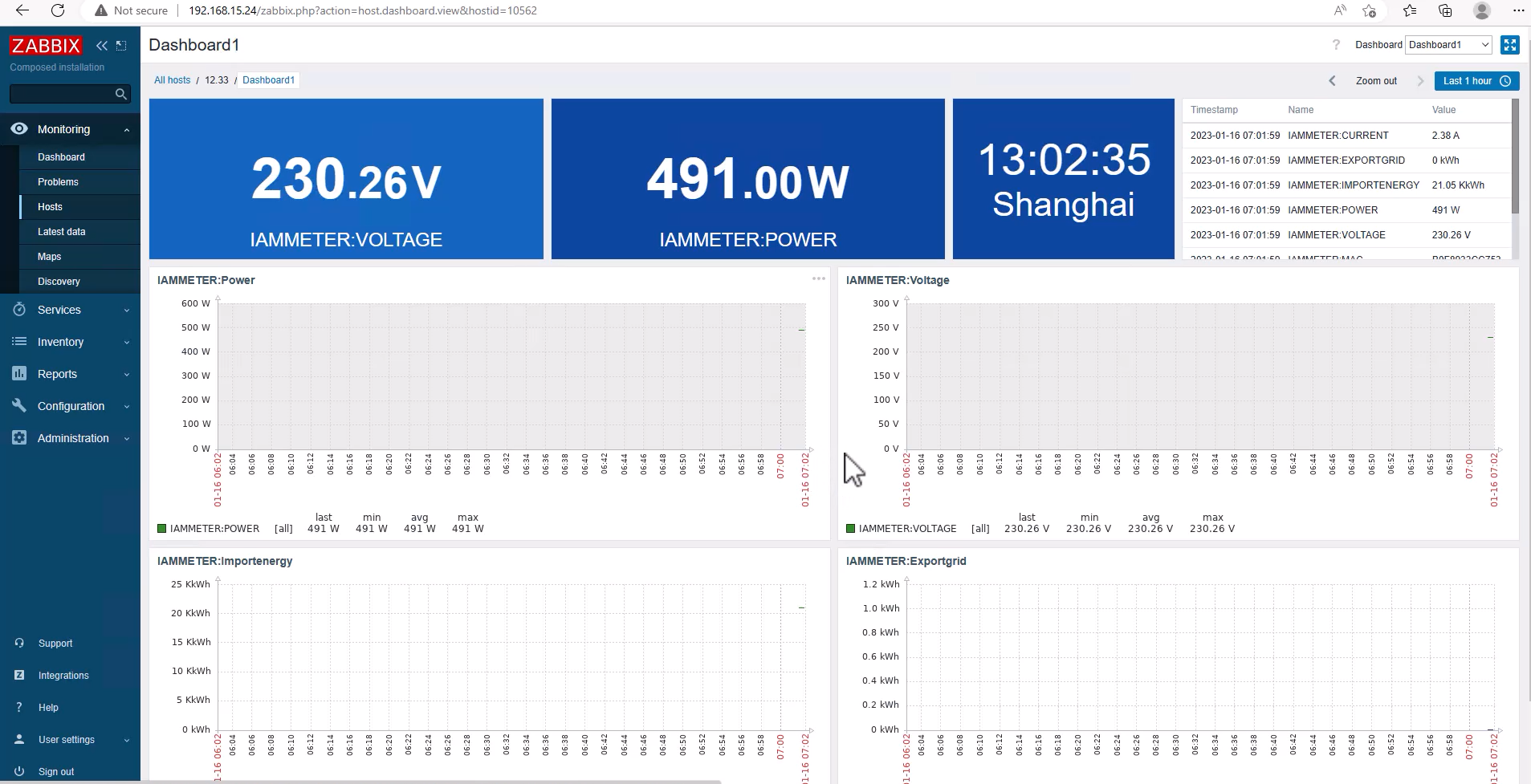
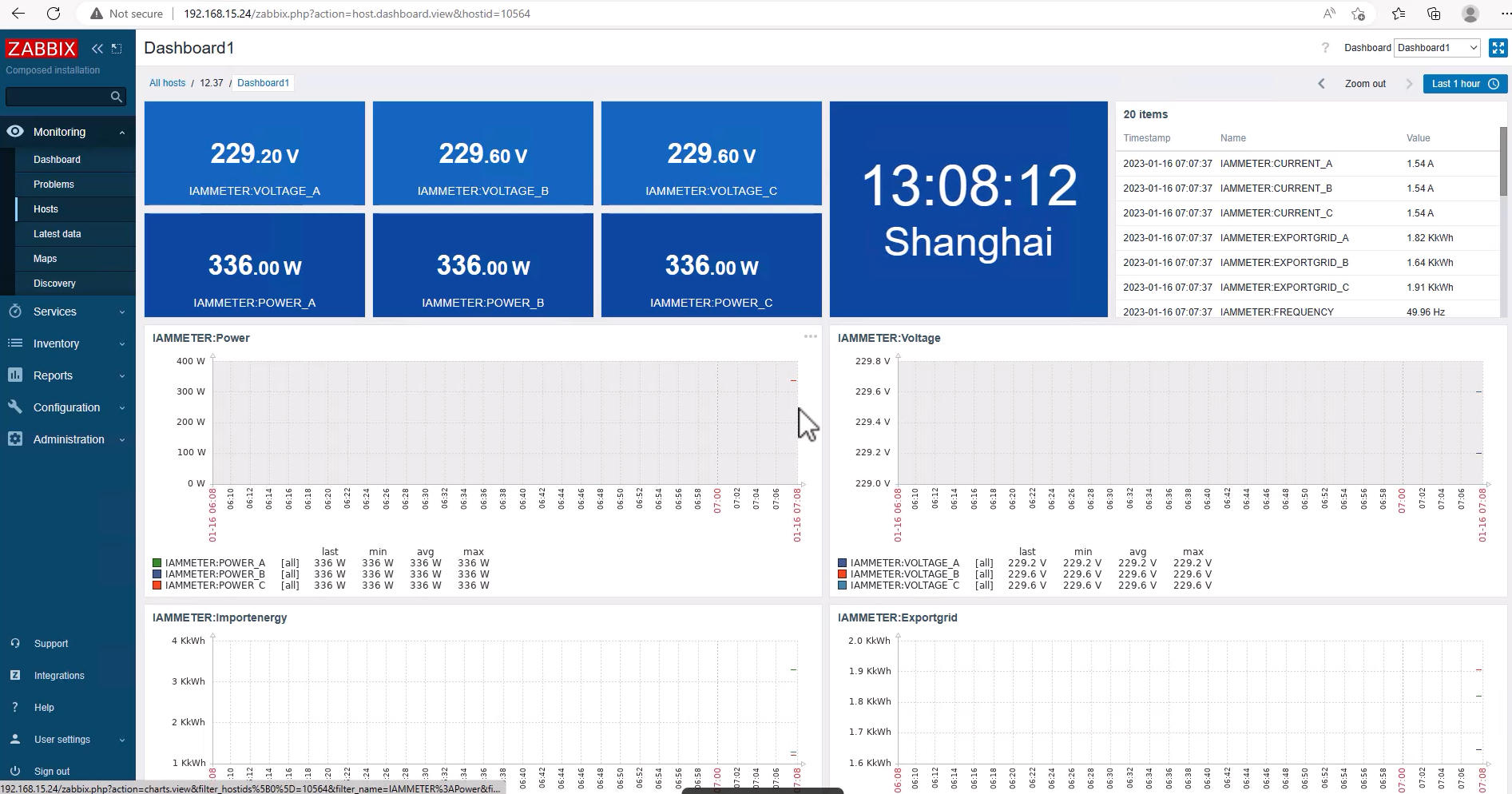
This is the dashboard effect in Zabbix
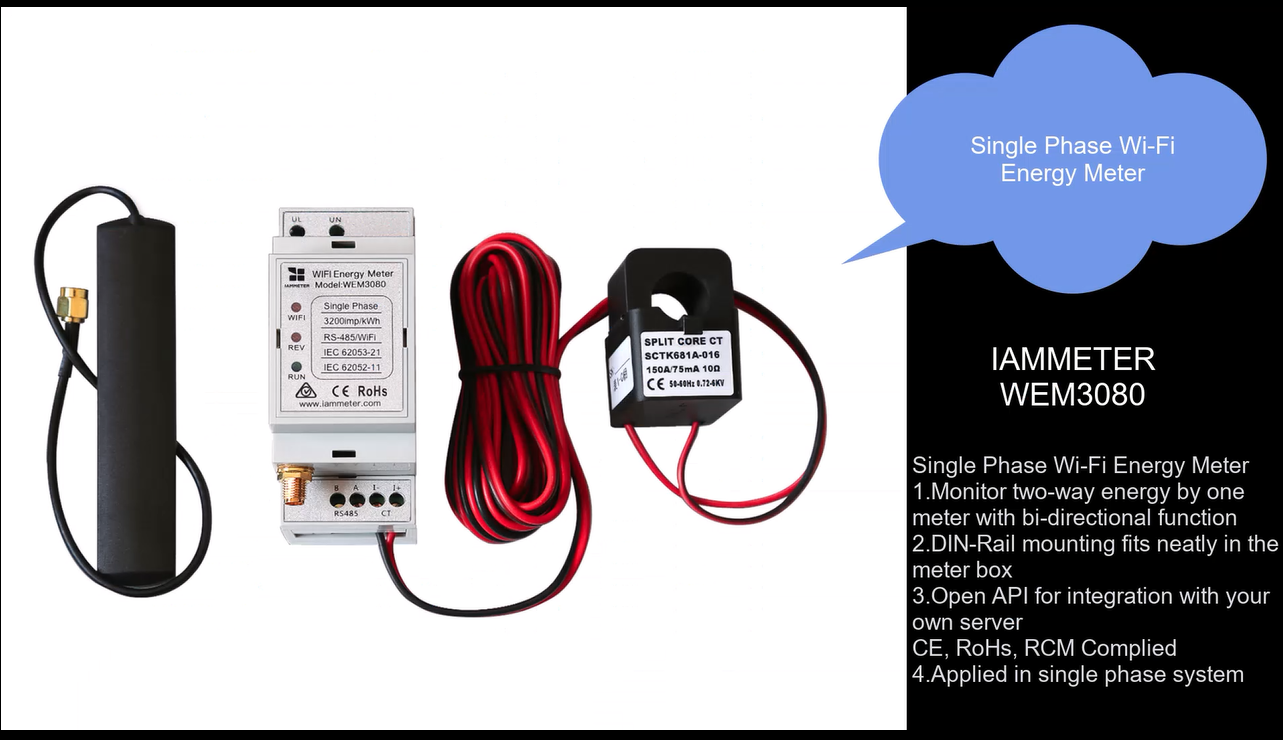
Single phase Wi-Fi Energy Meter :WEM3080
Three Phase Wi-Fi Energy Meter:WEM3080T
 Integrate Energy meter
In this chapter, we use IAMMETER`s energy meter as the example hardware.
Import the Templates of IAMMETER to ZABBIX
All the file in https://github.com/lewei50/Solar-PV-.../master/ZABBIX
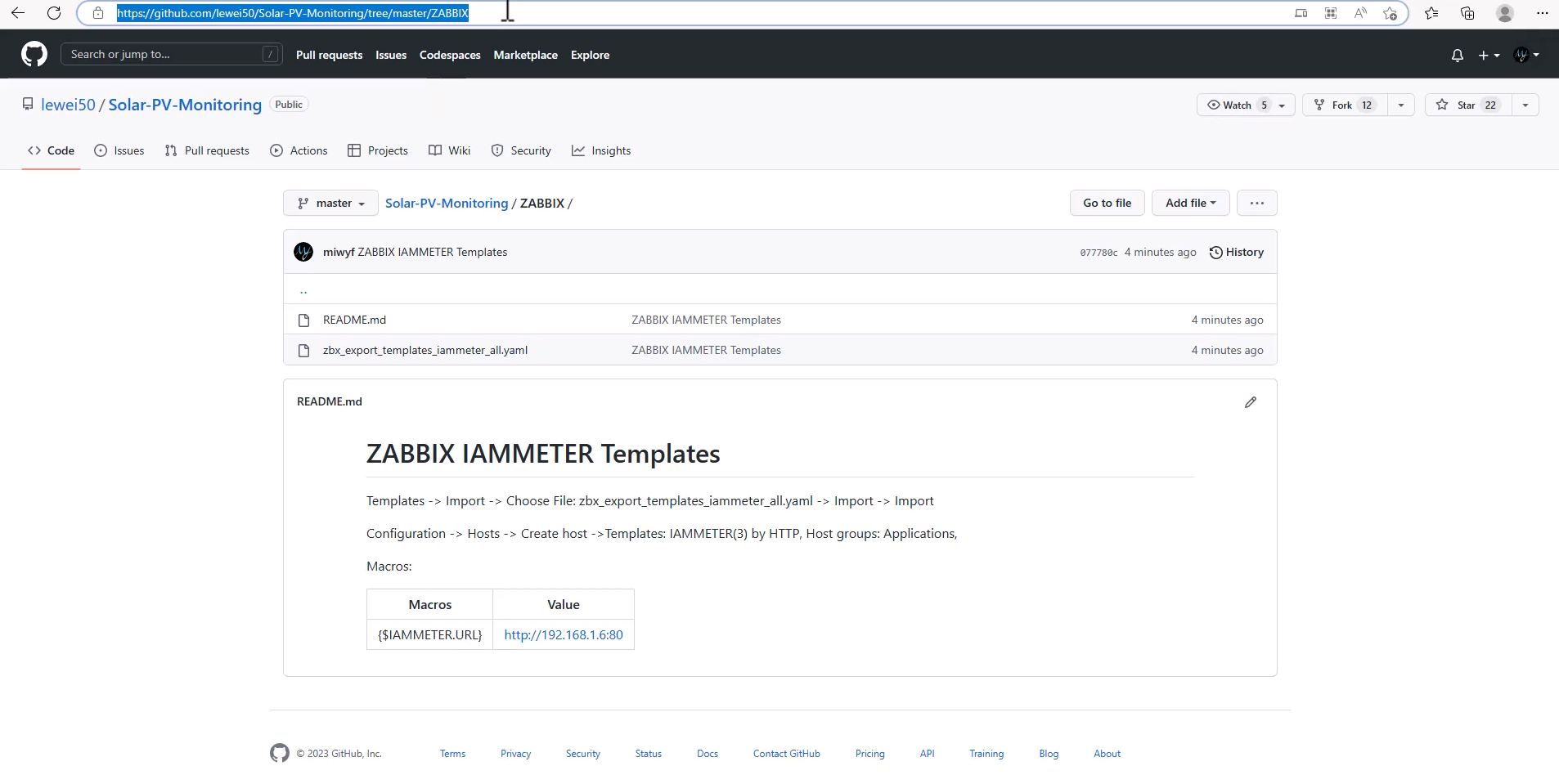
Clone the repository to local.
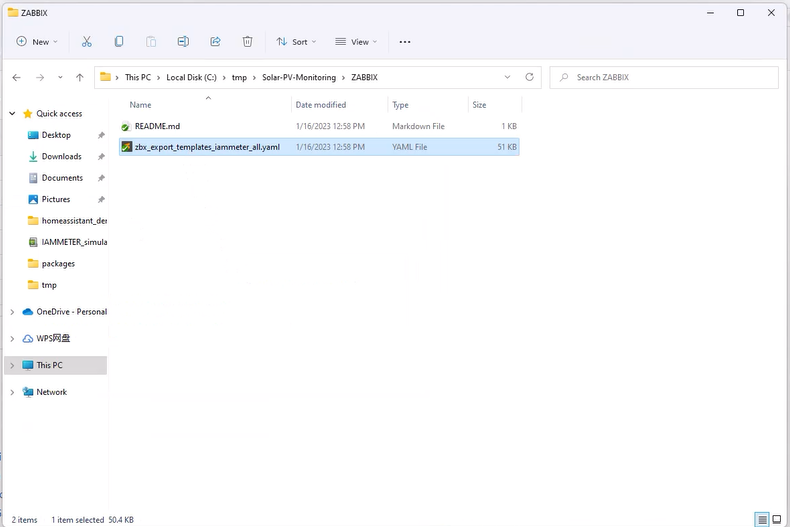
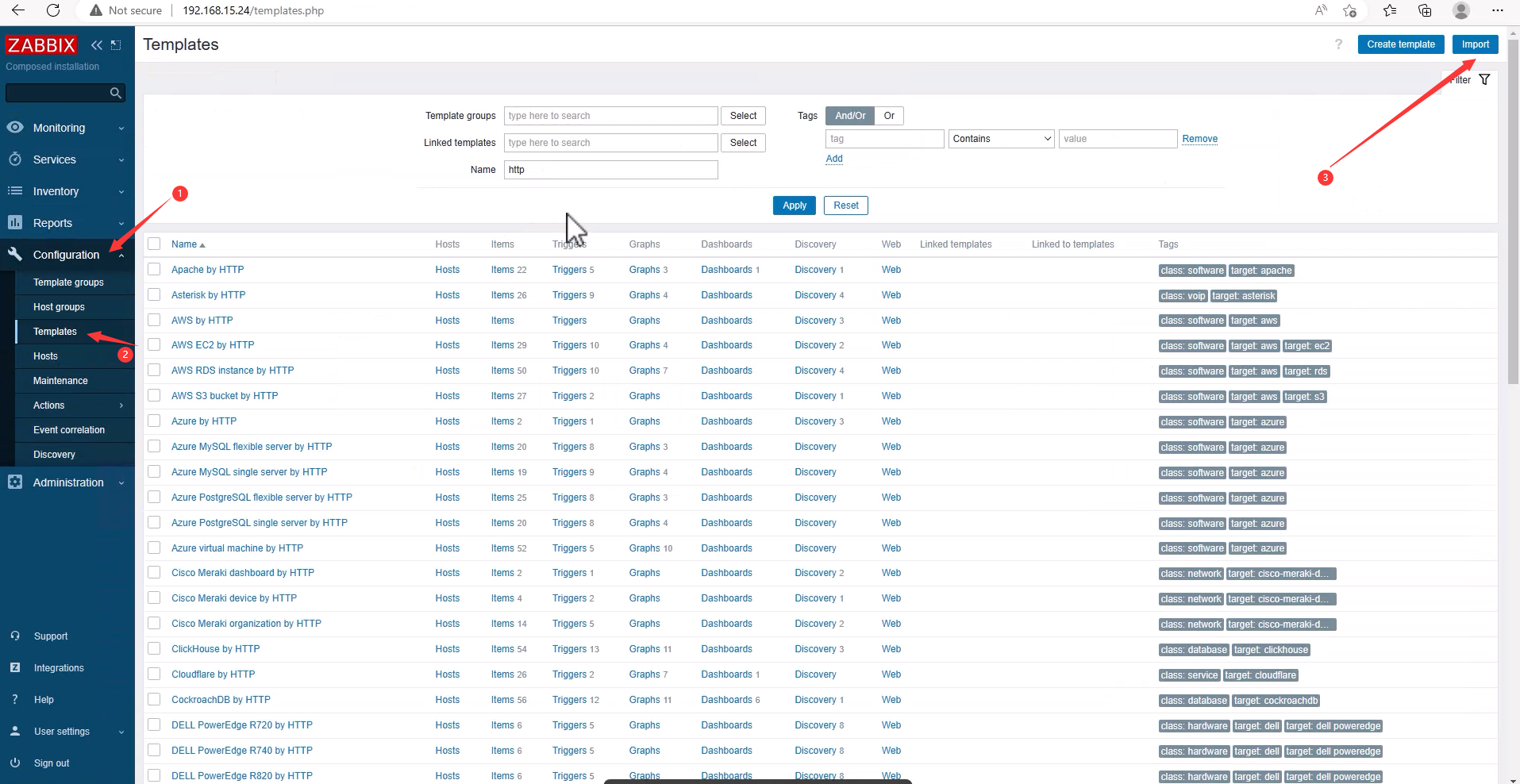
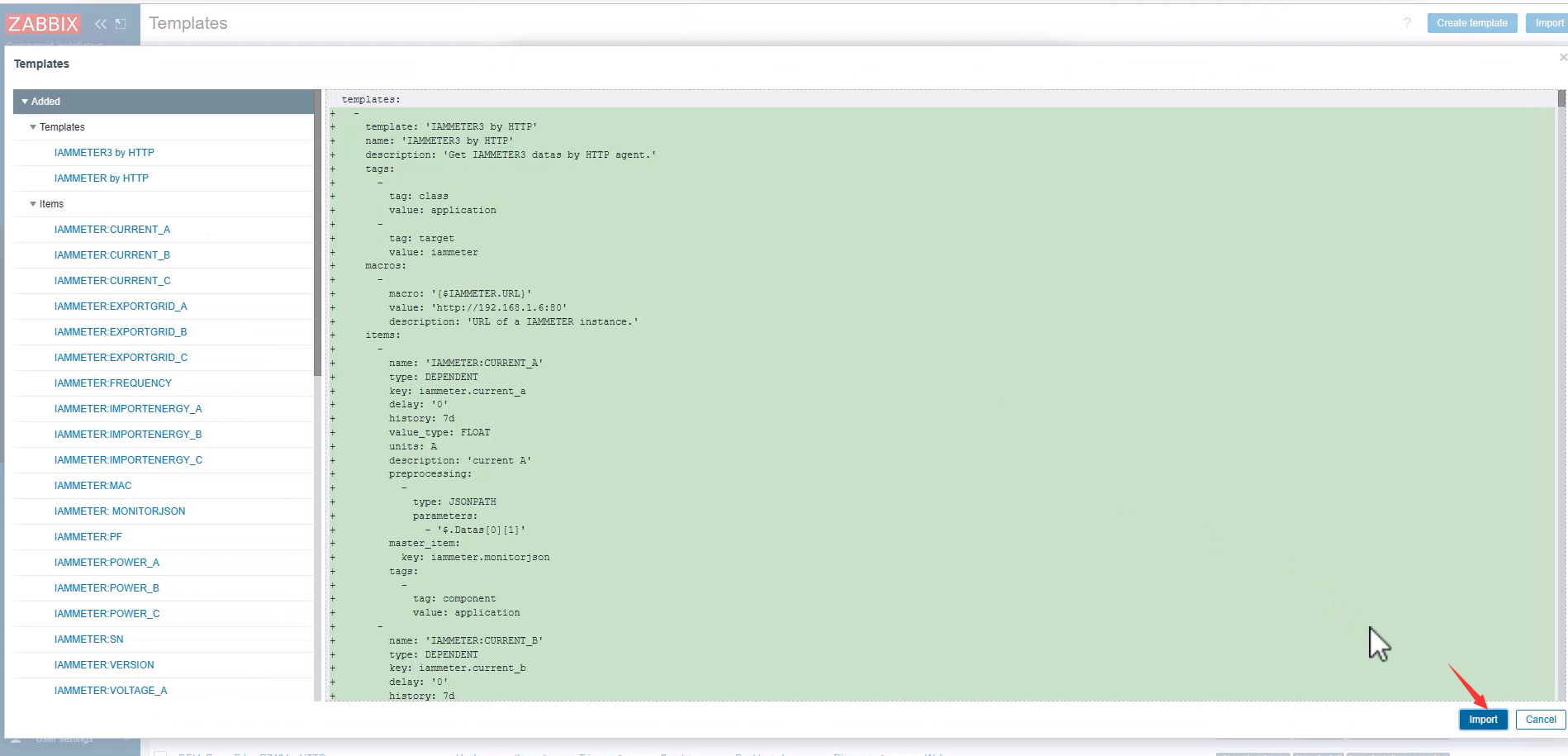
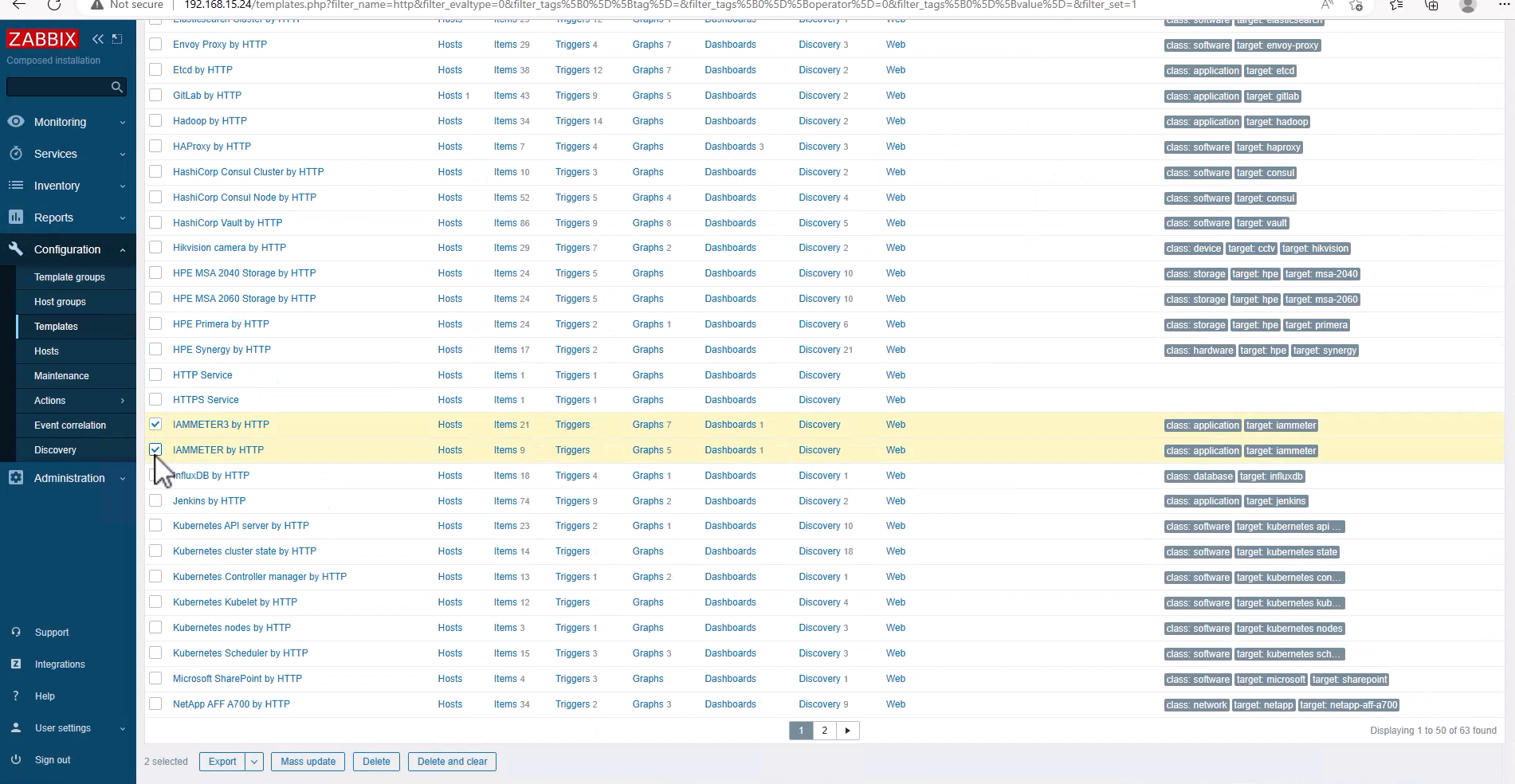
Open ZABBIX -> Configuration -> Templates -> Import
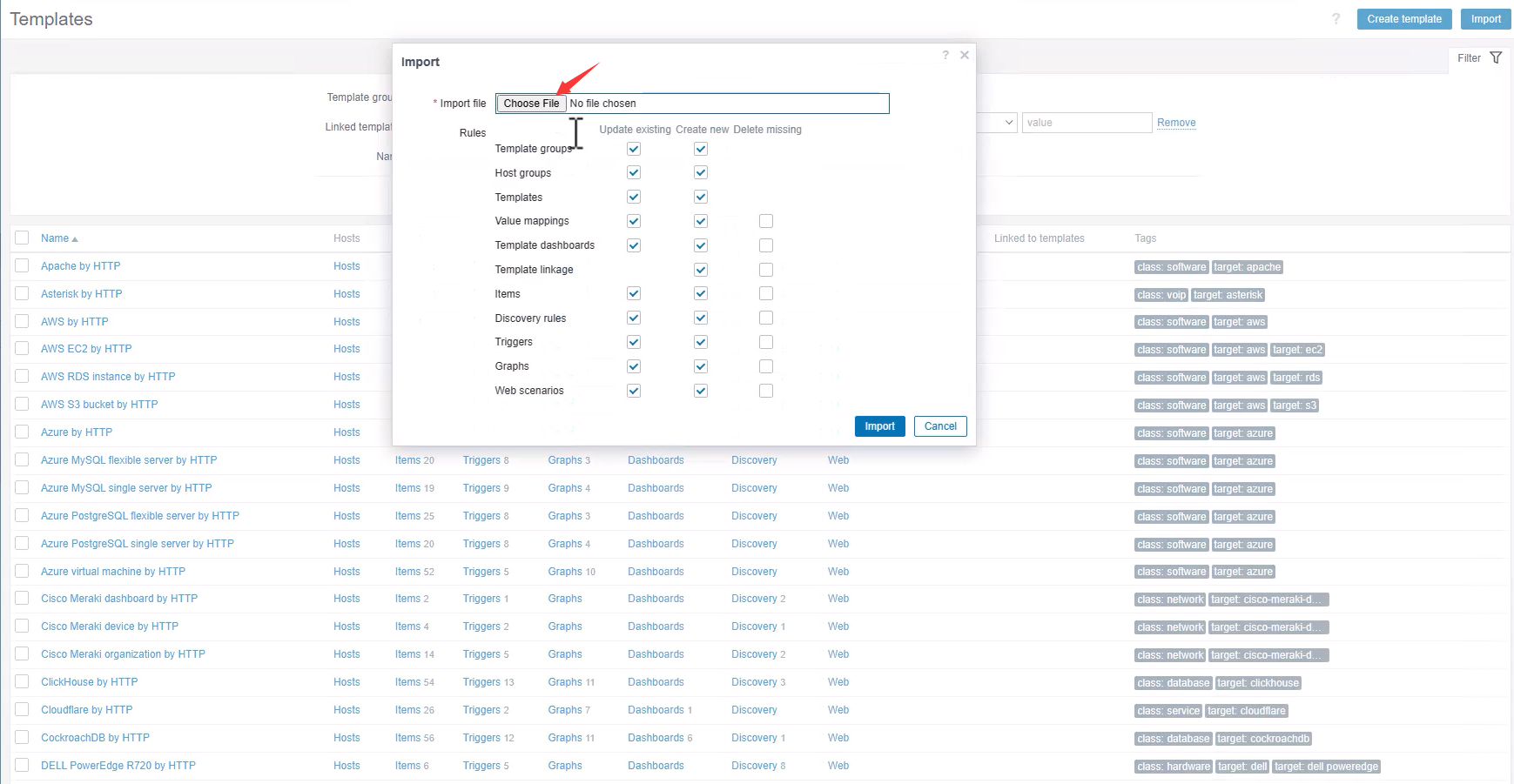
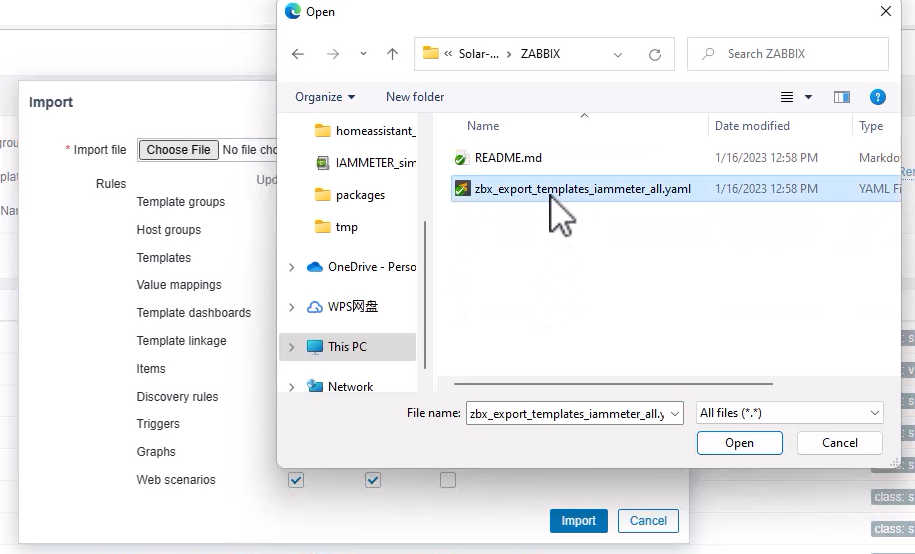
Choose File: zbx_export_templates_iammeter_all.yaml
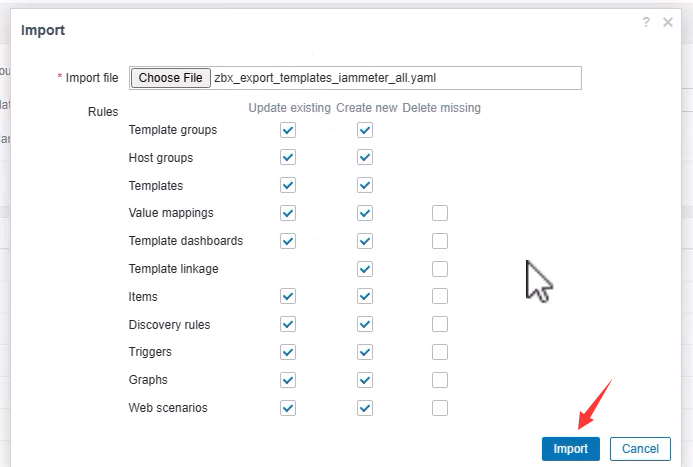
Import
 Add Energy meter: WEM3080
WEM3080: Single phase Wi-Fi power meter
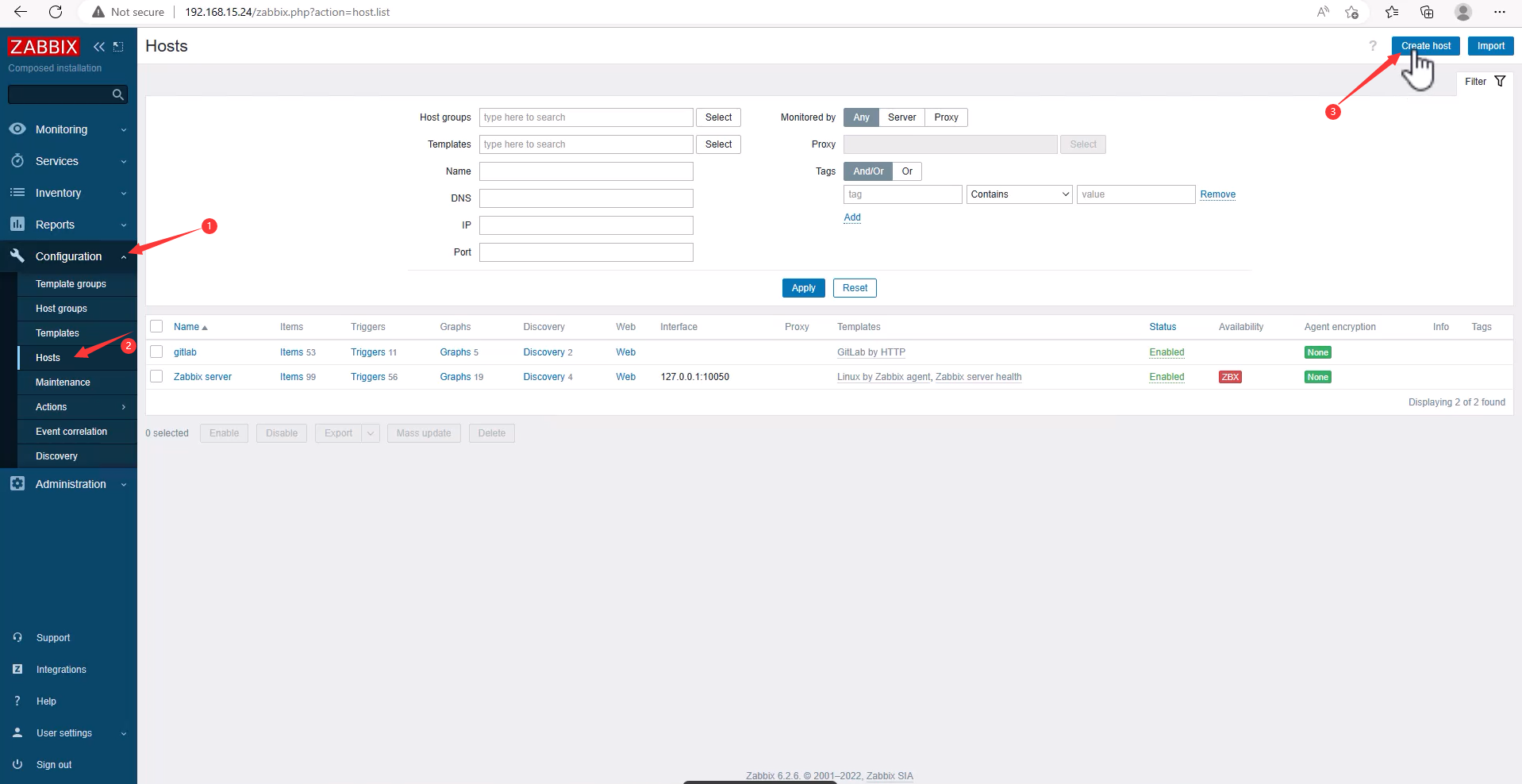
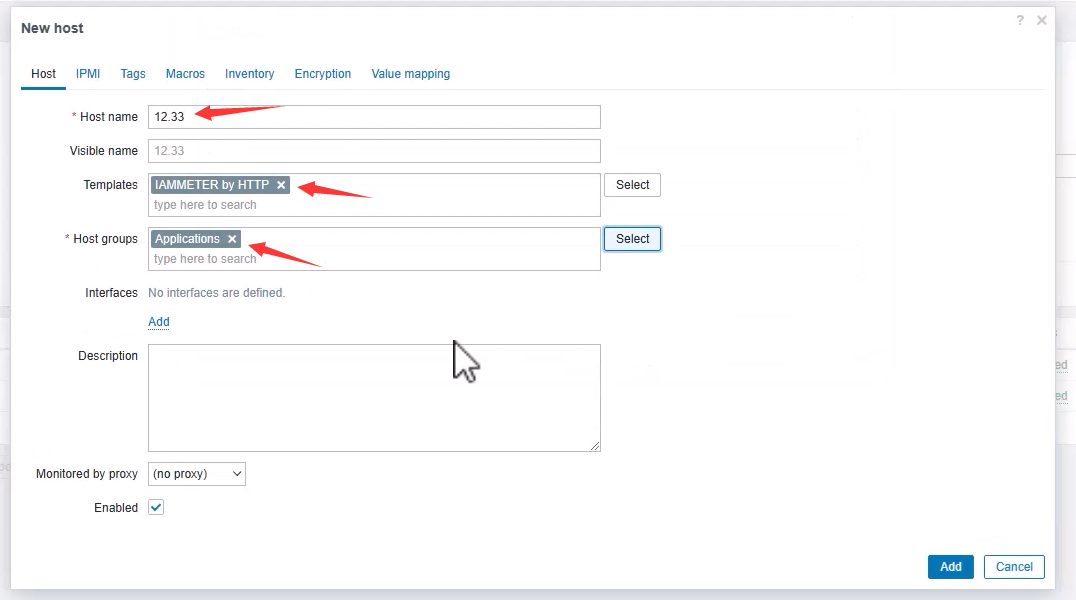
Configuration -> Hosts -> Create host
Host name: 12.33Templates: IAMMETER by HTTPHost groups: Applications
Macros Value, your meter IP Address)
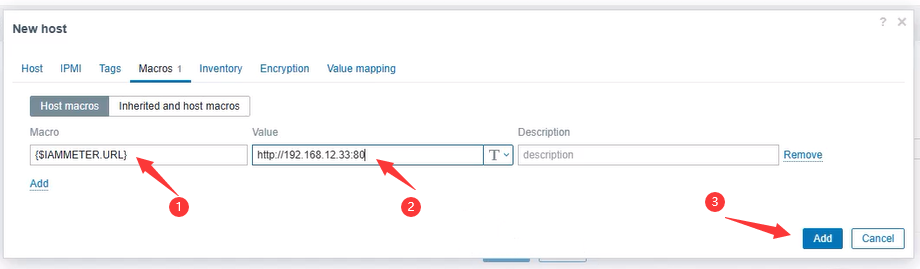
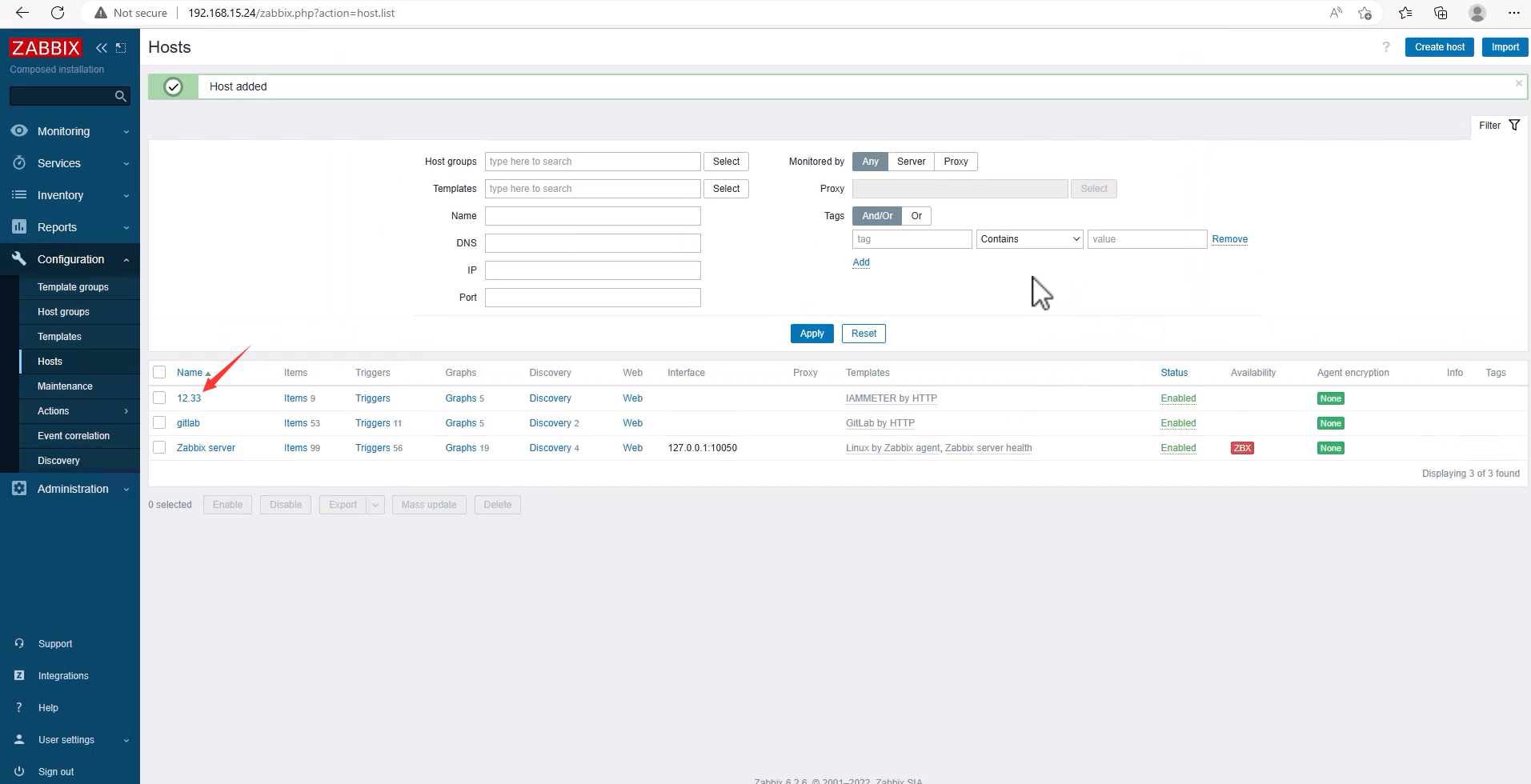
Add OK
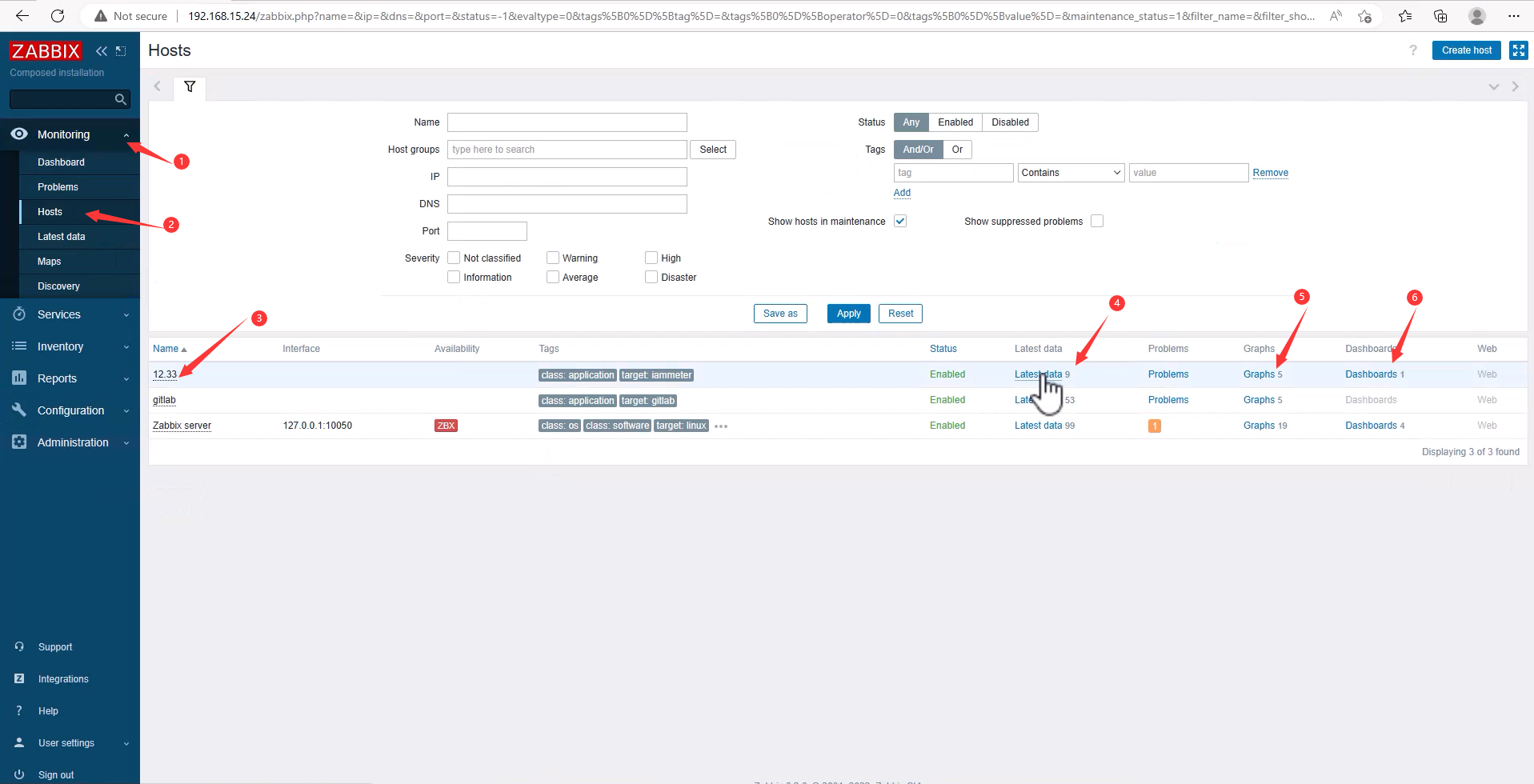
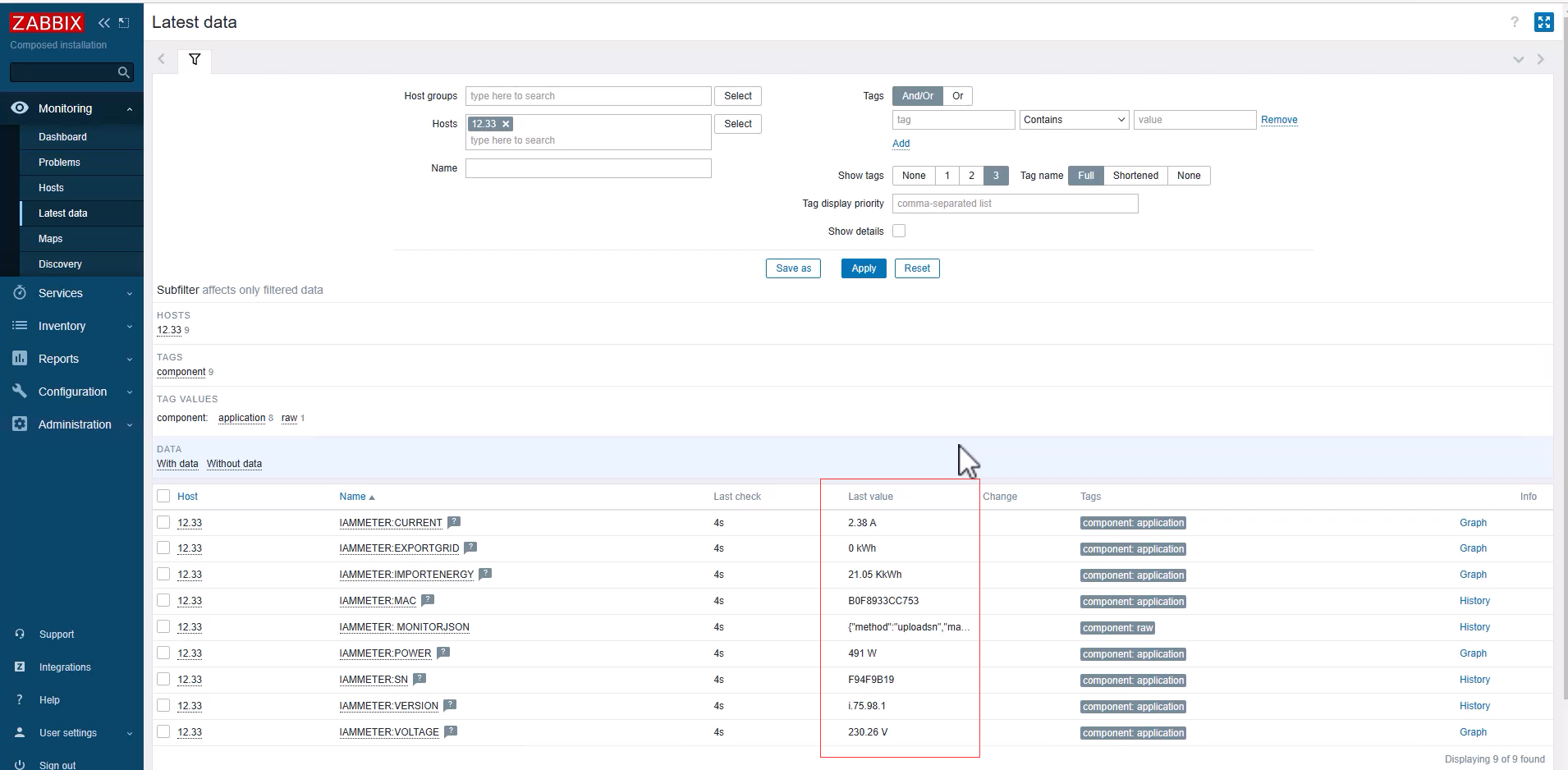
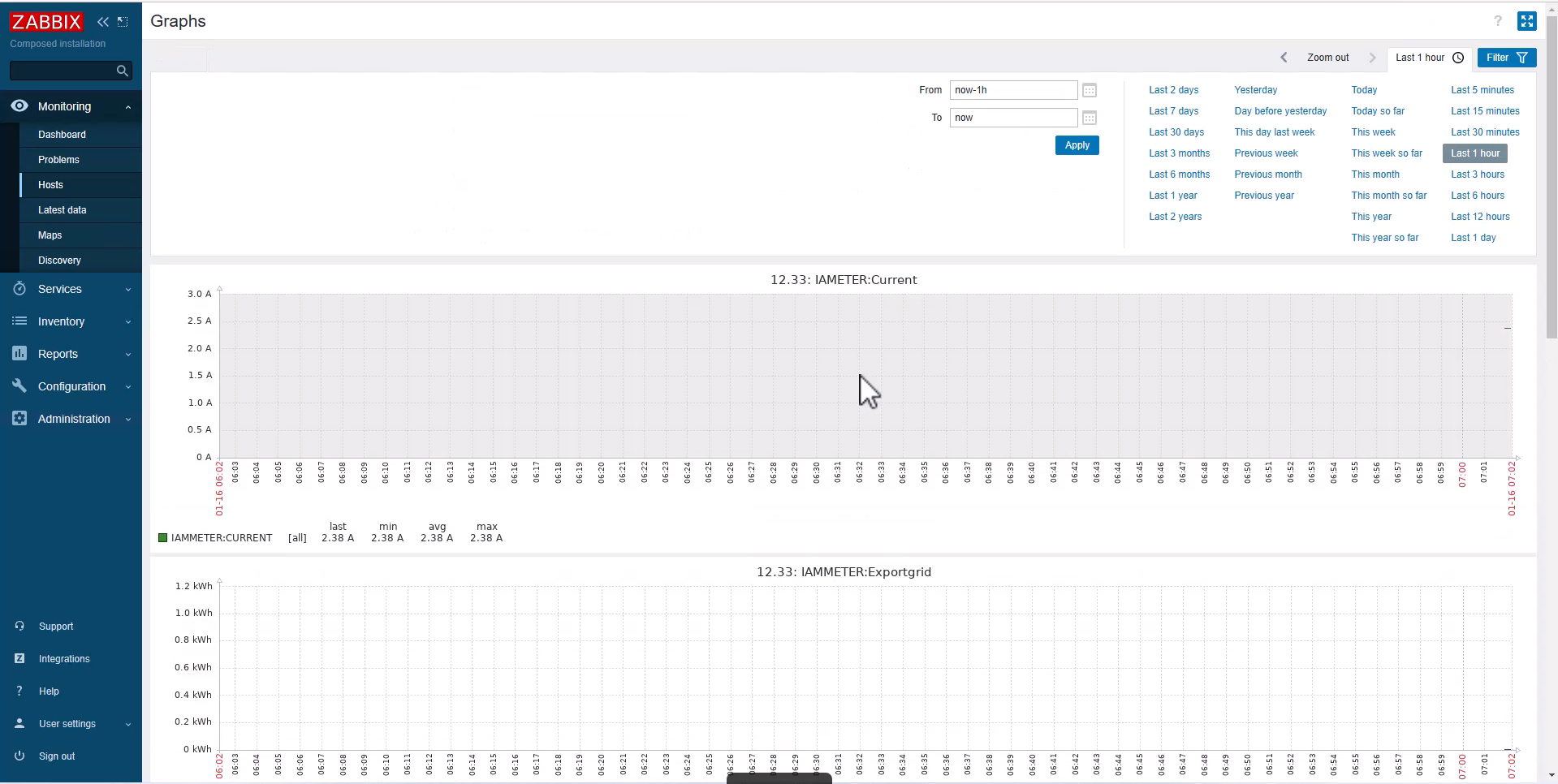
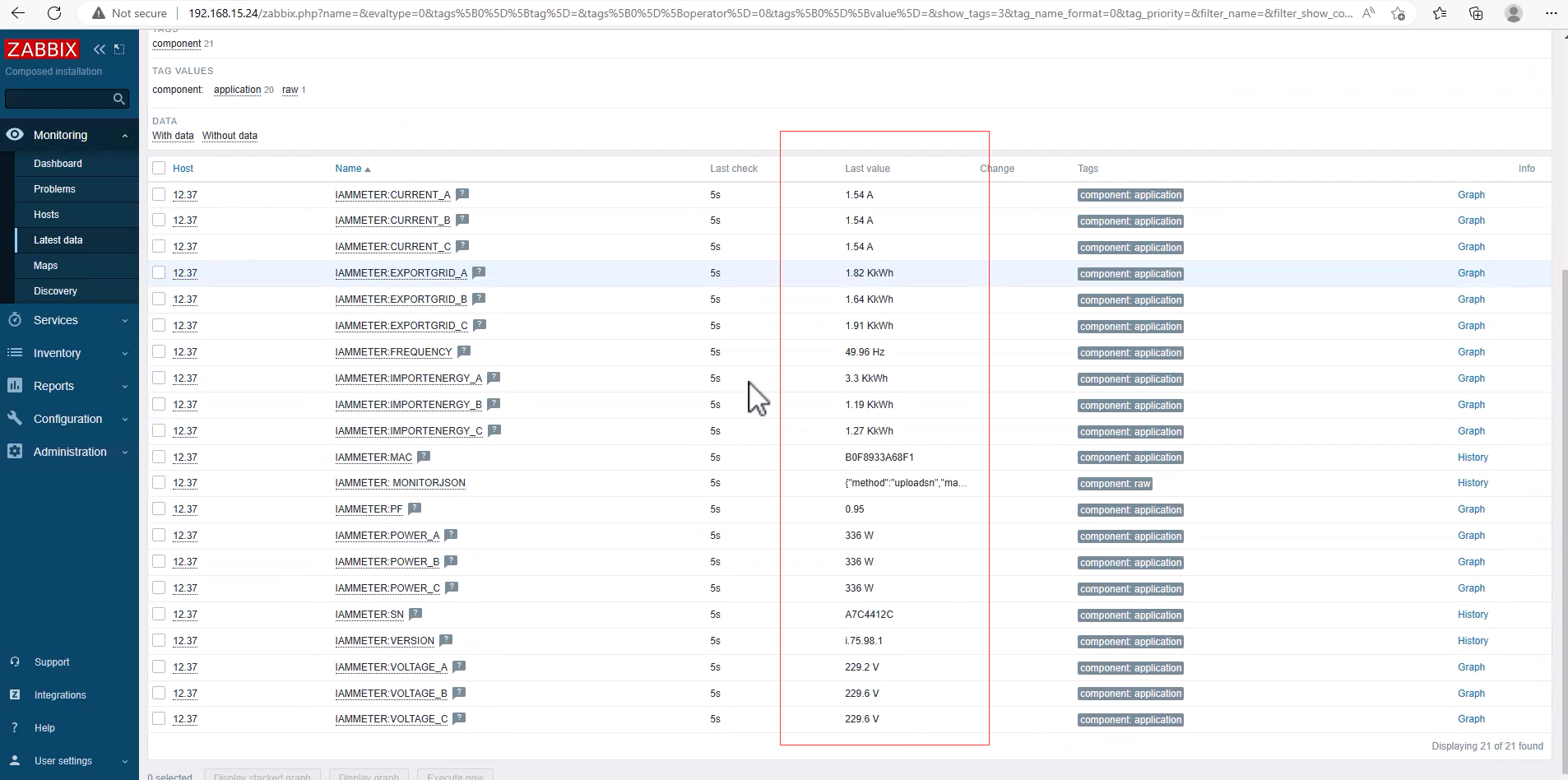
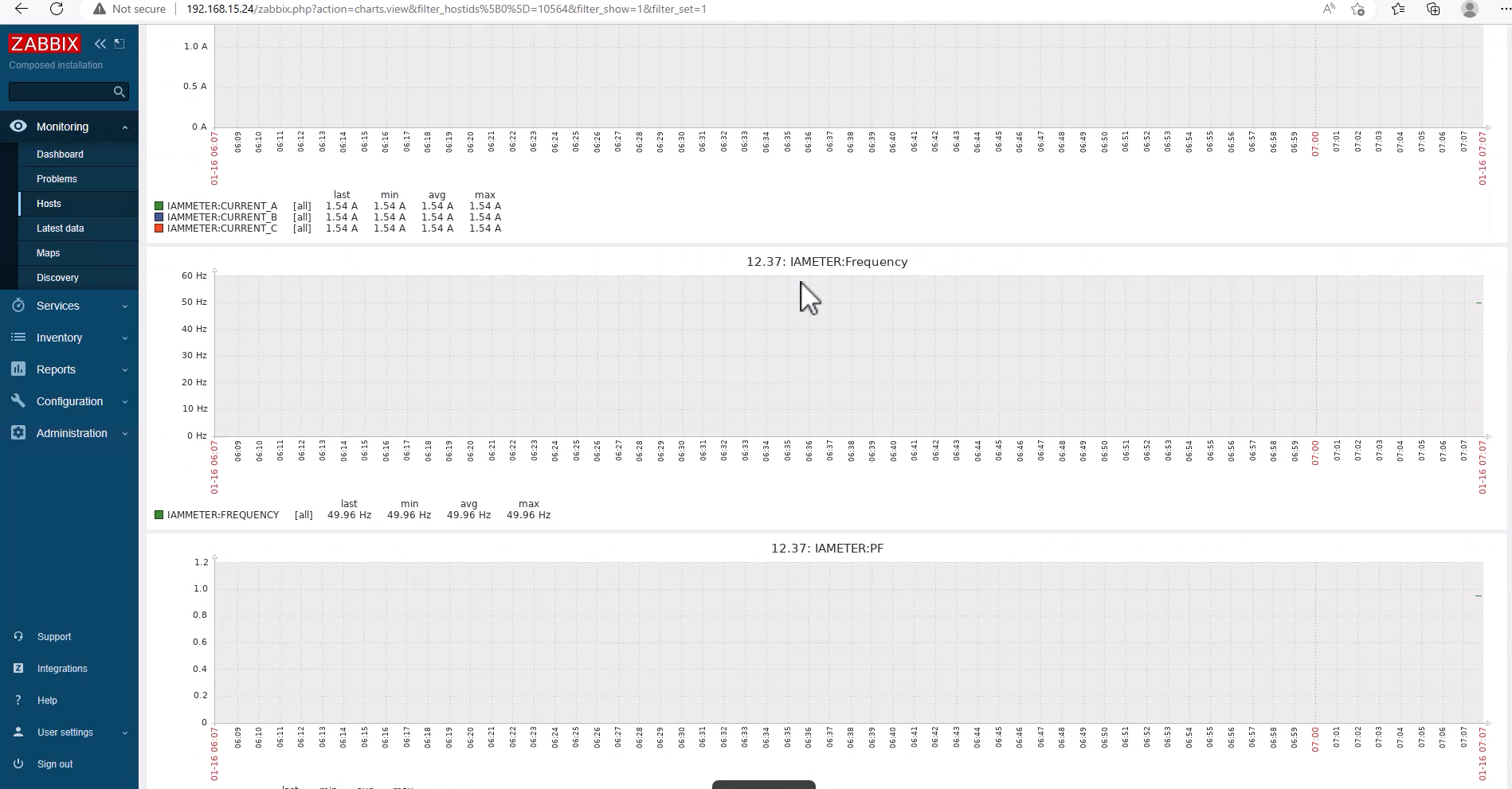
Monitoring -> Hosts -> 12.33 -> Latest data, Graphs, Dashboards
 Add Energy meter WEM3080T
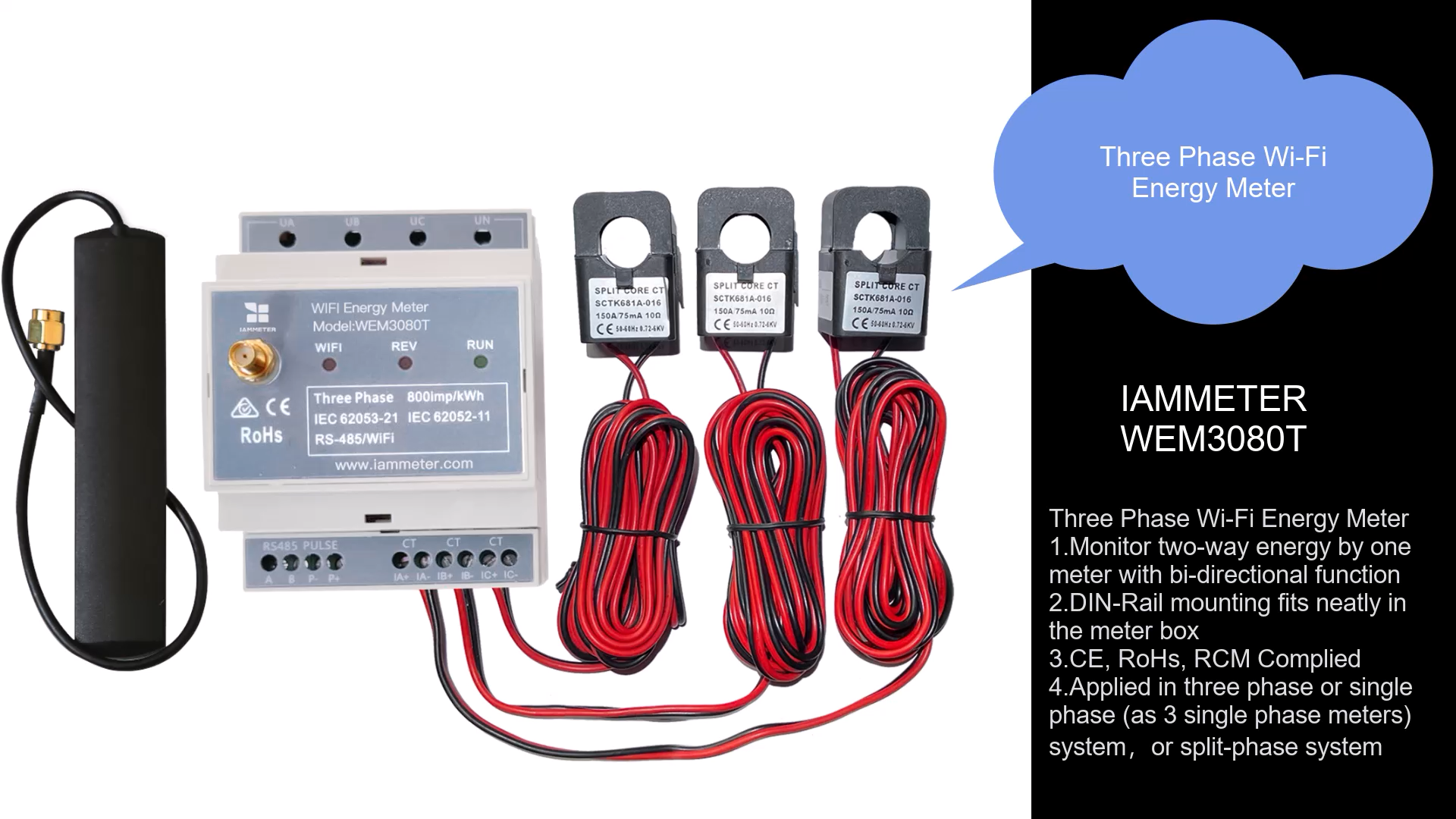
WEM3080T:3 phase Wi-Fi energy meter
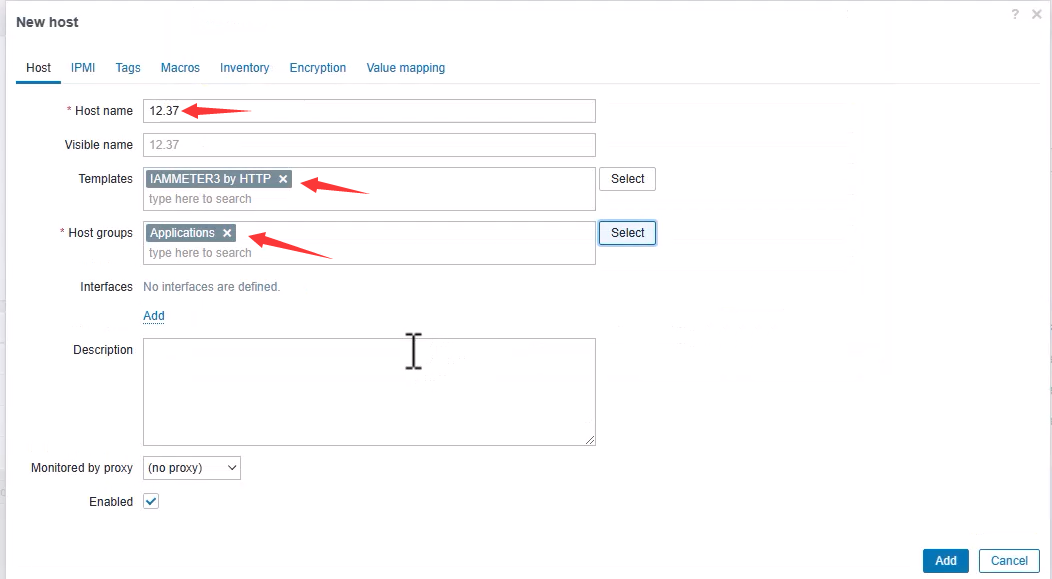
Configuration -> Hosts -> Create host
Host name: 12.33Templates: IAMMETER3 by HTTPHost groups: Applications
MacrosValue, your meter IP Address)
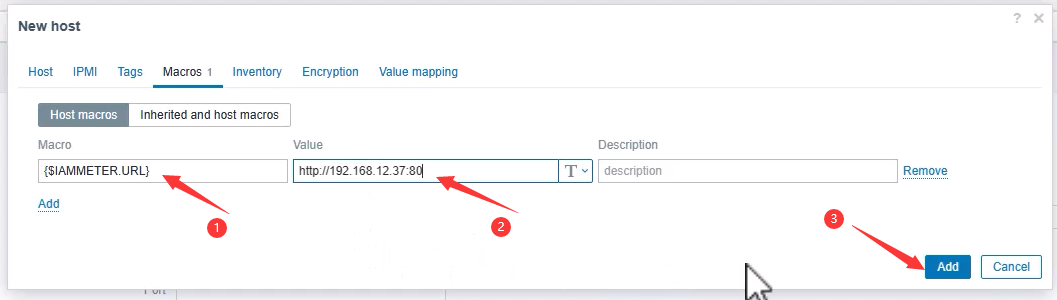
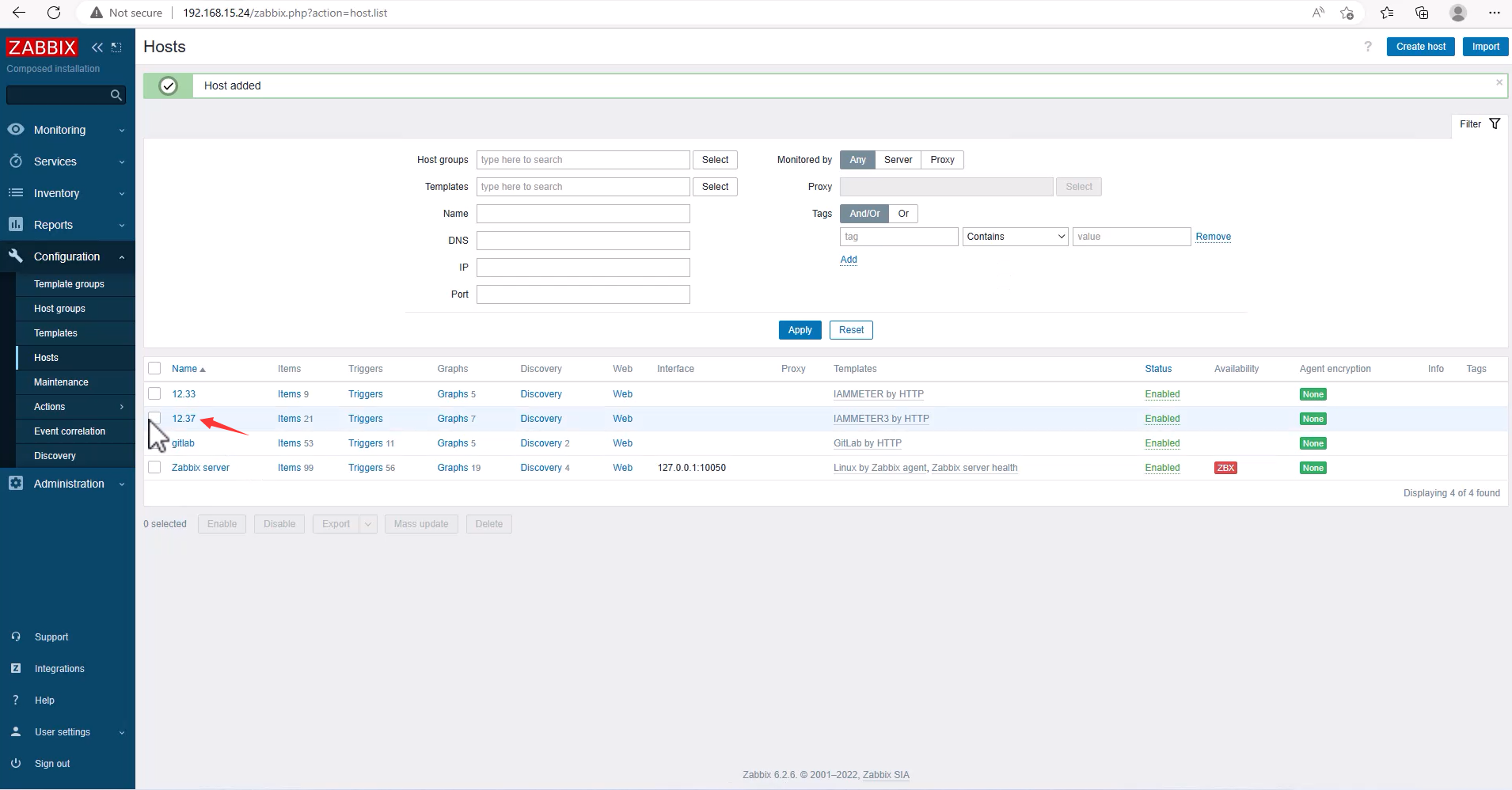
Add OK
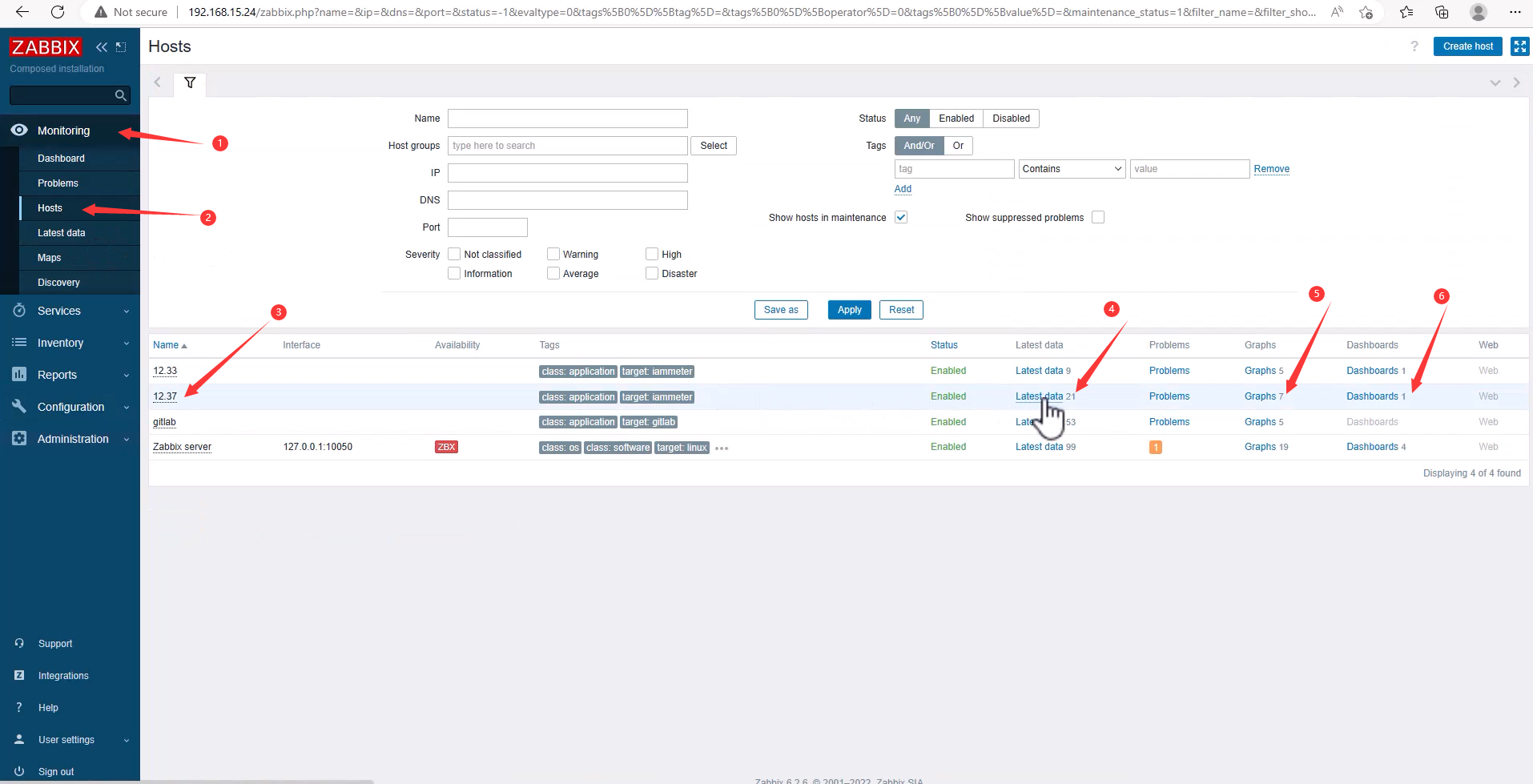
Monitoring -> Hosts -> 12.33 -> Latest data, Graphs, Dashboards
Reference
Zabbix Integration: Integrate a single-phase Wi-Fi power meter(WEM3080) into Zabbix
Zabbix Integration: Integrate 3 phase Wi-Fi power meter(WEM3080T) into Zabbix
How do find the power meter with regard to your requirements
If it is not allowed, please let me know, thanks
Dashboard effect
Integrate Energy meter
Import the Templates of IAMMETER to ZABBIX
Add Energy meter: WEM3080
Add Energy meter WEM3080T
Reference
Abstract: Use the energy meter of IAMMETER in ZABBIX.
This is a step-by-step tutorial, showing how to integrate the IAMMETER`s power meter (both single phase and three phase) into ZABBIX.
Dashboard effect
This is the dashboard effect in Zabbix
Single phase Wi-Fi Energy Meter :WEM3080
Three Phase Wi-Fi Energy Meter:WEM3080T
Integrate Energy meterIn this chapter, we use IAMMETER`s energy meter as the example hardware.
Import the Templates of IAMMETER to ZABBIX
All the file in https://github.com/lewei50/Solar-PV-.../master/ZABBIX
Clone the repository to local.
Open ZABBIX -> Configuration -> Templates -> Import
Choose File: zbx_export_templates_iammeter_all.yaml
Import
Add Energy meter: WEM3080WEM3080: Single phase Wi-Fi power meter
Configuration -> Hosts -> Create host
Host name: 12.33Templates: IAMMETER by HTTPHost groups: Applications
Macros
Value, your meter IP Address) | {$IAMMETER.URL} | http://192.168.12.33:80 |
Add OK
Monitoring -> Hosts -> 12.33 -> Latest data, Graphs, Dashboards
Add Energy meter WEM3080TWEM3080T:3 phase Wi-Fi energy meter
Configuration -> Hosts -> Create host
Host name: 12.33Templates: IAMMETER3 by HTTPHost groups: Applications
Macros
Value, your meter IP Address) | {$IAMMETER.URL} | http://192.168.12.37:80 |
Add OK
Monitoring -> Hosts -> 12.33 -> Latest data, Graphs, Dashboards
Reference
Zabbix Integration: Integrate a single-phase Wi-Fi power meter(WEM3080) into Zabbix
Zabbix Integration: Integrate 3 phase Wi-Fi power meter(WEM3080T) into Zabbix
How do find the power meter with regard to your requirements