
Complex event processing
Overview
Complex event processing (CEP) performs rule-based processing for Zabbix events.
For example, you might want to:
- group related events and mark first event in a series as cause (the following as symptoms)
- specify a time-to-live period for events
- specify a maximum number for certain events
- be notified about similar events by location
- be notified if some event happens too often (or not at all) within a time period
In addition to single event processing, you may define time windows for event analysis. Within a time window, all matching events form a single context and can be analyzed as a whole.
A sliding time window moves forward with the time. Older events leave the window (are "evicted"), while new events may enter.
A tumbling time window does not move forward. When the window expires, a new window with the same duration is started. Cause and symptom grouping windows are a tumbling time window.
The time window concept presents logical points for executing operations. For example, an event can be transformed or "enriched" when it enters the window - severity can be raised or lowered, tags can be added or adjusted, suppression can be activated, etc.
Similar operations can be executed when the event leaves the window or when a pattern is found.
Event stream analysis is defined by CEP rules. A CEP rule consists of a time window (optional), conditions and operations. Operations are tied to an execution point.
Use cases
- Group related events, with the first such event automatically marked as cause (all following as symptoms).
- Enrich event with higher severity/specific tag if too many 401 events happen within a minute (possible bot activity).
Configuration
To create a CEP rule in Zabbix frontend, do the following:
- Go to Data collection > Event processing.
- Click Create complex event processing in the upper-right corner of the screen.
- Enter parameters of the rule in the form.
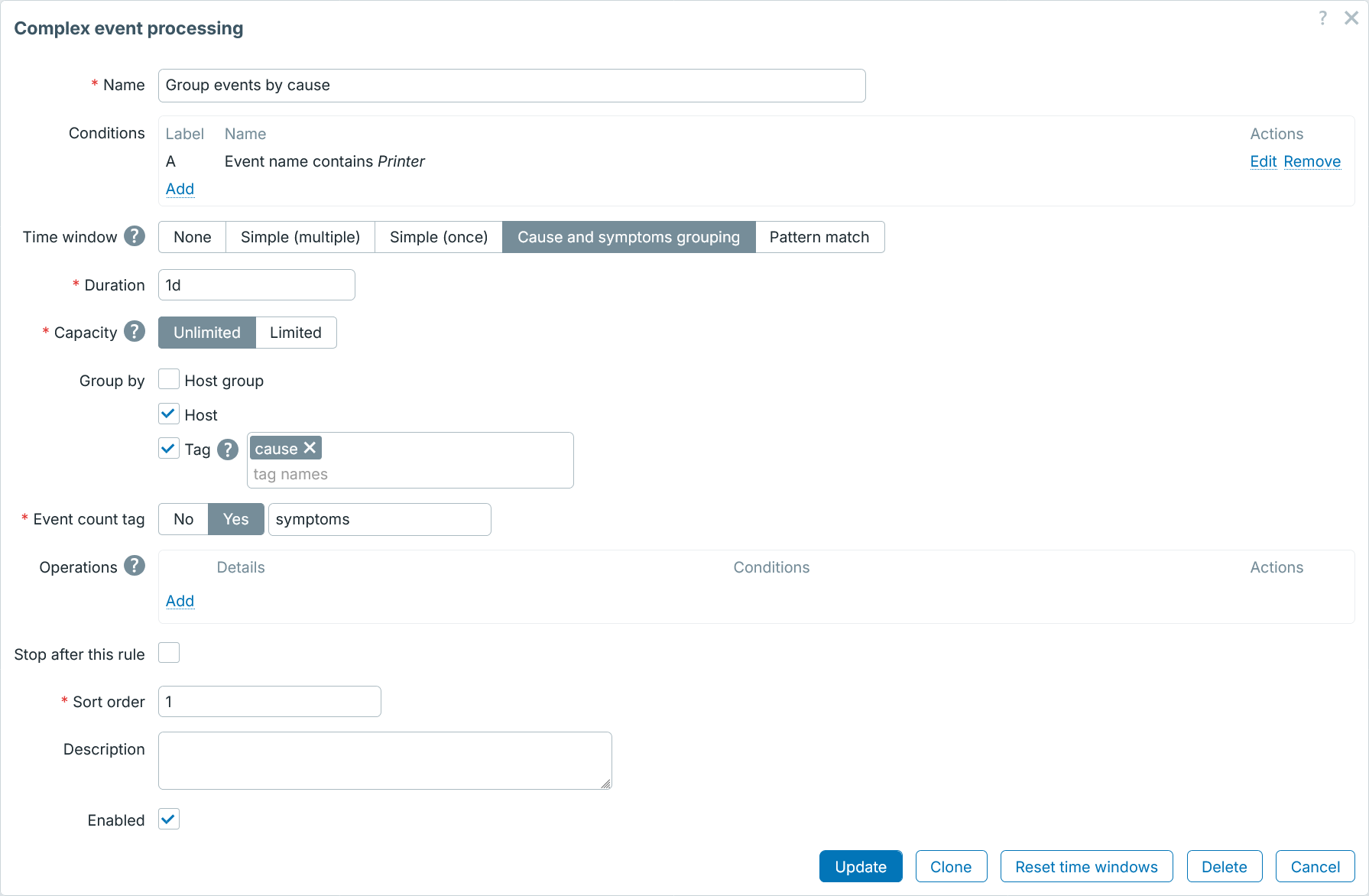
| Parameter | Description |
|---|---|
| Name | Specify a unique CEP rule name. |
| Conditions | Specify conditions for associating events with this CEP rule. |
| Time window | Select the time window type: None - process single events with no time window (default) Simple (multiple) - process events in a sliding time window (event can be added to multiple windows of this type) Simple (once) - process events in a sliding time window (event can be added only to one window of this type) Cause and symptom grouping - process first event in time window as cause, consecutive events as symptoms Pattern match - analyze sliding time window events based on a JavaScript script. The window is examined every second; events older than the duration are evicted, and the script is then run over the events that remain in it. When the script reports a match, the pattern match operations are executed for every event the window holds; the events stay in the window and are examined again a second later, until they age out. A window can be forcibly closed by the "Close window" operation. |
| Duration | Limit the time window duration (in seconds, 365 days max). The window duration is started by the first matching event. In Simple and Pattern match windows, the window is moving so older events will leave the window (are evicted) after the duration passes. In Cause and symptom grouping windows, window duration is a fixed timeframe for setting cause and symptom relationship. The window is started when the first event matches. When the duration expires, the window is closed and a new one is started. No event is evicted when the duration expires; periods run back to back. Time suffixes are supported ( 10m, 1h, etc).User macros are supported. |
| Capacity | Specify the event capacity within the time window: Unlimited - event count is not limited Limited - event count is limited by the specified number Once the limit is surpassed, the latest event is evicted. User macros are supported. |
| Group by | Group events by host group, host, and/or event tag. This option is available for CEP rules with a time window. If specified, the rule will create multiple windows based on specified criteria; otherwise events will be grouped into a single window group. |
| Event count tag | Specify name for a tag displaying symptom event count. Symptom event count will be displayed as <tag name>:<event count> (for example: symptoms:2).This field is only available if Cause and symptom grouping is selected as time window type. |
| Script | Specify the script for identifying event patterns. This field is only available if Pattern match is selected as time window type. |
| Operations | Click on Add to specify operations. |
| Stop after this rule | Mark the checkbox if no further processing is required after this rule. Otherwise, continue with the next CEP rule according to the sort order. |
| Sort order | Specify position of this CEP rule in the processing order. If the order priority is the same, the rules will be executed alphabetically. |
| Description | Add the CEP rule description. |
CEP rule condition
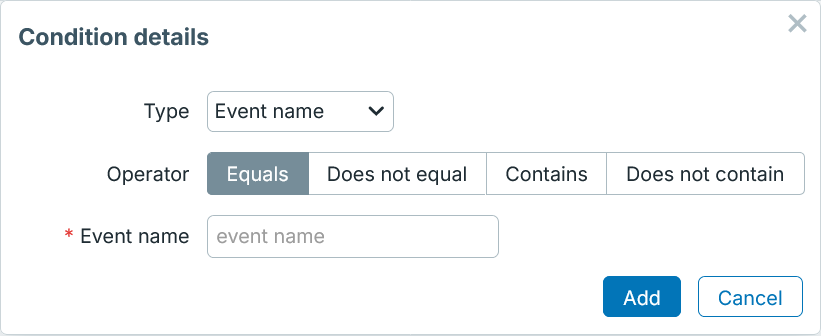
| Parameter | Description |
|---|---|
| Type | Select condition type. Event filtering can be based on event name, tag name, tag value, severity, host group, host (visible name), or time period. |
CEP rule operation
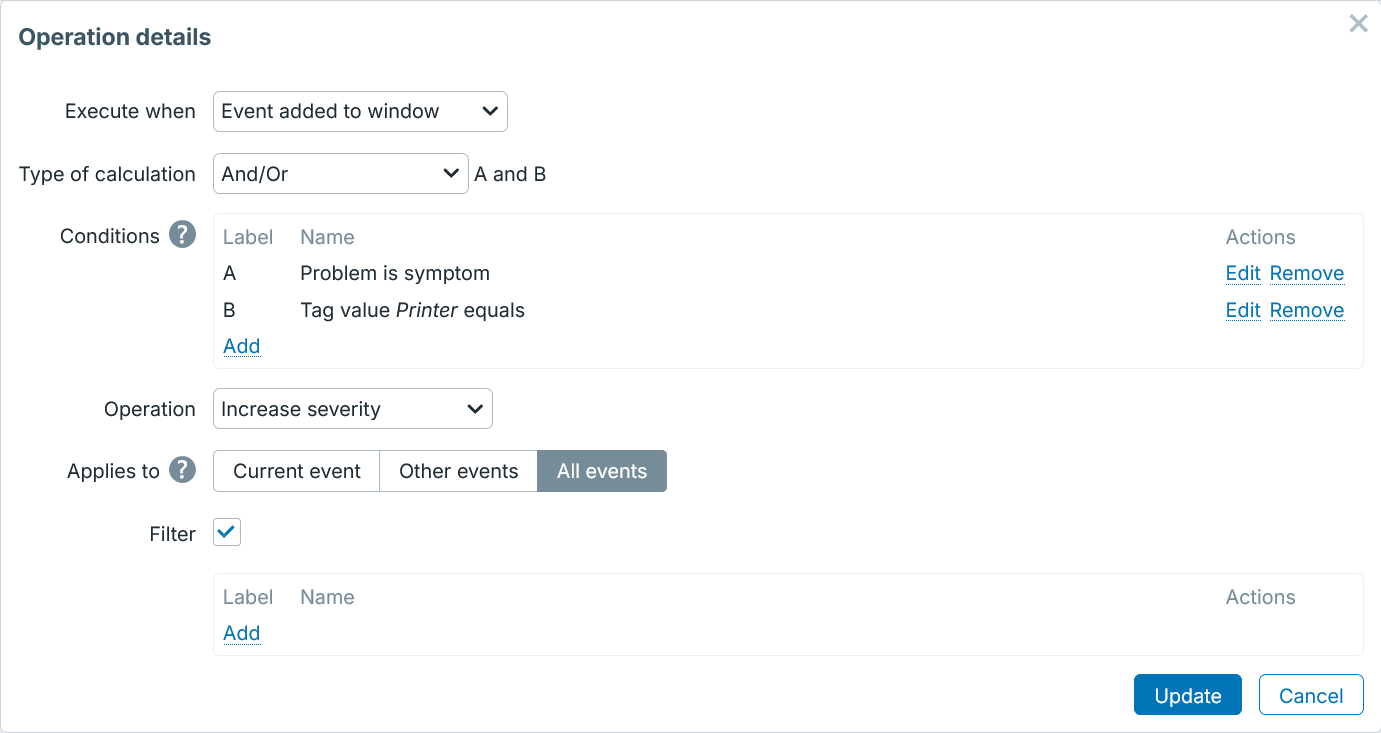
| Parameter | Description |
|---|---|
| Execute when | Select execution point: Event occurred - when event occurs. This is the only stage where Discard operation is supported, since event is not actually created yet and can be discarded. Window-related operations are not available at this point. Changes made to the event in Event occurred phase (except closing) are visible to the next CEP rules trying to match this event. For example, if rule A added tag X and rule B has condition "Tag X exists", then it will match rule A and B. Of course, rule A should not be configured to stop after matching. Event added to window - when event is added to time window. Operations are executed after event is added to matched CEP-rule windows. If window is at its capacity, then Event evicted operations are executed instead. Event evicted - when event leaves the window. Operations are executed before event is evicted from a window because of duration or capacity. Event closed - when event is closed. Window closed - when time window is closed. Operations are executed on all window events when window is closed because of Close window operation or as expired cause-symptom window. Pattern matched - when pattern is matched. Operations are executed on all window events when the pattern match JavaScript returns true.Note that the Event occurred, Event added to window and Event evicted have fixed execution order, while Window closed and Pattern matched operate independently. |
| Conditions | Select additional conditions for the operation. |
| Operation | Select operation. Events: Set name - set event name Close - close event Discard - discard event. Only available at Event occurred stage. Set severity - set event severity Increase severity - increase event severity Decrease severity - decrease event severity Suppress - suppress event Unsuppress - unsuppress event Clone first - clone first event. Useful for producing a summary event based on the first event. Only available at Event evicted, Window closed, or Pattern matched stages. Clone last - clone last event. Useful for producing a summary event based on the last event. Only available at Event evicted, Window closed, or Pattern matched stages. For event cloning to work either the source (first/last) event must be resolved or its trigger must have multi-event generation enabled. Tags: Add - add tag Set - set tag and value Set value - set tag value Increase value - increase tag value Decrease value - decrease tag value Rename - rename tag Remove - remove tag Window: Close (window) - close event window |
| Applies to | Select operation scope: Current event - apply operation to the current event Other events - apply operation to all events except the current one All events - apply operation to all events |
| Filter | Select additional filter for the operation scope. This field is available if Applies to is set "Other events" or "All events". |
CEP rule operation condition
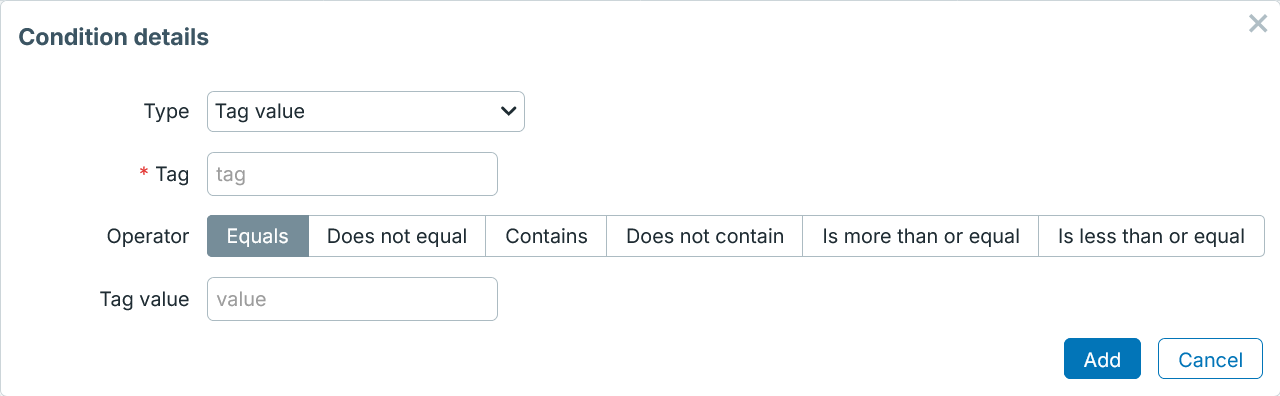
| Parameter | Description |
|---|---|
| Type | Select condition type. Event filtering can be based on tag name, tag value, problem is opened/closed, problem is symptom/not symptom, first event in time window, last event in time window, problem is suppressed/not suppressed, event is cloned/not cloned. |