
Hi Experts,
I have a zabbix server on Esxi machine that had 60 GB memory but it become low by the time now I increases 65 GB more hard disk Space then I run following commands:
fdisk /dev/sda
n - new
p - primary
3 - partition number (use next available number)
Select default first available cylinder and default last available cylinder
t -type
3 - partition number
8e -set type as LVM
p -view the new partitions layout
w write out the new partitions layout to disk if it looks ok
Command (m for help): w
Now after it looks like:

Then I created a VG and move both sda1 and sda2 to my VG that looks like:
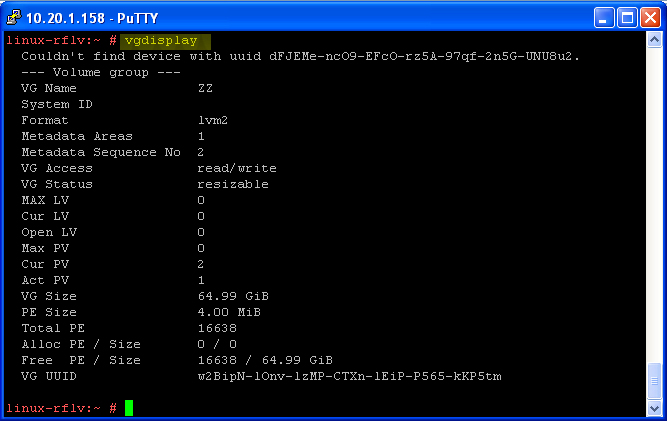
But Now I can't do anything I don't have Idea Please Please Please let me know how to assign sda1 and sda2 (65GB) data to sda1?
Please let me know the commands step by step
Regards,
I have a zabbix server on Esxi machine that had 60 GB memory but it become low by the time now I increases 65 GB more hard disk Space then I run following commands:
fdisk /dev/sda
n - new
p - primary
3 - partition number (use next available number)
Select default first available cylinder and default last available cylinder
t -type
3 - partition number
8e -set type as LVM
p -view the new partitions layout
w write out the new partitions layout to disk if it looks ok
Command (m for help): w
Now after it looks like:
Then I created a VG and move both sda1 and sda2 to my VG that looks like:
But Now I can't do anything I don't have Idea Please Please Please let me know how to assign sda1 and sda2 (65GB) data to sda1?
Please let me know the commands step by step
Regards,


 or not
Comment