Ad Widget

Collapse

Zabbix stops accepting connections / zabbix server not running

Collapse
X
 
  • Time
  • Show
Clear All
new posts
  • lubyou
    Junior Member
    • Mar 2012
    • 19

    #1

    Zabbix stops accepting connections / zabbix server not running

    Hello,

    as of a few days I seem to be having trouble with my zabbix installation.
    The web interface shows the zabbix server to be down and literally all my hosts (active hosts, trigger on agent.ping.nodata()) are being displayed as "down" as well.

    ~$ netstat -nl | grep 10051
    tcp 0 0 0.0.0.0:10051 0.0.0.0:* LISTEN

    :~$ telnet localhost 10051
    Trying 127.0.0.1...
    telnet: Unable to connect to remote host: Connection timed out

    Telnet to the zabbix on the machine itself does not seem to work when this happens.

    Connections from and to tcp port 10051, as well as any connection from lo to lo are allowed.

    Debian squeeze, zabbix 2.0.2, mysql (not that it should matter, but the system is currently a xen domU).

    This installation has been running without problems until last friday or saturday.

    Any advice on how to debug this?
    Attached Files
    Last edited by lubyou; 02-10-2012, 08:52.
  • ableev
    Senior Member
    Zabbix Certified Specialist
    • Oct 2012
    • 276

    #2
    Try enable debug level in zabbix_server.conf, and watch log-file.
    Check the PID-file:
    Code:
    # grep -i pidfile /etc/zabbix/zabbix_server.conf 
    PidFile=/var/run/zabbix-server/zabbix_server.pid
    
    # ls -la /var/run/zabbix-server/zabbix_server.pid
    -rw-rw-r-- 1 [B]zabbix[/B] [B]zabbix[/B] 4 2012-09-21 14:30 /var/run/zabbix-server/zabbix_server.pid
    is it writable for zabbix?
    Last edited by ableev; 02-10-2012, 09:38.

    Comment

    • lubyou
      Junior Member
      • Mar 2012
      • 19

      #3
      Originally posted by ableev
      Try enable debug level in zabbix_server.conf, and watch log-file.
      Check the PID-file:
      Code:
      # grep -i pidfile /etc/zabbix/zabbix_server.conf 
      PidFile=/var/run/zabbix-server/zabbix_server.pid
      
      # ls -la /var/run/zabbix-server/zabbix_server.pid
      -rw-rw-r-- 1 [B]zabbix[/B] [B]zabbix[/B] 4 2012-09-21 14:30 /var/run/zabbix-server/zabbix_server.pid
      is it writable for zabbix?
      The pid file is writable.

      ls -la /var/run/zabbix-server/zabbix_server.pid
      -rw-rw-r-- 1 zabbix zabbix 3 Oct 1 20:34 /var/run/zabbix-server/zabbix_server.pid

      Nothing in the logs (at least on debug level 3).

      Comment

      • lubyou
        Junior Member
        • Mar 2012
        • 19

        #4
        Turned out I had a couple of hundred connections in TIME_WAIT status.

        After some tweaking I am down to 200-300 connections in TIME_WAIT and Zabbix has been working well so far (all my items are active items).

        I am wondering what will happen once I add more hosts...

        Comment

        • lubyou
          Junior Member
          • Mar 2012
          • 19

          #5
          Back to square one. After having the same problem as describe in the initial thread, I installed zabbix on a physical server, moved over my db and now I am having the same problems again.

          The physical server and the vm have the following things in common:

          db content
          os
          zabbix binaries
          hoster/isp

          Out of ideas.

          A little help, please?

          Comment

          • ableev
            Senior Member
            Zabbix Certified Specialist
            • Oct 2012
            • 276

            #6
            Can you share your zabbix_server.conf?

            Comment

            • lubyou
              Junior Member
              • Mar 2012
              • 19

              #7
              Originally posted by ableev
              Can you share your zabbix_server.conf?
              Code:
              # This is a configuration file for Zabbix Server process
              # To get more information about Zabbix,
              # visit http://www.zabbix.com
              
              ############ GENERAL PARAMETERS #################
              
              ### Option: NodeID
              #       Unique NodeID in distributed setup.
              #       0 - standalone server
              #
              # Mandatory: no
              # Range: 0-999
              # Default:
              # NodeID=0
              
              ### Option: ListenPort
              #       Listen port for trapper.
              #
              # Mandatory: no
              # Range: 1024-32767
              # Default:
              # ListenPort=10051
              
              ### Option: SourceIP
              #       Source IP address for outgoing connections.
              #
              # Mandatory: no
              # Default:
              SourceIP= xx.xx.xx.xx
              
              ### Option: LogFile
              #       Name of log file.
              #       If not set, syslog is used.
              #
              # Mandatory: no
              # Default:
              # LogFile=
              
              LogFile=/var/log/zabbix-server/zabbix_server.log
              
              ### Option: LogFileSize
              #       Maximum size of log file in MB.
              #       0 - disable automatic log rotation.
              #
              # Mandatory: no
              # Range: 0-1024
              # Default:
              LogFileSize=100
              
              ### Option: DebugLevel
              #       Specifies debug level
              #       0 - no debug
              #       1 - critical information
              #       2 - error information
              #       3 - warnings
              #       4 - for debugging (produces lots of information)
              #
              # Mandatory: no
              # Range: 0-4
              # Default:
              DebugLevel=4
              ### Option: PidFile
              #       Name of PID file.
              #
              # Mandatory: no
              # Default:
              # PidFile=/tmp/zabbix_server.pid
              
              PidFile=/var/run/zabbix-server/zabbix_server.pid
              
              ### Option: DBHost
              #       Database host name.
              #       If set to localhost, socket is used for MySQL.
              #
              # Mandatory: no
              # Default:
              # DBHost=localhost
              
              DBHost=localhost
              
              ### Option: DBName
              #       Database name.
              #       For SQLite3 path to database file must be provided. DBUser and DBPassword are ignored.
              #
              # Mandatory: yes
              # Default:
              # DBName=
              
              DBName=zabbix
              
              ### Option: DBSchema
              #       Schema name. Used for IBM DB2.
              #
              # Mandatory: no
              # Default:
              # DBSchema=
              
              ### Option: DBUser
              #       Database user. Ignored for SQLite.
              #
              # Mandatory: no
              # Default:
              # DBUser=
              
              DBUser=zabbix
              
              ### Option: DBPassword
              #       Database password. Ignored for SQLite.
              #       Comment this line if no password is used.
              #
              # Mandatory: no
              # Default:
              # DBPassword=
              
              DBPassword=xxx
              
              ### Option: DBSocket
              #       Path to MySQL socket.
              #
              # Mandatory: no
              # Default:
              # DBSocket=/tmp/mysql.sock
              
              DBSocket=/var/run/mysqld/mysqld.sock
              
              ### Option: DBPort
              #       Database port when not using local socket. Ignored for SQLite.
              #
              # Mandatory: no
              # Range: 1024-65535
              # Default (for MySQL):
              # DBPort=3306
              
              ############ ADVANCED PARAMETERS ################
              
              ### Option: StartPollers
              #       Number of pre-forked instances of pollers.
              #
              # Mandatory: no
              # Range: 0-1000
              # Default:
              # StartPollers=5
              
              ### Option: StartIPMIPollers
              #       Number of pre-forked instances of IPMI pollers.
              #
              # Mandatory: no
              # Range: 0-1000
              # Default:
              # StartIPMIPollers=0
              
              ### Option: StartPollersUnreachable
              #       Number of pre-forked instances of pollers for unreachable hosts (including IPMI).
              #
              # Mandatory: no
              # Range: 0-1000
              # Default:
              # StartPollersUnreachable=1
              
              ### Option: StartTrappers
              #       Number of pre-forked instances of trappers.
              #
              # Mandatory: no
              # Range: 0-1000
              # Default:
              # StartTrappers=5
              
              ### Option: StartPingers
              #       Number of pre-forked instances of ICMP pingers.
              #
              # Mandatory: no
              # Range: 0-1000
              # Default:
              # StartPingers=1
              
              ### Option: StartDiscoverers
              #       Number of pre-forked instances of discoverers.
              #
              # Mandatory: no
              # Range: 0-250
              # Default:
              # StartDiscoverers=1
              
              ### Option: StartHTTPPollers
              #       Number of pre-forked instances of HTTP pollers.
              #
              # Mandatory: no
              # Range: 0-1000
              # Default:
              # StartHTTPPollers=1
              
              ### Option: JavaGateway
              #       IP address (or hostname) of Zabbix Java gateway.
              #       Only required if Java pollers are started.
              #
              # Mandatory: no
              # Default:
              # JavaGateway=
              
              ### Option: JavaGatewayPort
              #       Port that Zabbix Java gateway listens on.
              #
              # Mandatory: no
              # Range: 1024-32767
              # Default:
              # JavaGatewayPort=10052
              
              ### Option: StartJavaPollers
              #       Number of pre-forked instances of Java pollers.
              #
              # Mandatory: no
              # Range: 0-1000
              # Default:
              # StartJavaPollers=0
              
              ### Option: SNMPTrapperFile
              #       Temporary file used for passing data from SNMP trap daemon to the server.
              #       Must be the same as in zabbix_trap_receiver.pl or SNMPTT configuration file.
              #
              # Mandatory: no
              # Default:
              SNMPTrapperFile=/tmp/zabbix_traps.tmp
              
              ### Option: StartSNMPTrapper
              #       If 1, SNMP trapper process is started.
              #
              # Mandatory: no
              # Range: 0-1
              # Default:
              StartSNMPTrapper=1
              
              ### Option: ListenIP
              #       List of comma delimited IP addresses that the trapper should listen on.
              #       Trapper will listen on all network interfaces if this parameter is missing.
              #
              # Mandatory: no
              # Default:
              # ListenIP=0.0.0.0
              
              # ListenIP=127.0.0.1
              
              ### Option: HousekeepingFrequency
              #       How often Zabbix will perform housekeeping procedure (in hours).
              #       Housekeeping is removing unnecessary information from history, alert, and alarms tables.
              #
              # Mandatory: no
              # Range: 1-24
              # Default:
              # HousekeepingFrequency=1
              
              ### Option: MaxHousekeeperDelete
              #       The table "housekeeper" contains "tasks" for housekeeping procedure in the format:
              #       [housekeeperid], [tablename], [field], [value].
              #       No more than 'MaxHousekeeperDelete' rows (corresponding to [tablename], [field], [value])
              #       will be deleted per one task in one housekeeping cycle.
              #       SQLite3 does not use this parameter, deletes all corresponding rows without a limit.
              #       If set to 0 then no limit is used at all. In this case you must know what you are doing!
              #
              # Mandatory: no
              # Range: 0-1000000
              # Default:
              # MaxHousekeeperDelete=500
              
              ### Option: DisableHousekeeping
              #       If set to 1, disables housekeeping.
              #
              # Mandatory: no
              # Range: 0-1
              # Default:
              # DisableHousekeeping=0
              
              ### Option: SenderFrequency
              #       How often Zabbix will try to send unsent alerts (in seconds).
              #
              # Mandatory: no
              # Range: 5-3600
              # Default:
              # SenderFrequency=30
              
              ### Option: CacheSize
              #       Size of configuration cache, in bytes.
              #       Shared memory size for storing hosts and items data.
              #
              # Mandatory: no
              # Range: 128K-1G
              # Default:
              # CacheSize=8M
              
              ### Option: CacheUpdateFrequency
              #       How often Zabbix will perform update of configuration cache, in seconds.
              #
              # Mandatory: no
              # Range: 1-3600
              # Default:
              # CacheUpdateFrequency=60
              
              ### Option: StartDBSyncers
              #       Number of pre-forked instances of DB Syncers
              #
              # Mandatory: no
              # Range: 1-100
              # Default:
              # StartDBSyncers=4
              
              ### Option: HistoryCacheSize
              #       Size of history cache, in bytes.
              #       Shared memory size for storing history data.
              #
              # Mandatory: no
              # Range: 128K-1G
              # Default:
              # HistoryCacheSize=8M
              
              ### Option: TrendCacheSize
              #       Size of trend cache, in bytes.
              #       Shared memory size for storing trends data.
              #
              # Mandatory: no
              # Range: 128K-1G
              # Default:
              # TrendCacheSize=4M
              
              ### Option: HistoryTextCacheSize
              #       Size of text history cache, in bytes.
              #       Shared memory size for storing character, text or log history data.
              #
              # Mandatory: no
              # Range: 128K-1G
              # Default:
              # HistoryTextCacheSize=16M
              
              ### Option: NodeNoEvents
              #       If set to '1' local events won't be sent to master node.
              #       This won't impact ability of this node to propagate events from its child nodes.
              #
              # Mandatory: no
              # Range: 0-1
              # Default:
              # NodeNoEvents=0
              
              ### Option: NodeNoHistory
              #       If set to '1' local history won't be sent to master node.
              #       This won't impact ability of this node to propagate history from its child nodes.
              #
              # Mandatory: no
              # Range: 0-1
              # Default:
              # NodeNoHistory=0
              
              ### Option: Timeout
              #       Specifies how long we wait for agent, SNMP device or external check (in seconds).
              #
              # Mandatory: no
              # Range: 1-30
              # Default:
              Timeout=30
              
              ### Option: TrapperTimeout
              #       Specifies how many seconds trapper may spend processing new data.
              #
              # Mandatory: no
              # Range: 1-300
              # Default:
              # TrapperTimeout=300
              
              ### Option: UnreachablePeriod
              #       After how many seconds of unreachability treat a host as unavailable.
              #
              # Mandatory: no
              # Range: 1-3600
              # Default:
              # UnreachablePeriod=45
              
              ### Option: UnavailableDelay
              #       How often host is checked for availability during the unavailability period, in seconds.
              #
              # Mandatory: no
              # Range: 1-3600
              # Default:
              # UnavailableDelay=60
              
              ### Option: UnreachableDelay
              #       How often host is checked for availability during the unreachability period, in seconds.
              #
              # Mandatory: no
              # Range: 1-3600
              # Default:
              # UnreachableDelay=15
              
              ### Option: AlertScriptsPath
              #       Full path to location of custom alert scripts.
              #       Default depends on compilation options.
              #
              # Mandatory: no
              # Default:
              # AlertScriptsPath=${datadir}/zabbix/alertscripts
              
              AlertScriptsPath=/etc/zabbix/alertscripts/
              
              ### Option: ExternalScripts
              #       Full path to location of external scripts.
              #       Default depends on compilation options.
              #
              # Mandatory: no
              # Default:
              # ExternalScripts=${datadir}/zabbix/externalscripts
              
              ExternalScripts=/etc/zabbix/externalscripts
              
              ### Option: FpingLocation
              #       Location of fping.
              #       Make sure that fping binary has root ownership and SUID flag set.
              #
              # Mandatory: no
              # Default:
              FpingLocation=/usr/bin/fping
              
              ### Option: Fping6Location
              #       Location of fping6.
              #       Make sure that fping6 binary has root ownership and SUID flag set.
              #       Make empty if your fping utility is capable to process IPv6 addresses.
              #
              # Mandatory: no
              # Default:
              Fping6Location=/usr/bin/fping6
              
              ### Option: SSHKeyLocation
              #       Location of public keys for SSH checks
              #
              # Mandatory: no
              # Default:
              # SSHKeyLocation=
              
              ### Option: LogSlowQueries
              #       How long a database query may take before being logged (in milliseconds).
              #       0 - don't log slow queries.
              #
              # Mandatory: no
              # Range: 1-3600000
              # Default:
              # LogSlowQueries=0
              
              ### Option: TmpDir
              #       Temporary directory.
              #
              # Mandatory: no
              # Default:
              # TmpDir=/tmp
              
              ### Option: Include
              #       You may include individual files or all files in a directory in the configuration file.
              #       Installing Zabbix will create include directory in /usr/local/etc, unless modified during the compile time.
              #
              # Mandatory: no
              # Default:
              # Include=
              
              # Include=/etc/zabbix/zabbix_server.general.conf
              # Include=/etc/zabbix/zabbix_server.conf.d/
              
              ### Option: StartProxyPollers
              #       Number of pre-forked instances of pollers for passive proxies.
              #
              # Mandatory: no
              # Range: 0-250
              # Default:
              # StartProxyPollers=1
              
              ### Option: ProxyConfigFrequency
              #       How often Zabbix Server sends configuration data to a Zabbix Proxy in seconds.
              #       This parameter is used only for proxies in the passive mode.
              #
              # Mandatory: no
              # Range: 1-3600*24*7
              # Default:
              # ProxyConfigFrequency=3600
              
              ### Option: ProxyDataFrequency
              #       How often Zabbix Server requests history data from a Zabbix Proxy in seconds.
              #       This parameter is used only for proxies in the passive mode.
              #
              # Mandatory: no
              # Range: 1-3600
              # Default:
              # ProxyDataFrequency=1

              Comment

              • ableev
                Senior Member
                Zabbix Certified Specialist
                • Oct 2012
                • 276

                #8
                in your case i would set
                Code:
                StartPollers=20
                and what in your log after starting server?
                not any string about crashing zabbix?

                Comment

                • lubyou
                  Junior Member
                  • Mar 2012
                  • 19

                  #9
                  Originally posted by ableev
                  in your case i would set
                  Code:
                  StartPollers=20
                  and what in your log after starting server?
                  not any string about crashing zabbix?
                  I increased the number of ping and trapper instances (I have mostly active and ping checks) and so far everything seems to run smoothly.

                  Thanks for pointing me in the right direction!

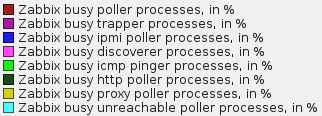
                  For those who have similar issues, the template for monitoring the zabbix server is quite useful.

                  In the past, quite often Zabbix users have been puzzled regarding some server tuning parameters – for example, how many pollers do they need? It was usually determined based on experience, testing and a bit of guesstimating. No more fuzzy attempts – get hard facts with Zabbix 1.8.5. UPDATED 2011.11.02: new downloadable template version v2 […]

                  Comment

                  Working...