Ad Widget

Collapse

Password for user zbx_monitor: psql: fe_sendauth: no password supplied

Collapse
X
 
  • Time
  • Show
Clear All
new posts
  • hernan
    Member
    • Sep 2016
    • 67

    #1

    Password for user zbx_monitor: psql: fe_sendauth: no password supplied

    Hello Guys, I have the following problem:

    Environment: Zabbix Server: CentOS Linux 7 / Zabbix 4.4.3 / MySQL
    Zabbix Agent: CentOS Linux 7 / Zabbix 4. 4.1 / PostgreSQL

    I installed the PostgreSQL template provided for the zabbix.com page:
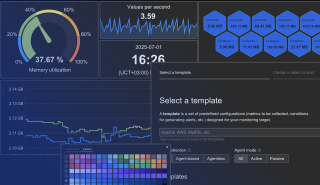


    After that I received the following error message:
    2019-12-04 09:35:22 Password for user zbx_monitor: psql: fe_sendauth: no password supplied

    I checked the zabbix.log and I received the following error message:

    30268:20191204:080038.911 Failed to execute command " psql -qtAX -h "127.0.0.1" -p "5432" -U "zbx_monitor" -d "postgres" -f "/var/lib/zabbix/postgresql/pgsql.replication.lag.sql"": Timeout while executing a shell script.

    After that I tested the command and I received the following output:

    ******************************
    [zavatec@linuxzabbix]$ psql -qtAX -h "127.0.0.1" -p "5432" -U "zbx_monitor" -d "postgres" -f "/var/lib/zabbix/postgresql/pgsql.replication.lag.sql"
    Password for user zbx_monitor:
    1271135
    [zavatec@VM-EMSSANAR-DBMASTER-IFX zabbix]$
    *******************************
    Nota: I think that the command couldn't find the .pgpass on the server. ( The file was created on the /var/lib/zabbix directory)

    Can you help me with this issue?

    Thanks in advance.

    Regards.

  • hernan
    Member
    • Sep 2016
    • 67

    #2
    Originally posted by hernan
    Hello Guys, I have the following problem:

    Environment: Zabbix Server: CentOS Linux 7 / Zabbix 4.4.3 / MySQL
    Zabbix Agent: CentOS Linux 7 / Zabbix 4. 4.1 / PostgreSQL

    I installed the PostgreSQL template provided for the zabbix.com page:


    After that I received the following error message:
    2019-12-04 09:35:22 Password for user zbx_monitor: psql: fe_sendauth: no password supplied

    I checked the zabbix.log and I received the following error message:

    30268:20191204:080038.911 Failed to execute command " psql -qtAX -h "127.0.0.1" -p "5432" -U "zbx_monitor" -d "postgres" -f "/var/lib/zabbix/postgresql/pgsql.replication.lag.sql"": Timeout while executing a shell script.

    After that I tested the command and I received the following output:

    ******************************
    [zavatec@linuxzabbix]$ psql -qtAX -h "127.0.0.1" -p "5432" -U "zbx_monitor" -d "postgres" -f "/var/lib/zabbix/postgresql/pgsql.replication.lag.sql"
    Password for user zbx_monitor:
    1271135
    [zavatec@VM-EMSSANAR-DBMASTER-IFX zabbix]$
    *******************************
    Nota: I think that the command couldn't find the .pgpass on the server. ( The file was created on the /var/lib/zabbix directory)

    Can you help me with this issue?

    Thanks in advance.

    Regards.
    I debugged the zabbix_agent.log and I found that the process didn't find the .pgpass file on the /var/lib/zabbix. I have it there with the following attributes:

    ********************
    [zavatec@zabbix]$ pwd
    /var/lib/zabbix
    [zavatec@zabbix]$ ls -la
    total 24
    drwxr-xr-x. 3 zabbix zabbix 97 Dec 5 15:07 .
    drwxr-xr-x. 33 root root 4096 Dec 3 08:56 ..
    -rw-------. 1 zabbix zabbix 3243 Dec 5 15:26 .bash_history
    -rw-------. 1 zabbix zabbix 39 Dec 5 15:07 .pgpass
    drwxrwxrwx. 2 zabbix zabbix 4096 Dec 5 10:50 postgresql
    -rw-------. 1 zabbix zabbix 133 Nov 28 09:10 .psql_history
    -rw-------. 1 zabbix zabbix 652 Dec 5 15:07 .viminfo
    [zavatec@zabbix]$

    *********************

    Can you help zabbix ?

    Thanks in advance.

    Regards.

    Comment

    • Atsushi
      Senior Member
      • Aug 2013
      • 2028

      #3
      Since the version is 4.4.1 Zabbix agent on CentOS 7, isn't the environment variable HOME not set? If you are using an official package, try upgrading Zabbix agent to version 4.4.3.

      If the upgrade is difficult, try changing the Zabbix agent service startup file so that the daemon starts by explicitly specifying the user and group.

      file: /usr/lib/systemd/system/zabbix-agent.service
      Code:
      [Unit]
      Description=Zabbix Agent
      After=syslog.target
      After=network.target
      
      [Service]
      Environment="CONFFILE=/etc/zabbix/zabbix_agentd.conf"
      EnvironmentFile=-/etc/sysconfig/zabbix-agent
      Type=forking
      Restart=on-failure
      PIDFile=/run/zabbix/zabbix_agentd.pid
      KillMode=control-group
      ExecStart=/usr/sbin/zabbix_agentd -c $CONFFILE
      ExecStop=/bin/kill -SIGTERM $MAINPID
      RestartSec=10s
      User=zabbix
      Group=zabbix
      
      [Install]
      WantedBy=multi-user.target
      After commnds:
      Code:
      # systemctl daemon-reload
      # systemctl restart zabbix-agent

      Comment

      • hernan
        Member
        • Sep 2016
        • 67

        #4
        Originally posted by Atsushi
        Since the version is 4.4.1 Zabbix agent on CentOS 7, isn't the environment variable HOME not set? If you are using an official package, try upgrading Zabbix agent to version 4.4.3.

        If the upgrade is difficult, try changing the Zabbix agent service startup file so that the daemon starts by explicitly specifying the user and group.

        file: /usr/lib/systemd/system/zabbix-agent.service
        Code:
        [Unit]
        Description=Zabbix Agent
        After=syslog.target
        After=network.target
        
        [Service]
        Environment="CONFFILE=/etc/zabbix/zabbix_agentd.conf"
        EnvironmentFile=-/etc/sysconfig/zabbix-agent
        Type=forking
        Restart=on-failure
        PIDFile=/run/zabbix/zabbix_agentd.pid
        KillMode=control-group
        ExecStart=/usr/sbin/zabbix_agentd -c $CONFFILE
        ExecStop=/bin/kill -SIGTERM $MAINPID
        RestartSec=10s
        User=zabbix
        Group=zabbix
        
        [Install]
        WantedBy=multi-user.target
        After commnds:
        Code:
        # systemctl daemon-reload
        # systemctl restart zabbix-agent
        Thank you Atsushi for your update !!!

        The problem persist. I upgraded the Zabbix Agent to 4.4.3 and I could't find the problem:

        1) Here you have the error message with debug level 4 on the zabbix_agentd.log:

        *************
        14406:20191206:090914.001 zbx_setproctitle() title:'listener #1 [processing request]'
        14406:20191206:090914.002 Requested [pgsql.replication.count["127.0.0.1","5432","zbx_monitor","postgres"]]
        14406:20191206:090914.002 In zbx_popen() command:' psql -qtAX -h "127.0.0.1" -p "5432" -U "zbx_monitor" -d "postgres" -c "SELECT count(*) FROM pg_stat_replication"'
        14406:20191206:090914.047 End of zbx_popen():7
        14496:20191206:090914.047 zbx_popen(): executing script
        14406:20191206:090914.061 In zbx_waitpid()
        14406:20191206:090914.061 zbx_waitpid() exited, status:2
        14406:20191206:090914.061 End of zbx_waitpid():14496
        14406:20191206:090914.061 EXECUTE_STR() command:' psql -qtAX -h "127.0.0.1" -p "5432" -U "zbx_monitor" -d "postgres" -c "SELECT count(*) FROM pg_stat_replication"' len:71 cmd_result:'Password for user zb'
        14406:20191206:090914.061 Sending back [Password for user zbx_monitor:
        psql: fe_sendauth: no password supplied]
        14406:20191206:090914.061 zbx_setproctitle() title:'listener #1 [waiting for connection]'
        14405:20191206:090914.167 zbx_setproctitle() title:'collector [processing data]'
        **************

        2) After that If I switch on the machine with the user zabbix I can run the same command without problem:
        ****************
        Last login: Fri Dec 6 09:06:26 -05 2019 on pts/4
        -bash-4.2$ whoami
        zabbix
        -bash-4.2$ pwd
        /var/lib/zabbix
        -bash-4.2$ echo $HOME
        /var/lib/zabbix
        -bash-4.2$ psql -qtAX -h "127.0.0.1" -p "5432" -U "zbx_monitor" -d "postgres" -c "SELECT count(*) FROM pg_stat_replication"
        4
        -bash-4.2$
        *****************

        3) The /var/lib/zabbix directory contain the .pgpass there:
        *****************
        -bash-4.2$ pwd
        /var/lib/zabbix
        -bash-4.2$ ls -la
        total 28
        drwxr-xr-x. 3 zabbix zabbix 116 Dec 6 08:59 .
        drwxr-xr-x. 33 root root 4096 Dec 6 08:42 ..
        -rw-------. 1 zabbix zabbix 3673 Dec 6 08:59 .bash_history
        -rw-------. 1 zabbix zabbix 39 Dec 6 08:59 .pgpass
        -rw-------. 1 zabbix zabbix 39 Dec 5 15:07 .pgpass.old
        drwxrwxrwx. 2 zabbix zabbix 4096 Dec 5 10:50 postgresql
        -rw-------. 1 zabbix zabbix 133 Nov 28 09:10 .psql_history
        -rw-------. 1 zabbix zabbix 652 Dec 6 08:59 .viminfo
        -bash-4.2$
        *******************

        4) AS youi can see on theb zabbix-agent.service now I have the User and Group variable:
        *******************
        [zavatec@zabbix]$ more /usr/lib/systemd/system/zabbix-agent.service
        [Unit]
        Description=Zabbix Agent
        After=syslog.target
        After=network.target

        [Service]
        Environment="CONFFILE=/etc/zabbix/zabbix_agentd.conf"
        EnvironmentFile=-/etc/sysconfig/zabbix-agent
        Type=forking
        Restart=on-failure
        PIDFile=/run/zabbix/zabbix_agentd.pid
        KillMode=control-group
        ExecStart=/usr/sbin/zabbix_agentd -c $CONFFILE
        ExecStop=/bin/kill -SIGTERM $MAINPID
        RestartSec=10s
        User=zabbix
        Group=zabbix

        [Install]
        WantedBy=multi-user.target
        [zavatec@zabbix]$

        ********************

        Do you know why is the problem here?

        Thanks for your help.

        Regards.


        Comment

        • hernan
          Member
          • Sep 2016
          • 67

          #5
          Hello guys, I solve this problem using the following example: PGPASSWORD=YOUR_PASSRORD psql -h YOUR_PG_HOST -U YOUR_USER_NAME

          You can ran the psql command for example: PGPASSWORD=<YOUR_PASSRORD> psql -qtAX -h "127.0.0.1" -p "5432" -U "zbx_monitor" -d "postgres" -c "SELECT count(*) FROM pg_stat_replication"

          After that I change all my scripts using the above example.

          Thanks for your help.

          Regards.

          Comment

          Working...