Ad Widget

Collapse

monitor temperature and humidity with Raspberry Pi 5 DHT11

Collapse
This topic has been answered.
X
X
 
  • Time
  • Show
Clear All
new posts
  • The-Tech
    Junior Member
    • Jan 2022
    • 29

    #1

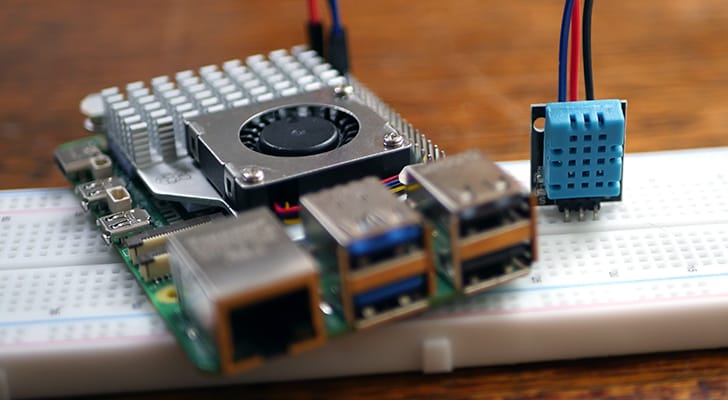
    monitor temperature and humidity with Raspberry Pi 5 DHT11

    I am attempting to monitor temperature and humidity with Raspberry Pi 5 using a DHT11 sensor. My Pi is running Bookworm and I find that the only way to get the needed Library files and scripts to work is to now run them is using them in a Virtual environment. Using the command python3 -m venv env and then running the source env/bin/activate to activate the session. In this session I can run the needed script and get the results locally via ssh session. However, because it is running a virtual session my Zabbix agent does not seem to see the results. I am running an imported template, but I am not seeing any temperature and humidity results.

    I am somewhat new to Zabbix, so I am hoping that someone else has figured out where I am going wrong.


    I used the following steps, and this worked well locally and I get the results that I need but I get Zabbix to see the info

    If you are questioning as to why I am running this in a virtual environment, please see the attached screen shot

    Attached Files
  • Answer selected by The-Tech at 04-02-2025, 02:32.
    Blevar
    Member
    • Jan 2025
    • 68

    Check if Zabbix have access to GPIO:
    Code:
    sudo usermod -a -G gpio zabbix
    and restart your PI.

    Comment

    • Blevar
      Member
      • Jan 2025
      • 68

      #2
      Hi,
      Have you tried to run your script like:
      Code:
      /path/to/env/bin/python /path/to/your_script.py
      Link your python file from the venv folder. This will execute the script using the virtual environment which you have created.

      Comment

      • The-Tech
        Junior Member
        • Jan 2022
        • 29

        #3
        Blevar, thanks for the suggestion but I am still spinning my wheels here. Clearly I am missing something but here is what i have done

        in the zabbix_agentd.conf, I have added the following:

        AllowKey=system.run[*]
        UserParameter=dht.pull[*],/opt/TempMonitoring/venv/bin/python3 /opt/TempMonitoring/Adafruit_Python_DHT/examples/AdafruitDHT.py | awk -F[=*%] '{print $$$1}'


        Click image for larger version  Name:	Item1.jpg Views:	1 Size:	42.1 KB ID:	498297


        on the Zabbix Server for the host I created the Item called Temp Sensor using the key system.run[python3 /opt/TempMonitoring/Adafruit_Python_DHT/examples/AdafruitDHT.py 11 4]

        but when I run or test the command, I keep getting the following errors

        Click image for larger version  Name:	Item2.gif Views:	1 Size:	342.7 KB ID:	498295

        with errors out looking for library files in the /usr/local directory

        I can run the command python3 /opt/TempMonitoring/Adafruit_Python_DHT/examples/AdafruitDHT.py 11 4 without issue from CLI


        Click image for larger version  Name:	image.png Views:	1 Size:	10.1 KB ID:	498298

        I even added the following in visudo

        Click image for larger version

Name:	image.png
Views:	367
Size:	35.7 KB
ID:	498299


        Where am I going wrong?
        Attached Files
        Last edited by The-Tech; 31-01-2025, 20:50.

        Comment

        • Blevar
          Member
          • Jan 2025
          • 68

          #4
          Check if Zabbix have access to GPIO:
          Code:
          sudo usermod -a -G gpio zabbix
          and restart your PI.

          Comment

          • The-Tech
            Junior Member
            • Jan 2022
            • 29

            #5
            Ok thanks, I didn't think about that option

            Comment

            Working...