
6 Безбедна веза са корисничким интерфејсом
Преглед
Овај одељак пружа кораке подешавања и примере конфигурације Zabbix-а за безбедне TLS везе између Zabbix фронтенда и Zabbix сервера.
Конфигурација
Подразумевано, комуникација између Zabbix корисничког интерфејса и Zabbix сервера је нешифрована. За бољу безбедност, омогућите TLS на обе стране. Испод је пример најједноставнијег начина да се то уради.
1. Генеришите сертификате и кључеве.
Направите радни директоријум:
sudo mkdir -p /etc/zabbix/ssl && cd /etc/zabbix/sslНаправите CA сертификат (подесите вредност MyZabbixCA да одговара стварном уобичајеном имену):
sudo openssl genrsa -out ca.key 4096
sudo openssl req -new -x509 -days 3650 -key ca.key -out ca.crt -subj "/CN=MyZabbixCA/"
Генеришите приватни кључ и сертификат за Zabbix сервер (подесите вредност zabbix-server.example.com да одговара стварном уобичајеном имену):
sudo openssl genrsa -out server.key 2048
sudo openssl req -new -key server.key -out server.csr -subj "/CN=zabbix-server.example.com/"
sudo openssl x509 -req -days 365 -in server.csr -CA ca.crt -CAkey ca.key -CAcreateserial -sha256 -out server.crt
Генеришите приватни кључ и сертификат за Zabbix фронтенд (прилагодите вредност zabbix-frontend-node да одговара стварном уобичајеном имену):
sudo openssl genrsa -out frontend.key 2048
sudo openssl req -new -key frontend.key -out frontend.csr -subj "/CN=zabbix-frontend-node/"
sudo openssl x509 -req -days 365 -in frontend.csr -CA ca.crt -CAkey ca.key -CAcreateserial -sha256 -out frontend.crt
2. Подесите одговарајуће дозволе.
За Zabbix сервер (прилагодите власништво/групу према кориснику демона Zabbix сервера ваше дистрибуције):
sudo chown root:zabbix /etc/zabbix/ssl/server.{crt,key} /etc/zabbix/ssl/ca.crt
sudo chmod 640 /etc/zabbix/ssl/server.key
sudo chmod 644 /etc/zabbix/ssl/server.crt /etc/zabbix/ssl/ca.crt
За кориснички интерфејс (прилагодите власништво/групу према кориснику веб сервера ваше дистрибуције):
sudo chown root:www-data /etc/zabbix/ssl/frontend.{crt,key}
sudo chmod 640 /etc/zabbix/ssl/frontend.key
sudo chmod 644 /etc/zabbix/ssl/frontend.crt
3. Конфигуришите Zabbix сервер.
У zabbix_server.conf додајте:
TLSFrontendAccept=cert
TLSCertFile=/etc/zabbix/ssl/server.crt
TLSKeyFile=/etc/zabbix/ssl/server.key
TLSCAFile=/etc/zabbix/ssl/ca.crt
# Опционо:
# TLSFrontendCertIssuer=/CN=MyZabbixCA/
# TLSFrontendCertSubject=/CN=zabbix-frontend-node/
Затим поново покрените сервер:
sudo systemctl restart zabbix-server4. Конфигуришите Zabbix кориснички интерфејс.
Током инсталације веб интерфејса, омогућите опцију Шифрирај везе са веб интерфејса (и опцију Провери издаваоца и тему сертификата сервера, ако је потребно) и попуните поља TLS CA датотека, TLS датотека кључа, TLS датотека сертификата (и поља Издавалац TLS сертификата сервера и Тема TLS сертификата сервера, ако је потребно):

| Parameter | Description |
|---|---|
| TLS CA датотека | Наведите пуну путању до датотеке сертификата ауторитета за сертификате (CA) која се користи за проверу сертификата сервера. |
| TLS датотека кључа | Наведите пуну путању до датотеке приватног кључа клијента која одговара сертификату клијента. |
| TLS датотека сертификата | Наведите пуну путању до датотеке сертификата клијента ако је потребна међусобна TLS аутентификација. |
| Издавалац TLS сертификата сервера | Наведите препознатљиво име (DN) издаваоца које ће се подударати са сертификатом сервера. |
| Наслов TLS сертификата сервера | Наведите препознатљиво име (DN) субјекта које ће се подударати са сертификатом сервера. |
На постојећим инсталацијама, уредите следећа поља у zabbix.conf.php:
$ZBX_SERVER_TLS['ACTIVE'] = '1';
$ZBX_SERVER_TLS['CA_FILE'] = '/etc/zabbix/ssl/ca.crt';
$ZBX_SERVER_TLS['KEY_FILE'] = '/etc/zabbix/ssl/frontend.key';
$ZBX_SERVER_TLS['CERT_FILE'] = '/etc/zabbix/ssl/frontend.crt';
// Опционо:
// $ZBX_SERVER_TLS['CERTIFICATE_ISSUER'] = '/CN=MyZabbixCA/';
// $ZBX_SERVER_TLS['CERTIFICATE_SUBJECT'] = '/CN=zabbix-server.example.com/';
5. Проверите шифровање тако што ћете потврдити да нема порука о грешци у Zabbix фронтенду или датотеци дневника Zabbix сервера:
tail -f /var/log/zabbix/zabbix_server.logTroubleshooting
Incorrect or incomplete TLS configuration can cause errors in the Zabbix frontend or indicate that the Zabbix server is running but the connection is not established successfully:
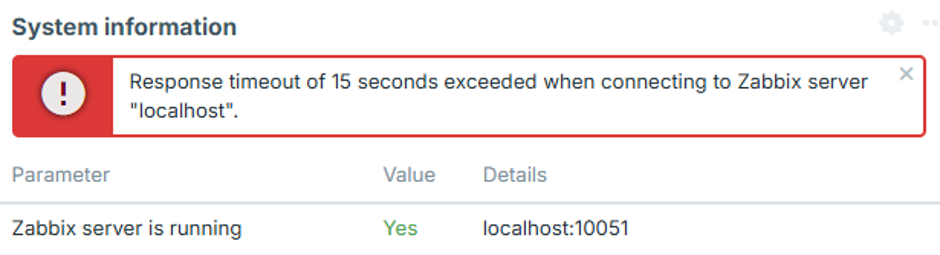
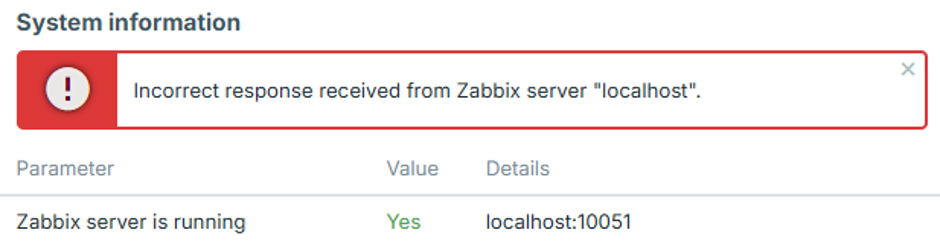
To identify the exact configuration issue, set the Zabbix server log level to 4, reproduce the error in the frontend, and check the Zabbix server log for the corresponding error message.
The following cases describe common errors and their possible causes.
Frontend IP address is not allowed
The Zabbix server log contains an error similar to:
54283:20260819:105926.400 frontend connection from "127.0.0.1" is not allowed by FrontendAllowedIPThe connection is dropped after the TCP handshake because the frontend IP address is not authorized.
Add the frontend IP address to the FrontendAllowedIP parameter in zabbix_server.conf and restart the Zabbix server.
Unencrypted connection is not allowed
The Zabbix server log contains an error similar to:
56884:20260819:111154.285 frontend connection of type "unencrypted" is not allowed by TLSFrontendAcceptThe Zabbix server is configured to accept only TLS connections, for example with TLSFrontendAccept=cert, but the frontend is attempting to connect without encryption.
Enable frontend encryption and configure the required TLS files in zabbix.conf.php, as described in step 4 of the Configuration.
Frontend attempts TLS while server expects unencrypted
The Zabbix server log contains an error similar to:
61091:20260819:115916.019 End of zbx_tls_accept():FAIL error:'TLS handshake set result code to 1: file ../ssl/record/rec_layer_s3.c line 317 func ssl3_read_n: error:0A000126:SSL routines::unexpected eof while reading: TLS write fatal alert "decode error"'The exact error message depends on the OpenSSL version.
The Zabbix server is configured to accept only unencrypted connections, for example with TLSFrontendAccept=unencrypted, while the frontend is attempting to establish a TLS connection.
Configure the Zabbix server to accept TLS connections by setting TLSFrontendAccept=cert and defining TLSCertFile and TLSKeyFile in zabbix_server.conf.
Alternatively, disable frontend encryption in zabbix.conf.php.
Frontend certificate is not trusted
The Zabbix server log contains an error similar to:
62248:20260819:124203.812 End of zbx_tls_accept():FAIL error:'self-signed certificate: TLS handshake set result code to 1: file ../ssl/statem/statem_srvr.c line 3522 func tls_process_client_certificate: error:0A000086:SSL routines::certificate verify failed: TLS write fatal alert "unknown CA"'The frontend presented a certificate, but the Zabbix server does not trust the Certificate Authority (CA) that signed it.
The same problem can also appear in the frontend system information as:
fread(): SSL operation failed with code 1. OpenSSL Error messages:

error:0A000418:SSL routines::tlsv1 alert unknown ca [zabbix.php:17 → require_once() → ZBase->run() → ZBase->processRequest() → CController->run() → Widgets\SystemInfo\Actions\WidgetView->doAction() → CSystemInfoHelper::getData() → CSystemInfoHelper::getServerStatus() → CZabbixServer->getStatus() → CZabbixServer->request() → fread() → CConfigFile->{closure:/user/share/conf/zabbix.conf.php:89}() in conf/zabbix.conf.php:95]
The frontend may also display "Incorrect response received from Zabbix server "localhost"".
Verify that the frontend certificate is signed by the CA specified by TLSCAFile in zabbix_server.conf.
TLS key file is not readable
The frontend may display "TLS key file: file is not readable."
It may also display "Unable to connect to the Zabbix server due to TLS settings. Some functions are unavailable.".
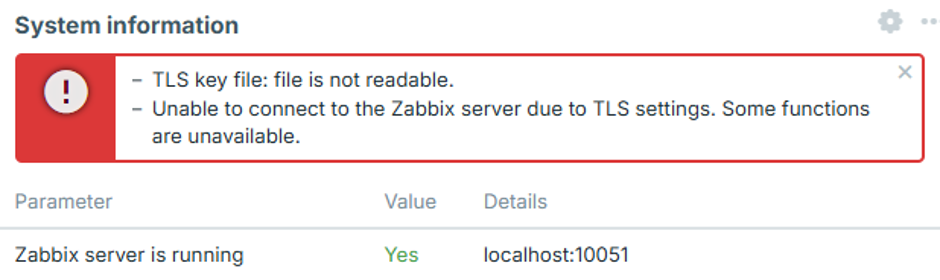
The web server user does not have sufficient permissions to read one or more certificate, key, or CA files configured in zabbix.conf.php.
This can occur when certificate files are stored in a restricted directory, such as /root/ or a user's home directory.
Move the certificate files to a directory accessible to the web server and set appropriate permissions as described in step 2 of the Configuration.
TLS files are invalid or corrupted
The frontend may display "Unable to connect to the Zabbix server due to TLS settings. Some functions are unavailable.".
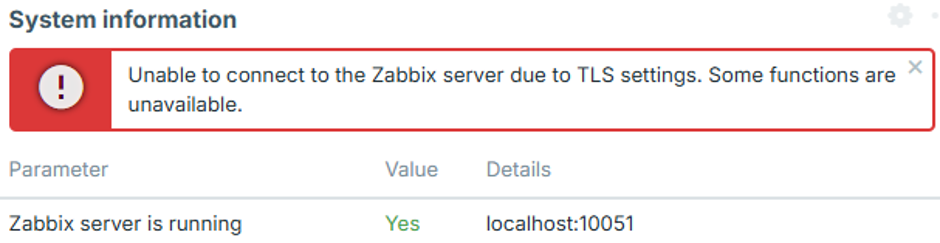
This can occur when the configured certificate or key files exist and are readable, but their contents are empty, corrupted, or otherwise invalid. In this case, the frontend does not establish a connection to the Zabbix server, and no corresponding connection attempt appears in the Zabbix server log.
Verify that the certificate and key files contain valid, properly formatted data and that the private key corresponds to the certificate.