

On this page
3 Triggers top 100
Overview
In Reports → Triggers top 100 you can see the triggers that have changed their state most often within the period of evaluation, sorted by the number of status changes.
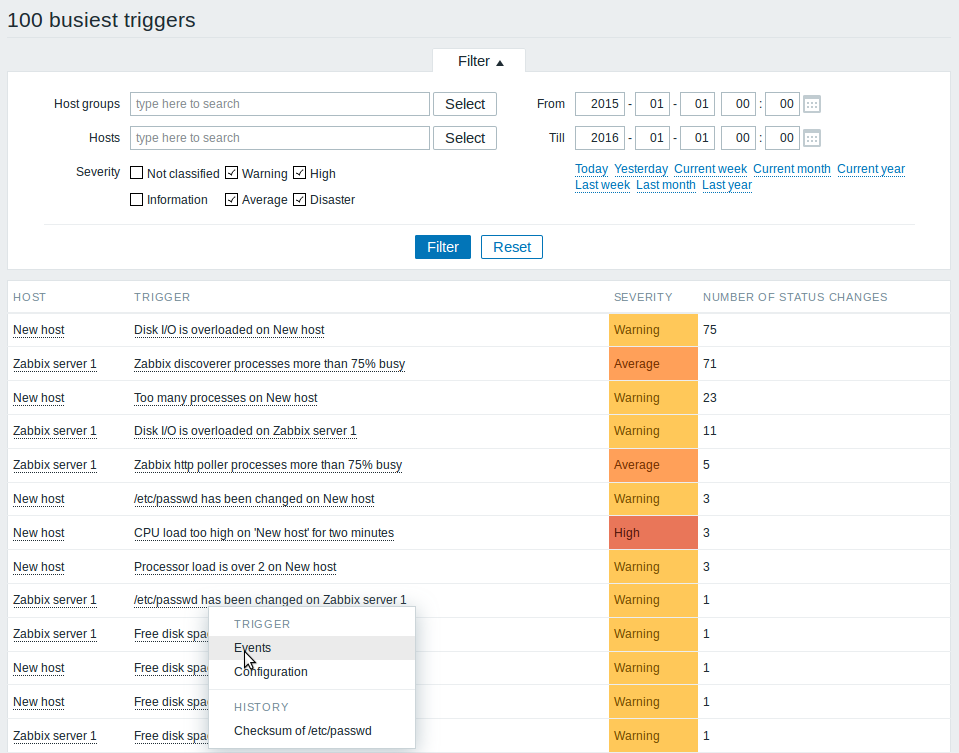
Both host and trigger column entries are links that offer some useful options:
- for host - links to user-defined scripts, latest data, inventory, graphs and screens for the host
- for trigger - links to latest events, the trigger configuration form and a simple graph
Using filter
You may use the filter to display triggers by host group, host, trigger severity, predefined time period or a custom time period.
Specifying a parent host group implicitly selects all nested host groups
since Zabbix 3.2.2. In Zabbix 3.2.0, 3.2.1, nested host groups are
selected if the parent group is specified by a parent group/* syntax.