
1 Windows agent installation from MSI
Overview
Zabbix agent can be installed on Windows using 32-bit or 64-bit MSI installer packages, available for download.
Minimum OS requirements for MSI installation are:
- For Zabbix agent: Windows XP (64-bit) or Windows Server 2003
- For Zabbix agent 2: Windows 10 (32-bit) or Windows Server 2016
32-bit packages cannot be installed on 64-bit systems.
Packages include:
- TLS support (TLS configuration is optional)
- Zabbix get and Zabbix sender utilities (can be installed alongside Zabbix agent/agent 2 or separately)
Zabbix agent 2 packages do not include loadable plugins (MongoDB, PostgreSQL, MSSQL), which need to be downloaded and installed separately.
Installation can be done using the Setup Wizard or the command line.
Although installation using MSI packages is fully supported, installing at least Microsoft .NET Framework 2 is recommended for proper error handling.
It is recommended to use the default installation location provided by the installer. Using a custom location without the necessary permissions may compromise the security of the installation.
Installation from Setup Wizard
The following installation steps apply to both Zabbix agent and Zabbix agent 2.
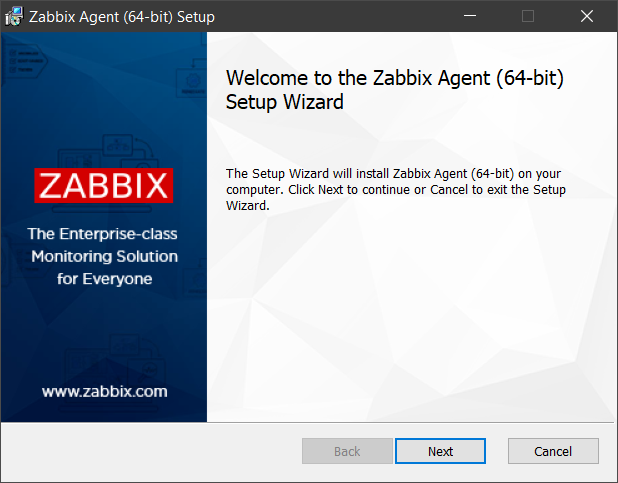
1. Double-click the downloaded MSI file to start the installation:
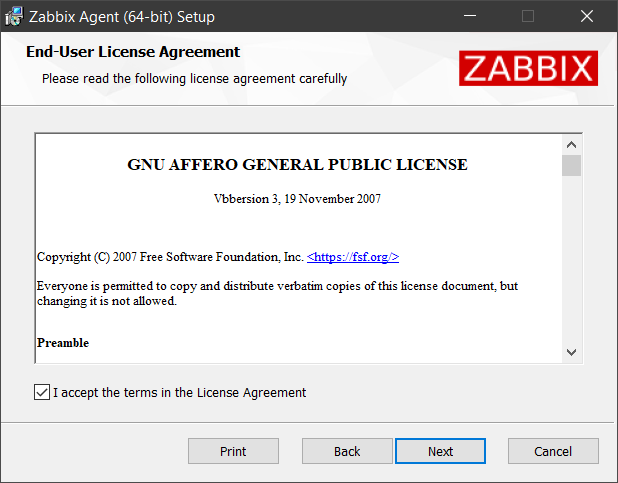
2. Accept the End-User License Agreement:
3. Select the Zabbix components (Agent daemon, Zabbix sender, Zabbix get) to be installed:
It is recommended to use the default installation location provided by the installer. Using a custom location without the necessary permissions may compromise the security of the installation.
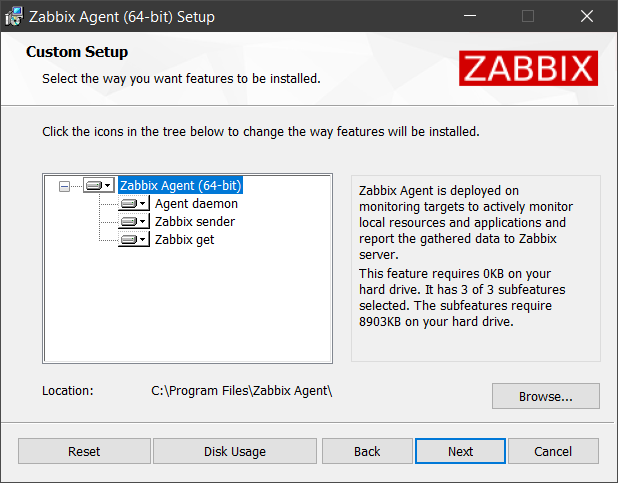
If a custom location outside the Program Files directory is used and the destination folder already exists, the installer will not modify its permissions.
During a new installation, you will be prompted to either set the appropriate permissions manually or continue without modifying them.
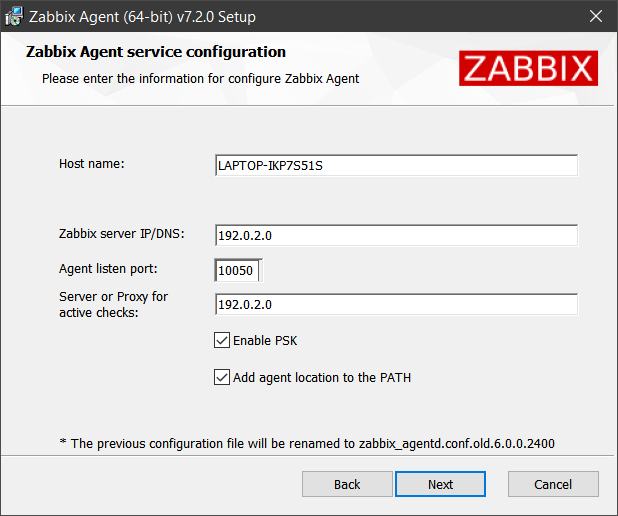
4. Configure the following parameters. Their values will be set in the Zabbix agent configuration file:
| Parameter | Description |
|---|---|
| Host name | The host name of the machine where Zabbix agent is being installed. Sets the Hostname parameter. |
| Zabbix server IP/DNS | A list of comma-delimited IP addresses, optionally in CIDR notation, or DNS names of Zabbix servers or Zabbix proxies. This parameter is mandatory. Sets the Server parameter. |
| Agent listen port | The agent will listen on this port for connections from the server. Sets the ListenPort parameter. |
| Server or Proxy for active checks | The Zabbix server/proxy address or cluster configuration to get active checks from. The server/proxy address is an IP address or DNS name and optional port separated by colon. Sets the ServerActive parameter. |
| Enable PSK | Mark the checkbox to enable TLS support using pre-shared keys. Sets the TLSConnect and TLSAccept parameters to psk. |
| Add agent location to the PATH | Mark the checkbox to add Zabbix agent location to the system PATH variable. |
If an existing Zabbix agent is detected, the parameter values from its configuration file will be displayed. Additionally the existing configuration file will be renamed during installation, and a new configuration file will be created.
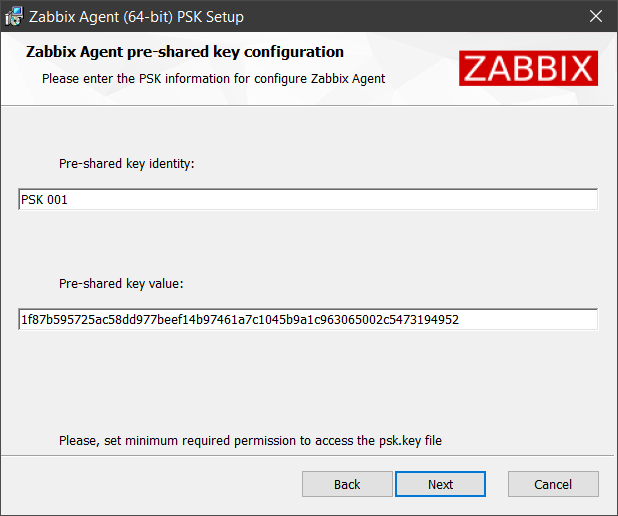
5. Configure PSK parameters if you marked the Enable PSK checkbox in the previous step. These parameters will also be set in the Zabbix agent configuration file:
| Parameter | Description |
|---|---|
| Pre-shared key identity | The pre-shared key identity string. Sets the TLSPSKIdentity parameter. |
| Pre-shared key value | The pre-shared key string value. Creates the psk.key file containing the key and sets the TLSPSKFile parameter to the key location (default: C:\Program Files\Zabbix Agent\psk.key). It is recommended to restrict access to the pre-shared key file by adjusting the file's security settings so that only Zabbix agent (or the user running the agent) can read it. |
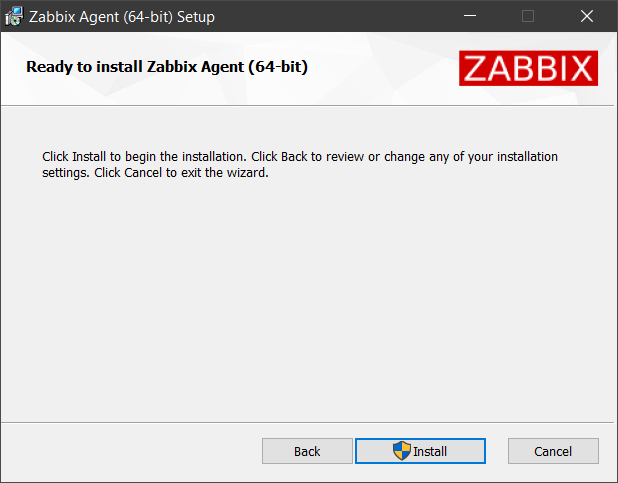
6. Click Install to begin the installation.
All selected Zabbix components and the Zabbix agent configuration file will be installed in your specified location (default: C:\Program Files\Zabbix Agent).
The same applies to Zabbix agent 2, except additional configuration files for its built-in plugins will be installed in the zabbix_agent2.d\plugins.d subfolder.
Additionally, zabbix_agentd.exe (or zabbix_agent2.exe) will be set up as a Windows service with delayed automatic startup (or automatic startup on Windows versions before Windows Vista/Server 2008).
If a different version of Zabbix agent is running during installation, you will be prompted to choose either to close the application and try restarting it or leave it open, in which case a reboot will be required.
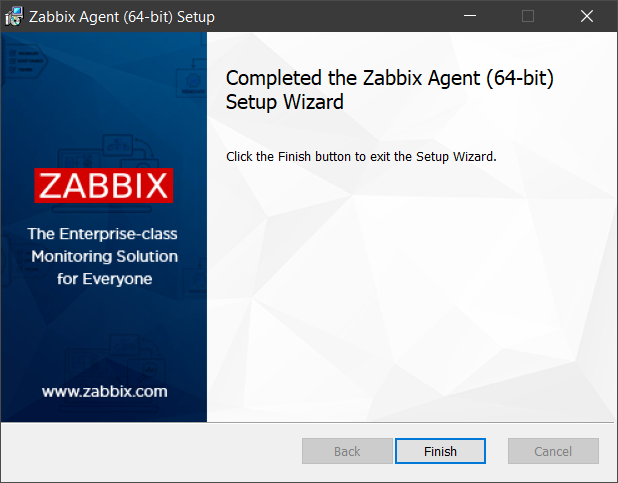
7. Click the Finish button to exit the Setup Wizard.
Installation from command line
Zabbix agent can be installed from the command line by running the MSI installer with msiexec. For example:
msiexec.exe /l*v "C:\package.log" /i "C:\zabbix_agent-7.4.0-windows-amd64-openssl.msi" /qn+ SERVER=192.0.2.1This method allows for unattended installations and custom configurations using parameters.
Supported parameters
Zabbix agent MSI installer packages support the following parameters for both Zabbix agent and Zabbix agent 2.
Zabbix agent/agent2 parameters are set in the configuration file during installation. Click a parameter name to view its detailed description and configuration examples on the Zabbix agent (Windows) page. For Zabbix agent 2, refer to the Zabbix agent 2 (Windows) page.
| Parameter | Description |
|---|---|
| ADDDEFAULT | A list of comma-delimited components to install in their default configuration. For more information, see ADDDEFAULT property. Possible values: AgentProgram, GetProgram, SenderProgram, ALLExample: ADDDEFAULT=AgentProgram,GetProgram |
| ADDLOCAL | A list of comma-delimited components to install locally. For more information, see ADDLOCAL property. Possible values: AgentProgram, GetProgram, SenderProgram, ALLExample: ADDLOCAL=AgentProgram,SenderProgram |
| ALLOWDENYKEY | A list of semicolon-delimited AllowKey or DenyKey parameters to restrict Zabbix agent checks. If necessary, use a backslash to escape the delimiter (\;). Sets the AllowKey and DenyKey parameters in the agent configuration file.Example: ALLOWDENYKEY="AllowKey=system.run[more C:\Windows\System32\drivers\etc\hosts\\; echo 'File read complete'];DenyKey=system.run[*]" |
| CONF | The full pathname to a template configuration file for Zabbix agent. During installation, this file will become the agent configuration file. The file must contain at least the Server and LogFile parameters. Example: CONF="C:\full\path\to\example.conf" |
| DONOTSTART | Use DONOTSTART=1 to prevent the MSI installer from starting the Zabbix agent service.Supported in MSI installer packages since Zabbix 7.4.6. |
| ENABLEPATH | Use ENABLEPATH=1 to add Zabbix agent location to the system PATH variable. |
| ENABLEPERSISTENTBUFFER | Zabbix agent 2 only. Enable the usage of local persistent storage for active items. |
| HOSTINTERFACE | An optional parameter that defines the host interface. |
| HOSTMETADATA | An optional parameter that defines the host metadata. |
| HOSTMETADATAITEM | An optional parameter that defines an item used for getting the host metadata. |
| HOSTNAME | An optional parameter that defines the hostname. |
| HOSTNAMEITEM | An optional parameter that defines an item used for getting the host name. Supported in MSI installer packages since Zabbix 7.4.6. |
| INCLUDE | A list of semicolon-delimited individual files or all files in a directory to include in the Zabbix agent configuration file. |
| IGNOREALREADYEXISTSFOLDER | For new installations, use IGNOREALREADYEXISTSFOLDER=1 to allow installation into an existing destination folder outside the Program Files directory. If this parameter is not specified, the installation fails when such a destination folder already exists. |
| INSTALLFOLDER | The full pathname to a folder where Zabbix components and the Zabbix agent configuration file will be installed. For Zabbix agent 2, additional configuration files for built-in plugins will be installed in the zabbix_agent2.d\plugins.d subfolder.Example: INSTALLFOLDER="C:\Program Files\Zabbix Agent" |
| LISTENIP | A list of comma-delimited IP addresses that the agent should listen on. |
| LISTENPORT | The agent will listen on this port for connections from the server. |
| LOGFILE | The name of the Zabbix agent log file. |
| LOGTYPE | The type of the log output. |
| NONMSICONFNAME | The full pathname to a custom configuration file for Zabbix agent. During installation, any valid agent configuration parameters present in this file (limited to those listed in this table) will be written in the newly created agent configuration file. The file must contain at least the Server parameter. Example: NONMSICONFNAME="C:\full\path\to\example.conf" |
| PERSISTENTBUFFERFILE | Zabbix agent 2 only. The file where Zabbix agent 2 should keep the SQLite database. |
| PERSISTENTBUFFERPERIOD | Zabbix agent 2 only. The time period for which data should be stored when there is no connection to the server or proxy. |
| SERVER | A list of comma-delimited IP addresses, optionally in CIDR notation, or DNS names of Zabbix servers or Zabbix proxies. This parameter is mandatory, except when STARTAGENTS is set to 0. |
| SERVERACTIVE | The Zabbix server/proxy address or cluster configuration to get active checks from. |
| SKIP | Use SKIP=fw to prevent the MSI installer from adding a Windows Firewall exception rule for Zabbix agent. |
| SOURCEIP | The source IP address for outgoing connections to Zabbix server or Zabbix proxy, or for making connections while executing some items (web.page.get, net.tcp.port, etc.). Supported in MSI installer packages since Zabbix 7.4.6. |
| STARTAGENTS | The number of pre-forked instances of zabbix_agentd that process passive checks. If set to 0, passive checks are disabled and the agent will not listen on any TCP port. Supported in MSI installer packages since Zabbix 7.4.6. |
| STARTUPTYPE | Startup type of the Zabbix agent service. Possible values: automatic - start the service automatically at Windows startup; delayed - (default) delay starting the service after the automatically started services have completed startup (available on Windows Vista/Server 2008 and later versions); manual - start the service manually (by a user or application); disabled - disable the service so that it cannot be started by a user or application. Example: STARTUPTYPE=disabled |
| STATUSPORT | Zabbix agent 2 only. If set, the agent will listen on this port for HTTP status requests (http://localhost:<port>/status). |
| TIMEOUT | Specifies how long to wait (in seconds) for establishing connection and exchanging data with Zabbix proxy or server. |
| TLSACCEPT | The incoming connections to accept (used for passive checks). If set to psk, then TLSCONNECT will also be set to psk (unless specified otherwise). |
| TLSCAFILE | The full pathname of a file containing the top-level CA(s) certificates for peer certificate verification. |
| TLSCERTFILE | The full pathname of a file containing the agent certificate or certificate chain. |
| TLSCONNECT | How the agent should connect to Zabbix server or proxy (used for active checks). If set to psk, then TLSACCEPT will also be set to psk (unless specified otherwise). |
| TLSCRLFILE | The full pathname of a file containing revoked certificates. |
| TLSKEYFILE | The full pathname of a file containing the Zabbix agent private key. |
| TLSPSKFILE | The full pathname of a file containing the Zabbix agent pre-shared key. If both TLSPSKFILE and TLSPSKVALUE are set, the value of TLSPSKVALUE will be written into the file specified in TLSPSKFILE. It is recommended to restrict access to the pre-shared key file by adjusting the file's security settings so that only Zabbix agent (or the user running the agent) can read it. |
| TLSPSKIDENTITY | The pre-shared key identity string. |
| TLSPSKVALUE | The pre-shared key string value. If both TLSPSKFILE and TLSPSKVALUE are set, the value of TLSPSKVALUE will be written into the file specified in TLSPSKFILE. Example: TLSPSKVALUE=1f87b595725ac58dd977beef14b97461a7c1045b9a1c963065002c5473194952 |
| TLSSERVERCERTISSUER | The allowed server (proxy) certificate issuer. |
| TLSSERVERCERTSUBJECT | The allowed server (proxy) certificate subject. |
| UNSAFEUSERPARAMETERS | Allow all characters to be passed in arguments to user-defined parameters. Supported in MSI installer packages since Zabbix 7.4.6. |
Examples
The following example installs Zabbix agent with custom configuration. It also enables TLS support using pre-shared keys.
mkdir "C:\Program Files\Zabbix Agent" 2>nul
msiexec.exe /l*v "C:\package.log" /i "C:\zabbix_agent-7.4.0-windows-amd64-openssl.msi" /qn+^
 SERVER=192.0.2.1^
 INSTALLFOLDER="C:\Program Files\Zabbix Agent"^
 HOSTNAME=LAPTOP-IKP7S51S^
 TLSACCEPT=psk^
 TLSCONNECT=psk^
 TLSPSKIDENTITY="PSK 001"^
 TLSPSKFILE="C:\Program Files\Zabbix Agent\psk.key"^
 TLSPSKVALUE=1f87b595725ac58dd977beef14b97461a7c1045b9a1c963065002c5473194952^
 ENABLEPATH=1^
 ALLOWDENYKEY="AllowKey=system.run[type C:\Windows\System32\drivers\etc\hosts];DenyKey=system.run[*]"
The next example installs a newer version of Zabbix agent and uses a template configuration file (CONF="C:\agent-template.conf").
During installation, this file will become the agent configuration file.
To inherit parameters from the old configuration file, use parameter placeholders (e.g., [AllowDenyKey]).
msiexec.exe /l*v "C:\package.log" /i "C:\zabbix_agent-7.4.1-windows-amd64-openssl.msi" /qn+ NONMSICONFNAME="C:\agent.conf"

# agent-template.conf example:
LogFile=[LogFile]
[AllowDenyKey]
Server=192.0.2.8
Hostname=DESKTOP-X9F4A2B
[Include]
[TLSConnect]
[TLSAccept]
[TLSPSKIdentity]
[TLSPSKFile]
Alternatively, you can use a custom configuration file (NONMSICONFNAME="C:\agent-custom.conf").
During installation, any valid agent configuration parameters present in this file (limited to those listed in the table above) will be written in the newly created agent configuration file.
To keep existing agent configuration, define parameters to be preserved.
msiexec.exe /l*v "C:\package.log" /i "C:\zabbix_agent-7.4.1-windows-amd64-openssl.msi" /qn+ NONMSICONFNAME="C:\agent-custom.conf"

# agent-custom.conf example:
Server=192.0.2.8
Hostname=DESKTOP-X9F4A2B
Zabbix agent 2 loadable plugins
Zabbix agent 2 loadable plugins can be installed on Windows using 64-bit MSI installer packages, available for download.
Minimum OS requirements for MSI installation are Windows 10 (64-bit) or Windows Server 2016.
Similarly to Zabbix agent/agent2, loadable plugins can be installed using the Setup Wizard or the command line.
Before installing a plugin, please check its README file. It may contain specific requirements and installation instructions.
Installation from Setup Wizard
1. Double-click the downloaded MSI file to start the installation.
2. Accept the End-User License Agreement.
3. Select the Zabbix agent 2 loadable plugins to be installed.
It is recommended to use the default installation location provided by the installer. Using a custom location without the necessary permissions may compromise the security of the installation.
4. Click Install to begin the installation.
All selected Zabbix agent 2 loadable plugins will be installed in your specified location (default: C:\Program Files\Zabbix Agent 2), with their configuration files installed in the zabbix_agent2.d subfolder.
5. Click the Finish button to exit the Setup Wizard.
Installation from command line
Zabbix agent 2 loadable plugins can be installed from the command line by running the MSI installer with msiexec. For example:
msiexec.exe /l*v "C:\package.log" /i "C:\zabbix_agent2_plugins-7.4.0-windows-amd64.msi" /qn+Zabbix agent 2 loadable plugin MSI installer packages support the following parameters.
| Parameter | Description |
|---|---|
| ADDDEFAULT | A list of comma-delimited components to install in their default configuration. For more information, see ADDDEFAULT property. Possible values: ALL, EmberplusPlugin, MongodbPlugin, MssqlPlugin, NvidiagpuPlugin, PostgresqlPluginExample: ADDDEFAULT=MongodbPlugin,PostgresqlPlugin |
| ADDLOCAL | A list of comma-delimited components to install locally. For more information, see ADDLOCAL property. Possible values: ALL, EmberplusPlugin, MongodbPlugin, MssqlPlugin, NvidiagpuPlugin, PostgresqlPluginExample: ADDLOCAL=MongodbPlugin,MssqlPlugin |
| INSTALLFOLDER | The full pathname to a folder where Zabbix components will be installed, with their configuration files installed in the zabbix_agent2.d subfolder.Example: INSTALLFOLDER="C:\Program Files\Zabbix Agent 2" |