
4 Opérations de mise à jour
Aperçu
Les opérations de mise à jour sont disponibles dans les actions avec les sources d'événements suivantes :
- Déclencheurs - lorsque des problèmes sont mis à jour par d'autres utilisateurs, c.-à-d. lorsqu'ils font l'objet d'un commentaire, sont reconnus, que leur gravité a été modifiée ou qu'ils ont été fermés (manuellement) ;
- Services - lorsque la gravité d'un service a changé mais que le service n'est toujours pas rétabli.
Veuillez noter que les utilisateurs ne reçoivent pas de notifications concernant leurs propres mises à jour.
Les messages ainsi que les commandes distantes sont pris en charge dans les opérations de mise à jour. Bien que plusieurs opérations puissent être ajoutées, l'escalade n'est pas prise en charge : toutes les opérations sont affectées à une seule étape et seront donc exécutées simultanément.
Configuration d'une opération de mise à jour
Pour configurer une opération de mise à jour, suivez ces étapes :
-
Accédez à l'onglet Operations dans le formulaire de configuration d'une action.
-
Pour configurer une nouvelle opération de mise à jour, cliquez sur Add dans la section Update operations. Pour modifier une opération existante, cliquez sur Edit à côté de l'opération.
-
Configurez les détails de l'opération.
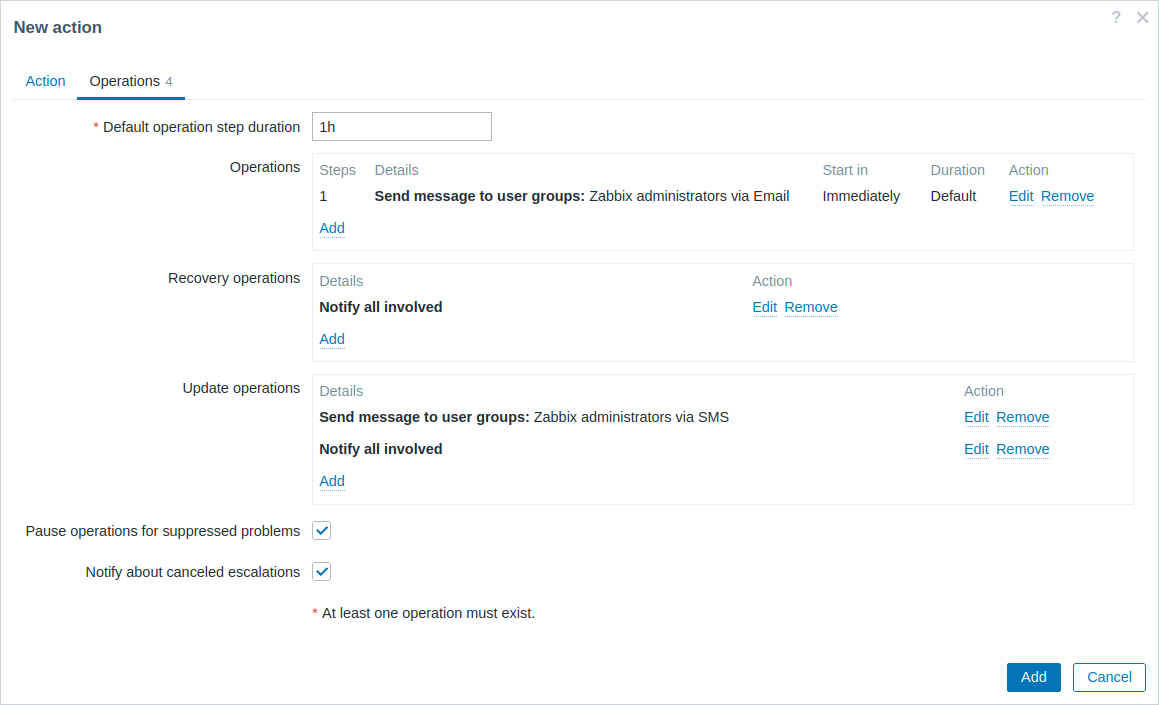
Détails de l'opération de mise à jour
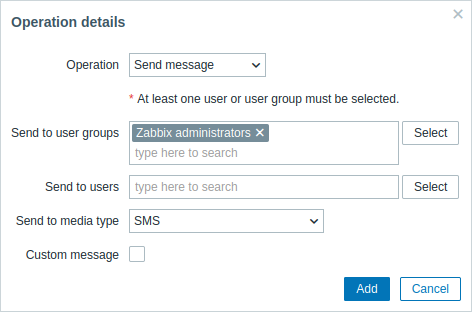
Les opérations de mise à jour offrent le même ensemble de paramètres que les opérations de récupération.