
5 主机聚合图形
概述
主机聚合图形看起来类似于[global screens](:manual / config / visualization / screens),但主机聚合图形仅显示有关主机的数据。 主机聚合图形在[template](:manual / config / templates / templates#adding_screens)级别配置,然后在模板链接到主机后为主机生成。 主机聚合图形无法在 Monotoring // - > // [Screens](:manual / web_interface / frontend_sections / monitoring / screens) //部分中配置或直接访问,该部分保留用于全局聚合图形。 本节下面列出了访问主机聚合图形的方法。
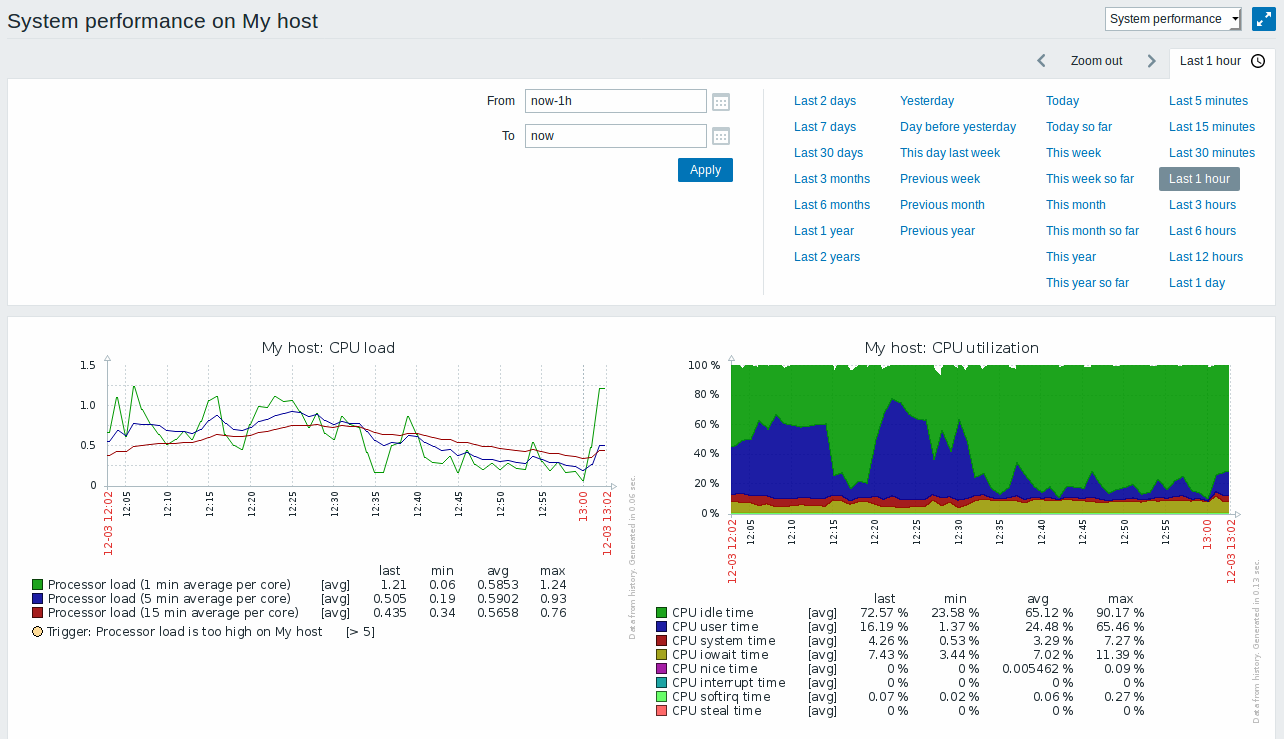
进入主机聚合图形
对主机聚合图形的访问通过如下方式:
*来自前端位置的[[:manual / web_interface / frontend_sections / monitoring / dashboard#host_menu |主机菜单]]:
*单击主机名,然后从下拉菜单中选择//主机屏幕//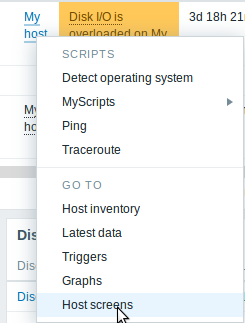
*在[[:manual / web_interface / global_search | global search]]中搜索主机名:
*点击搜索结果中提供的//聚合图形//链接
*单击// Inventory // - > // [[:manual / web_interface / frontend_sections / inventory / hosts | Hosts]] //中的主机名时:
*点击提供的//聚合图形//链接