
Regular expressions
Overview
Regular expressions are exported with all related objects and object relations.
Exporting
To export regular expressions, do the following:
- Go to Administration > General > Regular expressions.
- Mark the checkboxes of the regular expressions to export.
- Click Export below the list to export in the default YAML format, or click the arrow to select a different export format.
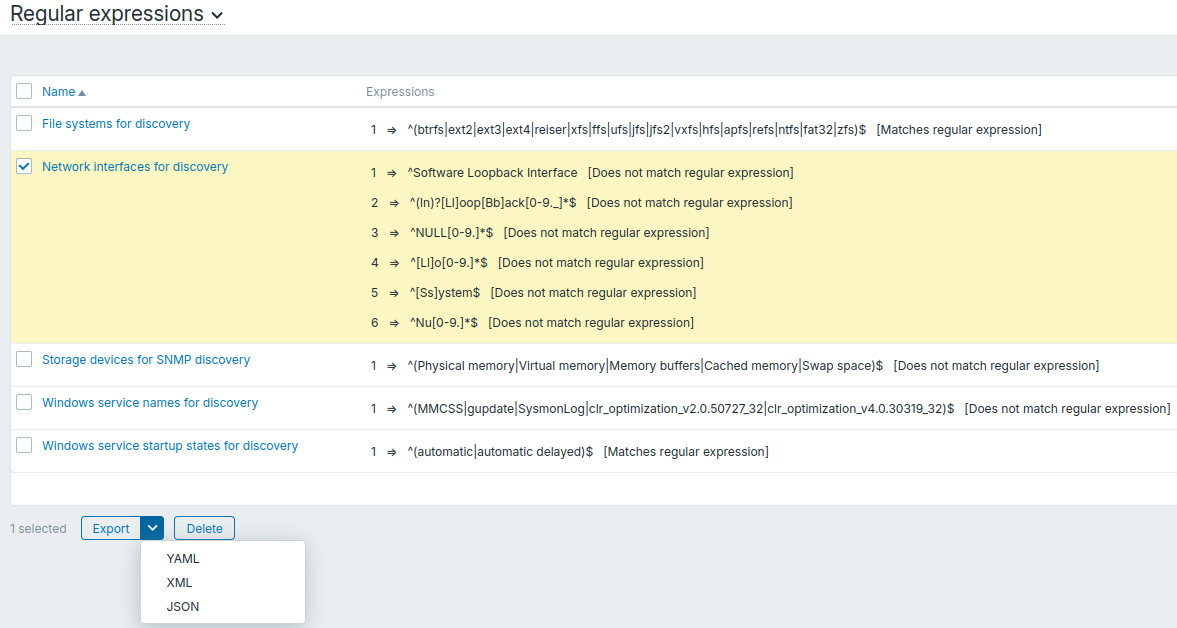
Depending on the selected format, regular expressions are exported to a local file with a default name:
zbx_export_regexes.yaml- in YAML export;zbx_export_regexes.xml- in XML export;zbx_export_regexes.json- in JSON export.
Importing
To import regular expressions, do the following:
- Go to Administration > General > Regular expressions.
- Click Import in the upper-right corner.
- Select the import file.
- Mark the checkboxes of the import rules you want to apply (see below).
- Click Import in the lower-right corner of the configuration form.
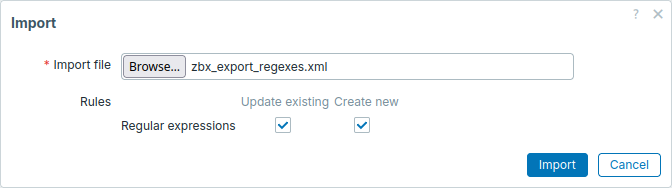
Import rules:
| Rule | Description |
|---|---|
| Update existing | Existing regular expressions will be updated using data from the import file, fully overwriting existing expressions with the same name. Otherwise, they will not be updated. |
| Create new | New regular expressions will be created using data from the import file. Otherwise, they will not be created. |
On the next screen, you will be able to view the content of the regular expressions being imported. If this is a new regular expression, all data will be listed in green. If updating an existing regular expression, new regular expression data will be highlighted in green; removed data will be highlighted in red; unchanged data will be displayed on a gray background.
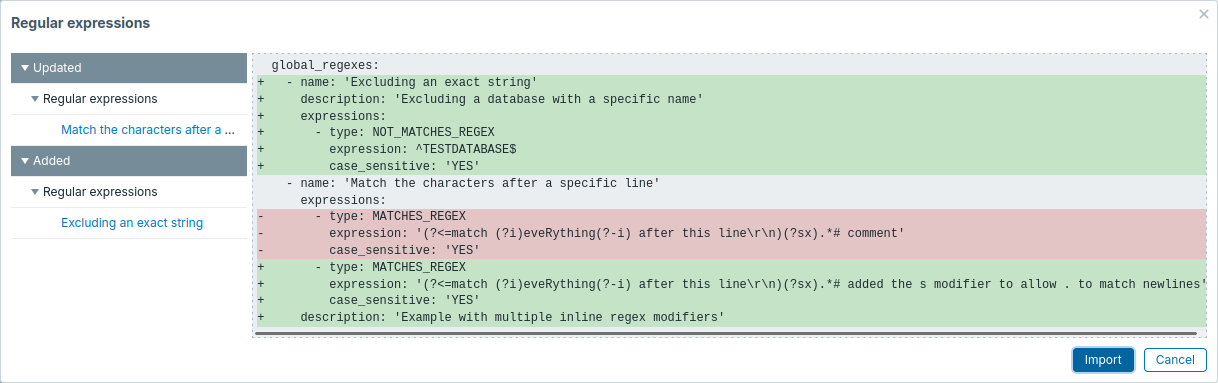
The menu on the left can be used to navigate through the list of changes. The Updated section highlights all changes made to existing regular expressions. The Added section lists new regular expressions. Click the arrow to expand or collapse a group of regular expressions.
Review regular expression changes and then click Import to perform the regular expressions import. A success or failure message of the import will be displayed in the frontend.
Export format
Export to YAML:
zabbix_export:
  version: '8.0'
  global_regexes:
    - name: 'File systems for discovery'
      description: 'Global regular expression used to discover and identify file systems on the monitored host'
      expressions:
        - type: MATCHES_REGEX
          expression: ^(btrfs|ext2|ext3|ext4|reiser|xfs|ffs|ufs|jfs|jfs2|vxfs|hfs|apfs|refs|ntfs|fat32|zfs)$
    - name: 'Storage devices for SNMP discovery'
      expressions:
        - type: NOT_MATCHES_REGEX
          expression: '^(Physical memory|Virtual memory|Memory buffers|Cached memory|Swap space)$'
          case_sensitive: 'YES'
Exported elements
Exported elements of regular expressions:
| Element | Type | Description | |
|---|---|---|---|
| global_regexes | object | Root element for regular expressions. | |
| name | string | (required) Name of the regular expression. | |
| description | text | Description of the regular expression. | |
| expressions | object | Root element for regular expressions. | |
| type | string | Type of the regular expression. | |
| expression | string | Regular expression. | |
| exp_delimiter | string | Regular expression delimiter; present when the type is Contains any substring from list. | |
| case_sensitive | string | Case-sensitivity option for the regular expression. | |
See also: Regular expression object (refer to the relevant property with a matching name).