
Secure connection between frontend and server
Overview
This section provides Zabbix setup steps and configuration examples for secure TLS connections between Zabbix frontend and Zabbix server.
Configuration
By default, communication between Zabbix frontend and Zabbix server is unencrypted. For better security, enable TLS on both sides. Below is an example of the simplest way to do this.
1. Generate certificates and keys.
Create a working directory:
sudo mkdir -p /etc/zabbix/ssl && cd /etc/zabbix/sslCreate a CA certificate (adjust the MyZabbixCA value to match the actual common name):
sudo openssl genrsa -out ca.key 4096
sudo openssl req -new -x509 -days 3650 -key ca.key -out ca.crt -subj "/CN=MyZabbixCA/"
Generate a private key and certificate for Zabbix server (adjust the zabbix-server.example.com value to match the actual common name):
sudo openssl genrsa -out server.key 2048
sudo openssl req -new -key server.key -out server.csr -subj "/CN=zabbix-server.example.com/"
sudo openssl x509 -req -days 365 -in server.csr -CA ca.crt -CAkey ca.key -CAcreateserial -sha256 -out server.crt
Generate a private key and certificate for Zabbix frontend (adjust the zabbix-frontend-node value to match the actual common name):
sudo openssl genrsa -out frontend.key 2048
sudo openssl req -new -key frontend.key -out frontend.csr -subj "/CN=zabbix-frontend-node/"
sudo openssl x509 -req -days 365 -in frontend.csr -CA ca.crt -CAkey ca.key -CAcreateserial -sha256 -out frontend.crt
2. Set proper permissions.
For Zabbix server (adjust ownership/group according to your distribution's Zabbix server daemon user):
sudo chown root:zabbix /etc/zabbix/ssl/server.{crt,key} /etc/zabbix/ssl/ca.crt
sudo chmod 640 /etc/zabbix/ssl/server.key
sudo chmod 644 /etc/zabbix/ssl/server.crt /etc/zabbix/ssl/ca.crt
For frontend (adjust ownership/group according to your distribution's webserver user):
sudo chown root:www-data /etc/zabbix/ssl/frontend.{crt,key}
sudo chmod 640 /etc/zabbix/ssl/frontend.key
sudo chmod 644 /etc/zabbix/ssl/frontend.crt
3. Configure Zabbix server.
In the server configuration file (zabbix_server.conf) add:
TLSFrontendAccept=cert
TLSCertFile=/etc/zabbix/ssl/server.crt
TLSKeyFile=/etc/zabbix/ssl/server.key
TLSCAFile=/etc/zabbix/ssl/ca.crt
# Optionally:
# TLSFrontendCertIssuer=CN=MyZabbixCA
# TLSFrontendCertSubject=CN=zabbix-frontend-node
Then restart the server:
sudo systemctl restart zabbix-server4. Configure Zabbix frontend.
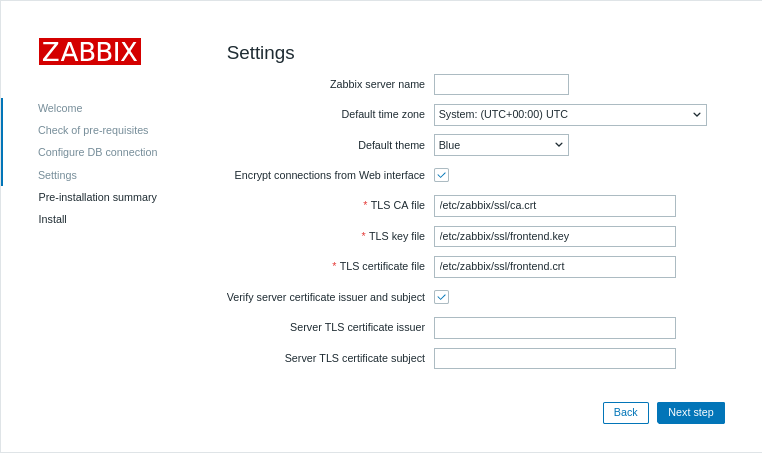
During web interface installation, enable the Encrypt connections from Web interface option (and Verify server certificate issuer and subject option, if necessary) and fill in the TLS CA file, TLS key file, TLS certificate file fields (and Server TLS certificate issuer and Server TLS certificate subject fields, if necessary):
| Parameter | Description |
|---|---|
| TLS CA file | Specify the full path to the Certificate Authority (CA) certificate file used to verify the server's certificate. |
| TLS key file | Specify the full path to the client private key file corresponding to the client certificate. |
| TLS certificate file | Specify the full path to the client certificate file if mutual TLS authentication is required. |
| Server TLS certificate issuer | Specify a Distinguished Name (DN) of the issuer to match against the server's certificate. |
| Server TLS certificate subject | Specify a Distinguished Name (DN) of the subject to match against the server's certificate. |
On existing installations, edit the following parameters in the frontend configuration file:
$ZBX_SERVER_TLS['ACTIVE'] = 'true';
$ZBX_SERVER_TLS['CA_FILE'] = '/etc/zabbix/ssl/ca.crt';
$ZBX_SERVER_TLS['KEY_FILE'] = '/etc/zabbix/ssl/frontend.key';
$ZBX_SERVER_TLS['CERT_FILE'] = '/etc/zabbix/ssl/frontend.crt';
// Optionally:
// $ZBX_SERVER_TLS['CERTIFICATE_ISSUER']  = 'CN=MyZabbixCA';
// $ZBX_SERVER_TLS['CERTIFICATE_SUBJECT'] = 'CN=zabbix-server.example.com';
5. Verify encryption by confirming there are no error messages in Zabbix frontend or Zabbix server log file:
tail -f /var/log/zabbix/zabbix_server.logTroubleshooting
Incorrect or incomplete TLS configuration can cause errors in the Zabbix frontend or indicate that the Zabbix server is running but the connection is not established successfully:
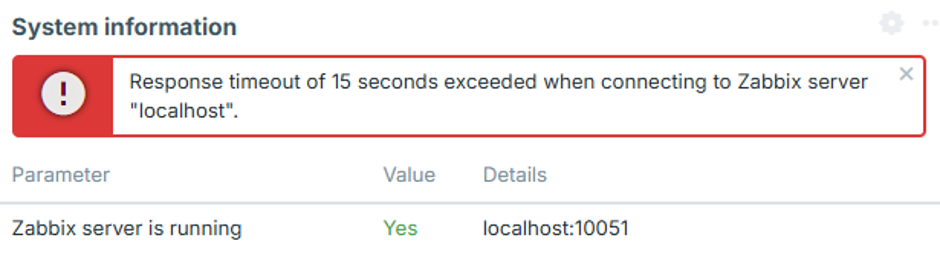
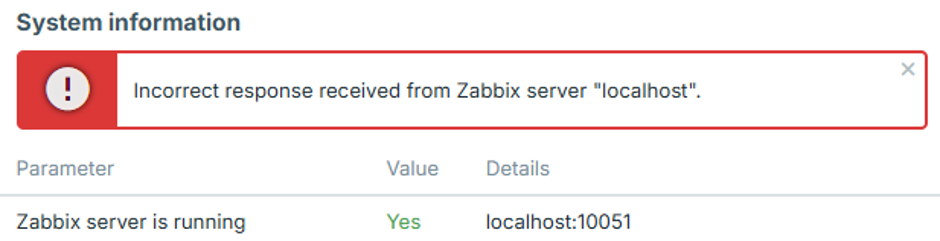
To identify the exact configuration issue, set the Zabbix server log level to 4, reproduce the error in the frontend, and check the Zabbix server log for the corresponding error message.
The following cases describe common errors and their possible causes.
Frontend IP address is not allowed
The Zabbix server log contains an error similar to:
54283:20260819:105926.400 frontend connection from "127.0.0.1" is not allowed by FrontendAllowedIPThe connection is dropped after the TCP handshake because the frontend IP address is not authorized.
Add the frontend IP address to the FrontendAllowedIP parameter in zabbix_server.conf and restart the Zabbix server.
Unencrypted connection is not allowed
The Zabbix server log contains an error similar to:
56884:20260819:111154.285 frontend connection of type "unencrypted" is not allowed by TLSFrontendAcceptThe Zabbix server is configured to accept only TLS connections, for example with TLSFrontendAccept=cert, but the frontend is attempting to connect without encryption.
Enable frontend encryption and configure the required TLS files in zabbix.conf.php, as described in step 4 of the Configuration.
Frontend attempts TLS while server expects unencrypted
The Zabbix server log contains an error similar to:
61091:20260819:115916.019 End of zbx_tls_accept():FAIL error:'TLS handshake set result code to 1: file ../ssl/record/rec_layer_s3.c line 317 func ssl3_read_n: error:0A000126:SSL routines::unexpected eof while reading: TLS write fatal alert "decode error"'The exact error message depends on the OpenSSL version.
The Zabbix server is configured to accept only unencrypted connections, for example with TLSFrontendAccept=unencrypted, while the frontend is attempting to establish a TLS connection.
Configure the Zabbix server to accept TLS connections by setting TLSFrontendAccept=cert and defining TLSCertFile and TLSKeyFile in zabbix_server.conf.
Alternatively, disable frontend encryption in zabbix.conf.php.
Frontend certificate is not trusted
The Zabbix server log contains an error similar to:
62248:20260819:124203.812 End of zbx_tls_accept():FAIL error:'self-signed certificate: TLS handshake set result code to 1: file ../ssl/statem/statem_srvr.c line 3522 func tls_process_client_certificate: error:0A000086:SSL routines::certificate verify failed: TLS write fatal alert "unknown CA"'The frontend presented a certificate, but the Zabbix server does not trust the Certificate Authority (CA) that signed it.
The same problem can also appear in the frontend system information as:
fread(): SSL operation failed with code 1. OpenSSL Error messages:

error:0A000418:SSL routines::tlsv1 alert unknown ca [zabbix.php:17 → require_once() → ZBase->run() → ZBase->processRequest() → CController->run() → Widgets\SystemInfo\Actions\WidgetView->doAction() → CSystemInfoHelper::getData() → CSystemInfoHelper::getServerStatus() → CZabbixServer->getStatus() → CZabbixServer->request() → fread() → CConfigFile->{closure:/user/share/conf/zabbix.conf.php:89}() in conf/zabbix.conf.php:95]
The frontend may also display "Incorrect response received from Zabbix server "localhost"".
Verify that the frontend certificate is signed by the CA specified by TLSCAFile in zabbix_server.conf.
TLS key file is not readable
The frontend may display "TLS key file: file is not readable."
It may also display "Unable to connect to the Zabbix server due to TLS settings. Some functions are unavailable.".
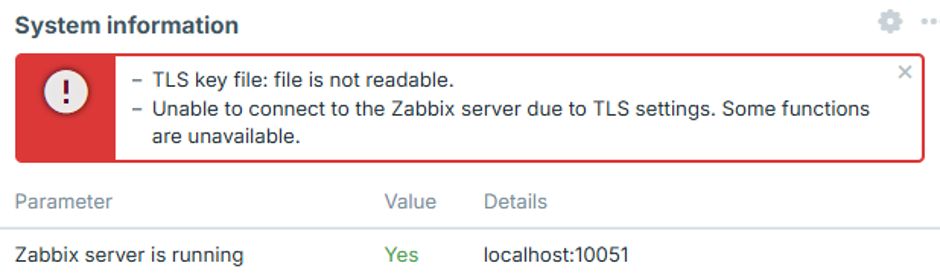
The web server user does not have sufficient permissions to read one or more certificate, key, or CA files configured in zabbix.conf.php.
This can occur when certificate files are stored in a restricted directory, such as /root/ or a user's home directory.
Move the certificate files to a directory accessible to the web server and set appropriate permissions as described in step 2 of the Configuration.
TLS files are invalid or corrupted
The frontend may display "Unable to connect to the Zabbix server due to TLS settings. Some functions are unavailable.".
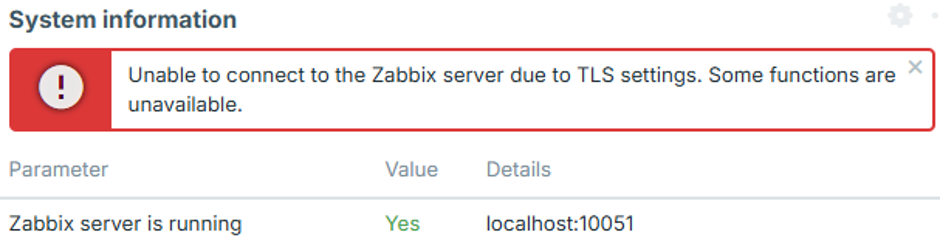
This can occur when the configured certificate or key files exist and are readable, but their contents are empty, corrupted, or otherwise invalid. In this case, the frontend does not establish a connection to the Zabbix server, and no corresponding connection attempt appears in the Zabbix server log.
Verify that the certificate and key files contain valid, properly formatted data and that the private key corresponds to the certificate.