

Linux server monitoring
To start monitoring a Linux server, follow this process:
- Apply the Linux monitoring template.
- Install Zabbix agent on the server.
- Look at latest data.
To start monitoring a non-local Linux server you need to know its IP address, and the IP address of the Zabbix server.
A Zabbix agent will be used on the Linux server to monitor it. Instructions for installing the agent will be provided in the process.
To use this guide you must have Zabbix server and the web interface installed. You must be logged in to Zabbix as the default Admin user.
Apply Linux monitoring template
In Zabbix this template is ready to use. It contains pre-configured elements ready for data collection, visualisation and analysis.
To apply the template:
-
Start the Host Wizard in Data collection > Hosts.
-
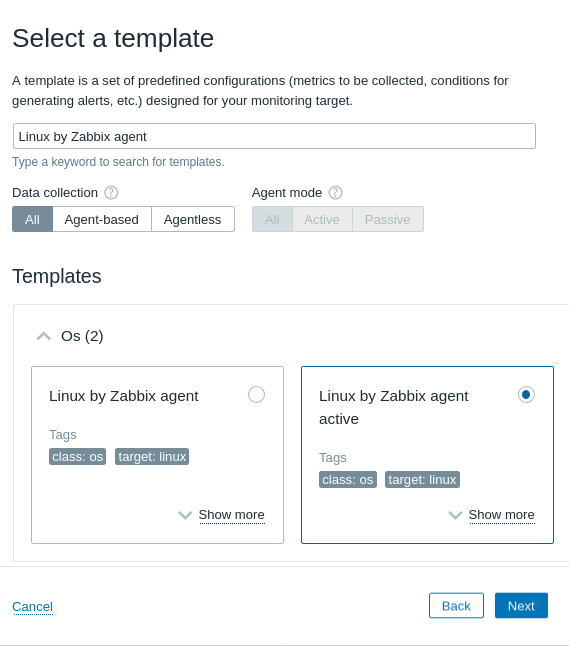
Select the Linux by Zabbix agent active template.
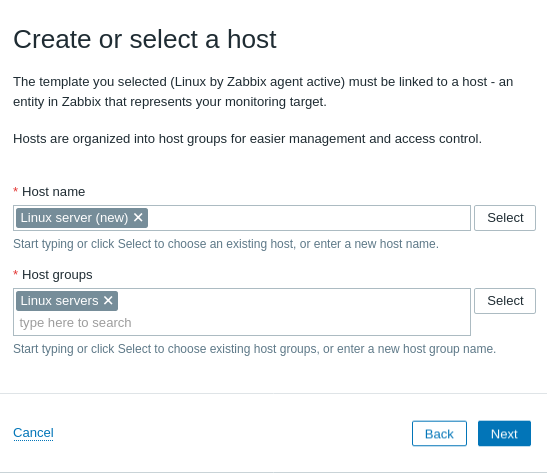
- Create a host for the Linux server, add a group for it. This virtual host will contain all data related to the Linux server monitoring.
- Configure and install the agent.
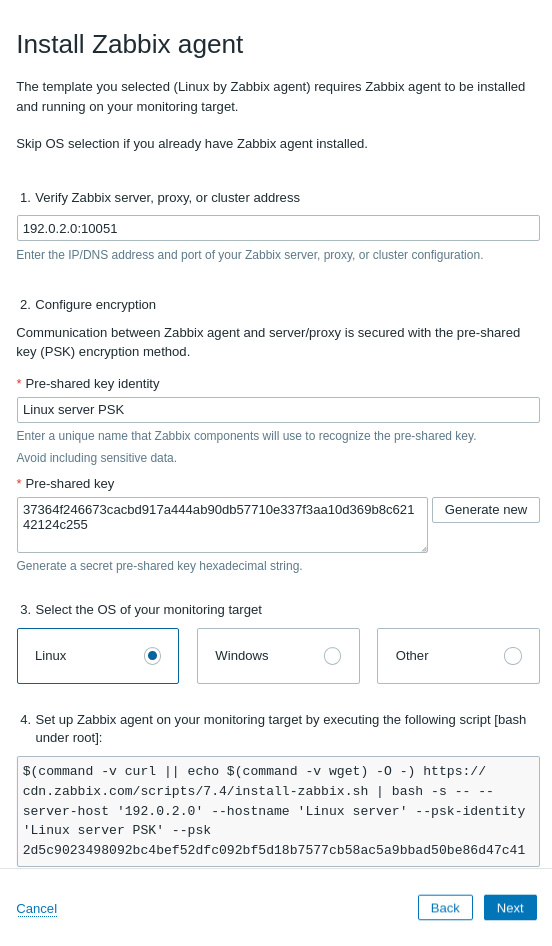
To install the agent, execute the command provided, on the Linux server.
It will install the agent, and configure the agent's connection to Zabbix server with encryption.
If you already have the agent installed, you can skip this step (click Next).
However, you will be asked to provide the pre-shared key identity and the pre-shared key to connect to the agent.
You can leave other settings to their defaults.
- Finish configuring the host: click Create and Finish.
Look at latest data
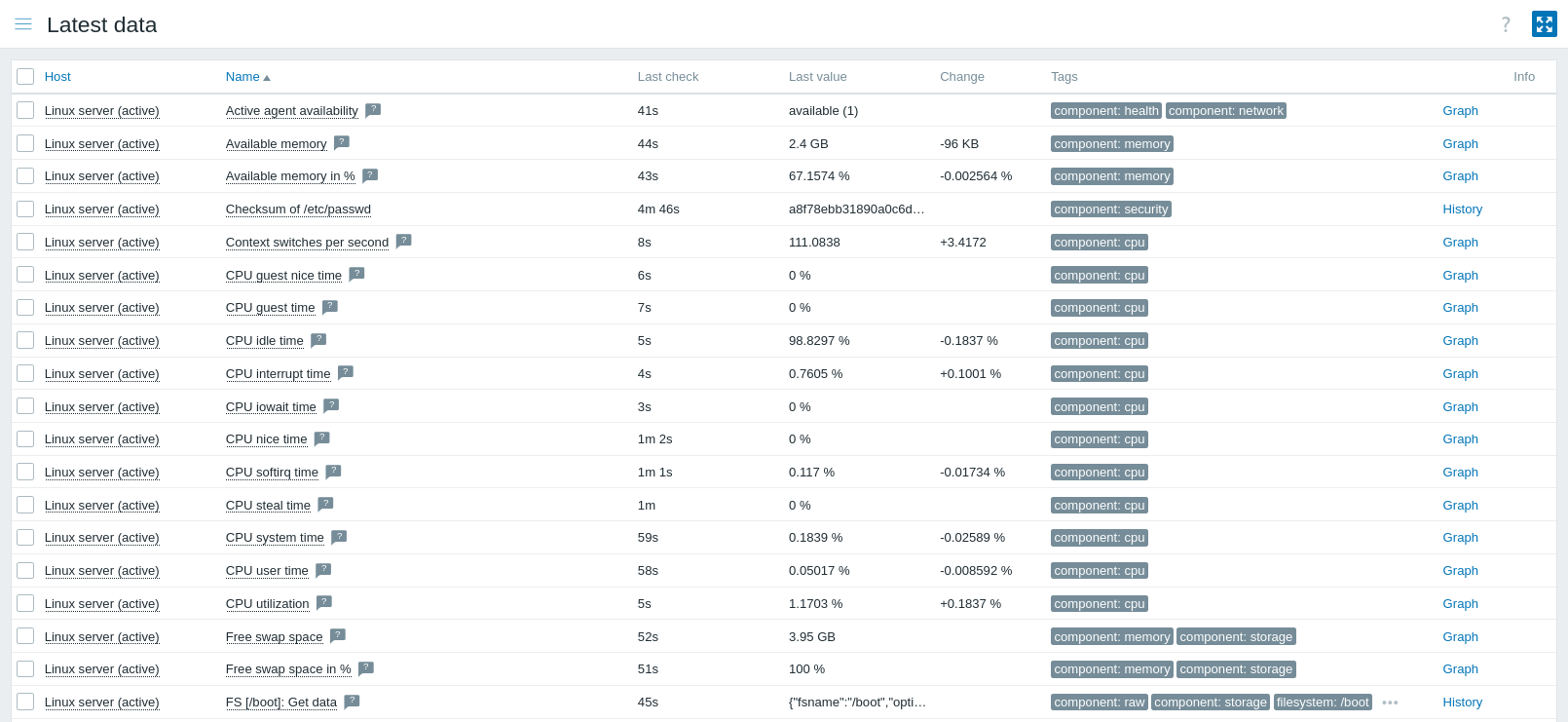
Congratulations, Linux server monitoring has been started!
Zabbix provides visualisation options and delivers alerts if any problems arise. To configure alerts in the email, see Receiving problem notification.