
On this page
System information
Overview
The System information widget displays a summary of key Zabbix server and system data, and, when high availability is enabled, details of the high availability nodes.
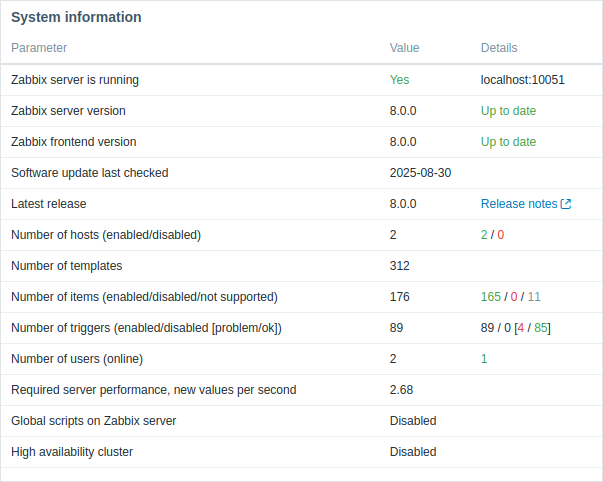
It displays the same data as Reports > System information, except for Zabbix server ID.
Configuration
To configure, select System information as type:
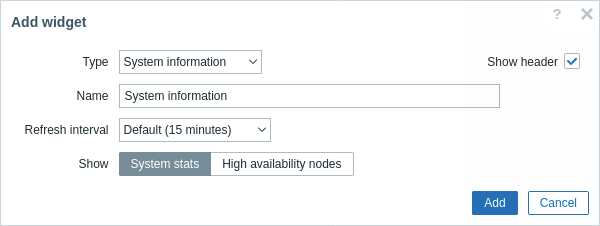
In addition to the parameters that are common for all widgets, you may set the following specific options:
| Show | Select what to display: System stats - display a summary of key Zabbix server and system data; High availability nodes - display the status of high availability nodes (if high availability cluster is enabled). |
| Show software update check details | Mark the checkbox to display Zabbix software update check details. This option is only available if software update check is enabled in the Zabbix server configuration and "System stats" is selected in the Show field. |