
在云中部署 Zabbix
要在云端开始使用 Zabbix,请按照以下流程操作:
- 在 cloud.zabbix.com 登录或注册。
- 创建云节点。
- 开始在云端使用 Zabbix。
登录或注册
您可以使用现有的 Google、GitHub 或 Microsoft 账户在 cloud.zabbix.com 登录。
或者,前往注册页面进行注册。
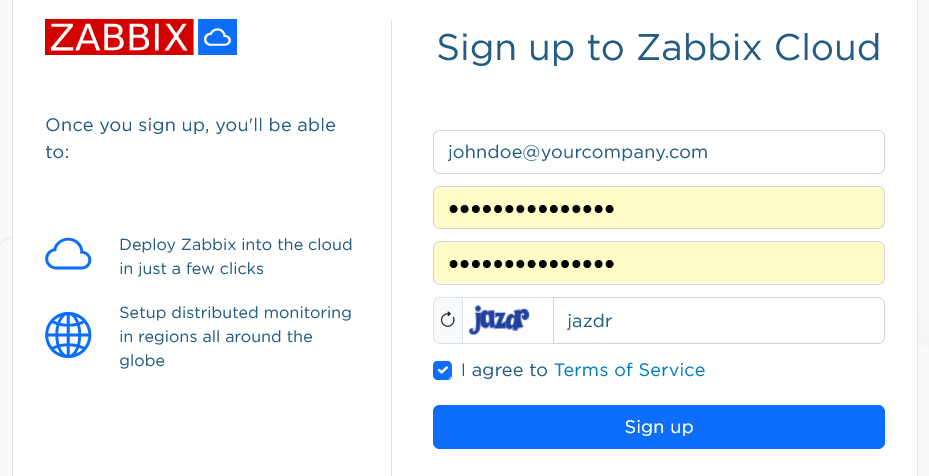
注册后,您将在电子邮件中收到新账户的确认信息。
前往 cloud.zabbix.com 登录。 登录时,系统会要求您输入一次性密码。 该密码将通过电子邮件发送给您。
创建云节点
云节点是部署在 Zabbix Cloud 中的 Zabbix 实例。 它可以部署为服务器节点或 proxy 节点。
登录后,您会看到系统默认已为您的账户创建了一个私有 组织。 您可以稍后重命名默认组织。
点击创建新节点。 系统将打开一个包含三个步骤的节点配置表单。
在第一步中,您将选择基本信息。
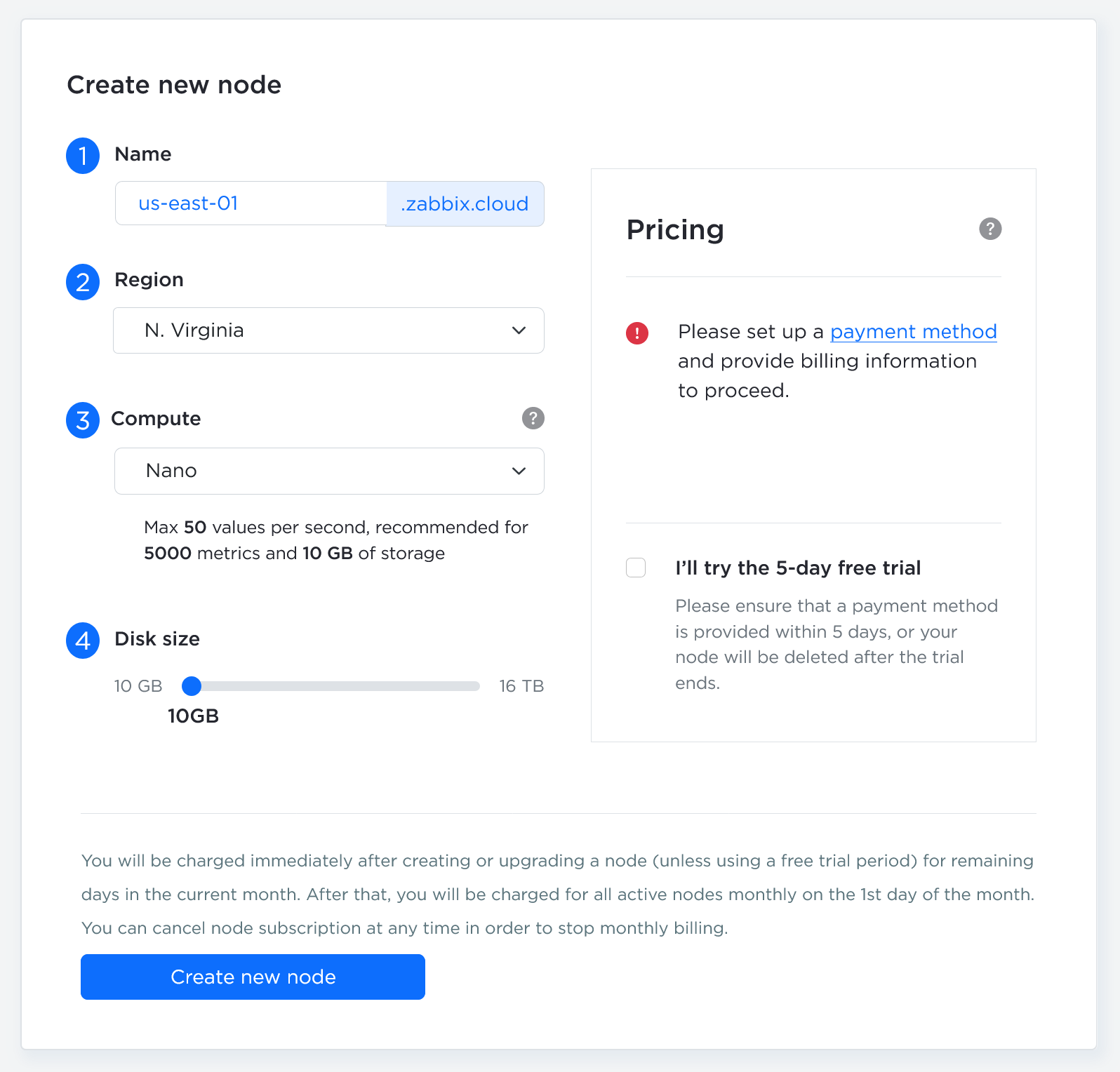
| 参数 | 描述 |
|---|---|
| 服务器/Proxy | 选择部署 Zabbix 服务器实例还是 Zabbix proxy 实例。 |
| 节点名称 | 节点名称将以 <your-name>.zabbix.cloud 的格式构成唯一的子域名,用于访问节点的服务。 |
| 计算资源 | 选择节点的计算能力。 要确定所需的资源级别,请参阅定价详情。如果需要更高的计算能力,您可以随时进行升级。创建非试用节点前需要设置计费方式。请通过计费菜单添加计费信息。 您可以使用 5 天的免费试用来体验 Nano 层级的节点。试用期间不会向您收费,但试用结束后,如果未将节点转换为付费节点,系统将删除该节点。 |
| 磁盘大小 | 滑块默认设置为基于层级的建议最小值。 如果您存储大量历史数据或趋势数据,请增大该值。请注意,磁盘越大,每月费用越高,并且您无法自行缩小磁盘;如需减小磁盘,需要联系支持团队。 |
| 区域 | 选择节点的部署区域。 |
| 选择时区 | 选择 Zabbix 服务器的时区。此时区由 Zabbix 服务器使用,与维护时区和用户配置文件时区相互独立。 |
完成配置后,点击下一步。
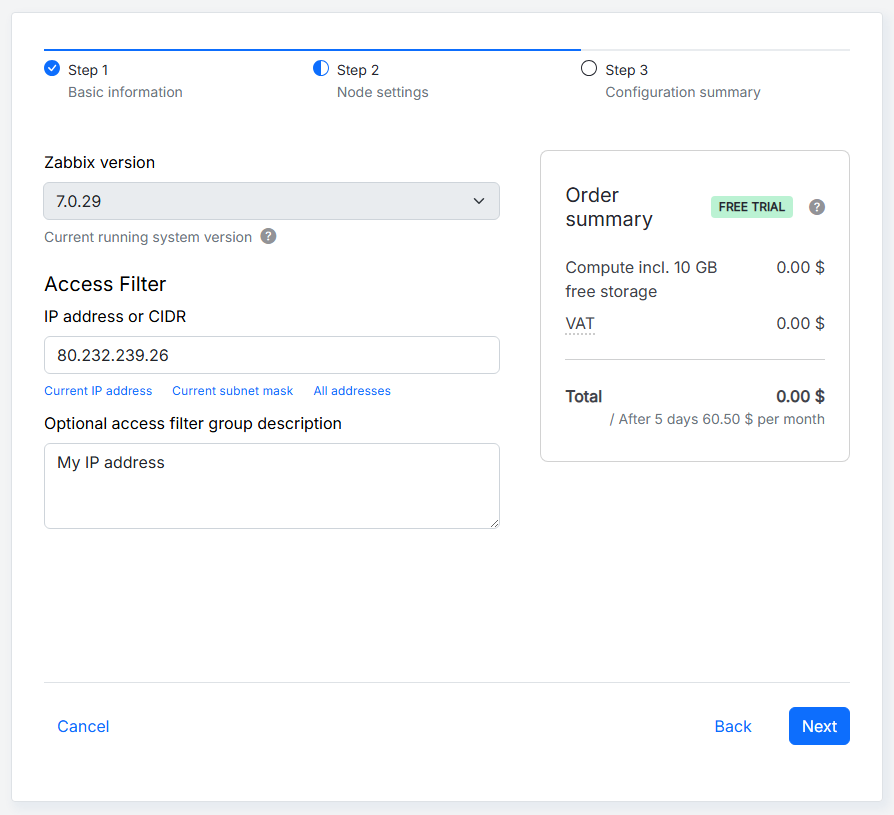
在第二步中,您将选择节点设置。
第二步中的配置选项取决于您要创建的是服务器节点还是 proxy 节点。
配置服务器节点
创建服务器节点时,可以使用以下参数:
| 参数 | 描述 |
|---|---|
| Zabbix 版本 | 选择 Zabbix 版本。Zabbix Cloud 支持最新的 LTS 版本,并会自动应用次要版本更新。 |
| IP 地址或 CIDR | 指定节点的初始访问过滤器。手动输入 IP 地址或 CIDR,或者选择相关选项自动填写此字段。对于服务器节点,此过滤器适用于与服务器、API 和前端的连接。稍后可以在访问过滤器选项卡中更改此过滤器。 |
| 可选的访问过滤器组描述 | 为访问过滤器组添加可选描述,该组可以包含多个 IP 地址或 CIDR。 |
创建节点时,IP 地址或 CIDR字段会预先填入用于访问 Zabbix Cloud 的 IP 地址。 您可以更改此值,以指定其他初始访问过滤器。 节点创建后,您可以在访问过滤器选项卡中添加、编辑或删除访问过滤器。
第三步将显示节点的配置摘要。
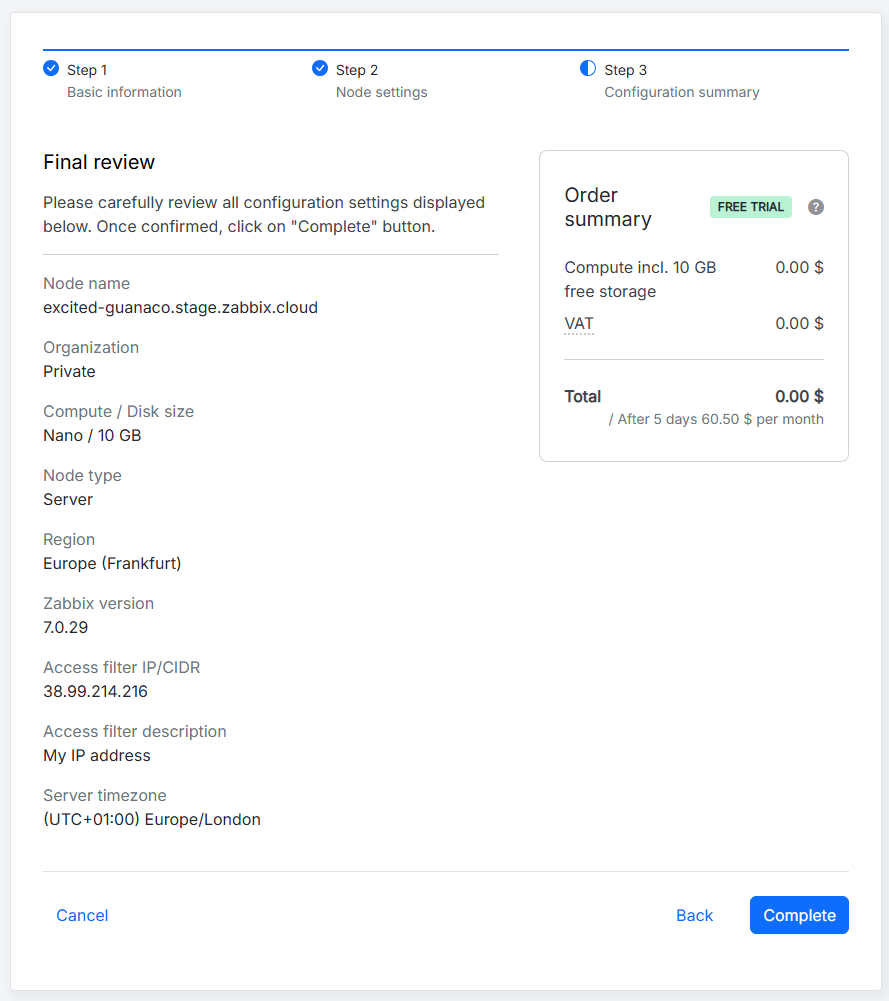
查看配置设置并确认一切正确后,对于试用节点,点击完成;对于付费节点,点击继续付款。 否则,点击返回按钮返回上一步,或点击取消从头开始。
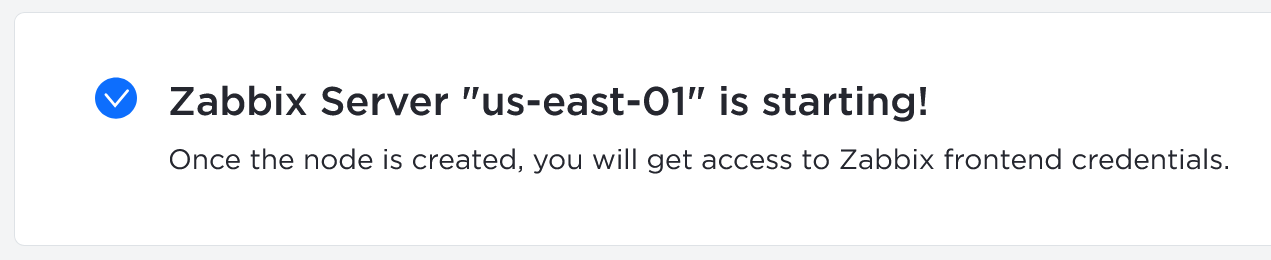
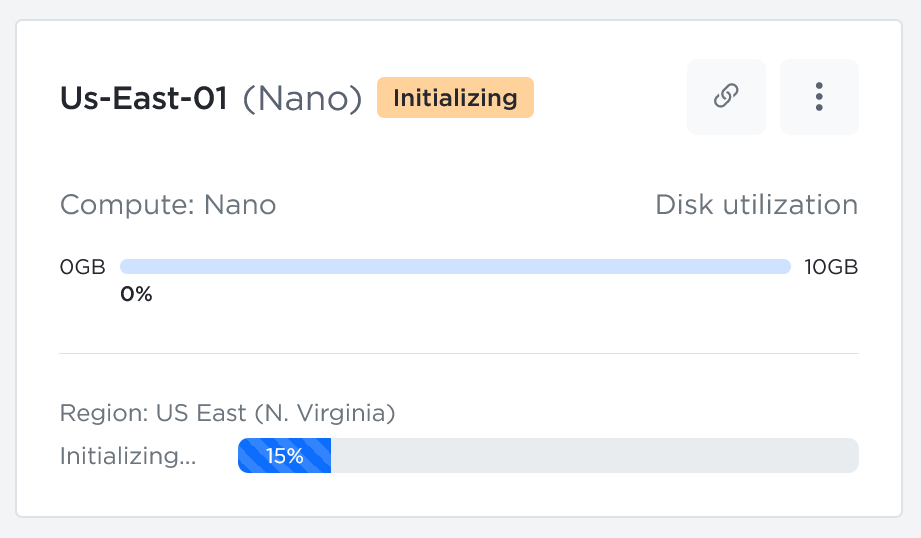
节点初始化期间,系统会显示相应消息,并且该节点已经出现在组织下。
配置 proxy 节点
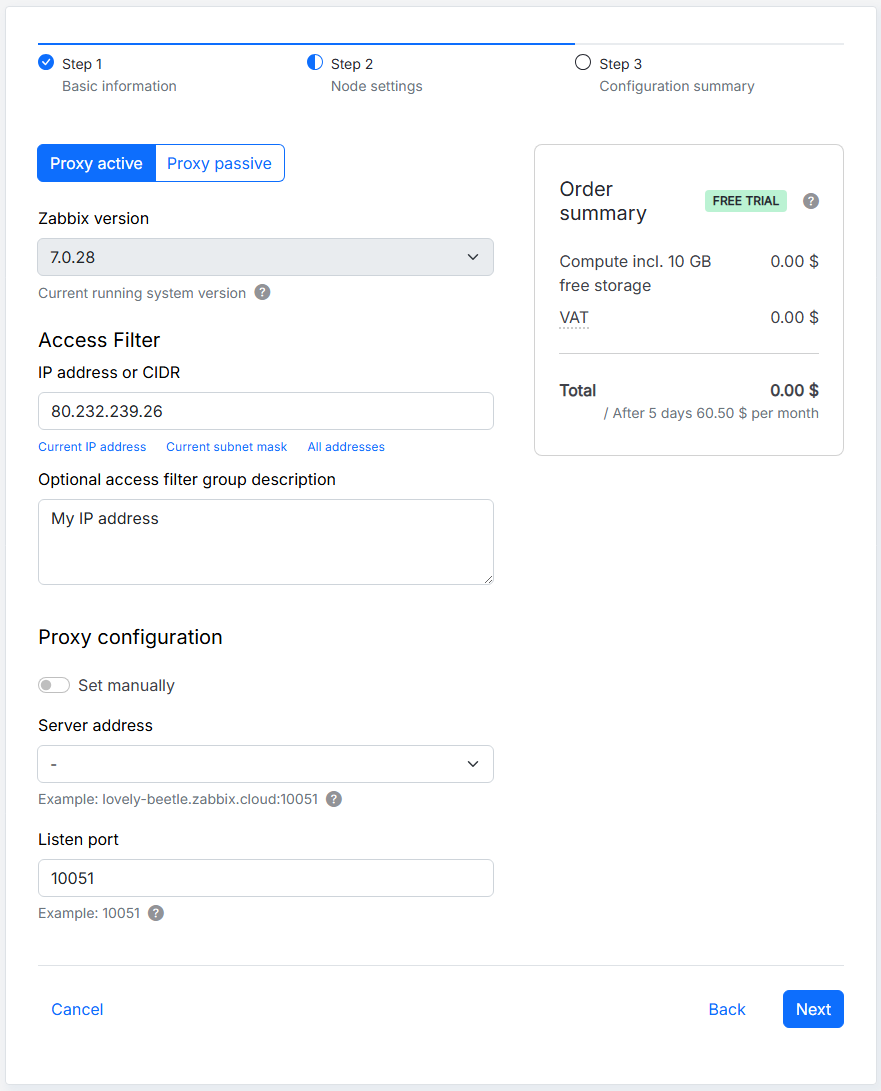
创建 proxy 节点时,可以使用以下参数:
| 参数 | 描述 |
|---|---|
| Proxy 主动模式/Proxy 被动模式 | 选择 proxy 模式。在主动模式下,proxy 向 Zabbix 服务器发起连接;在被动模式下,Zabbix 服务器向 proxy 发起连接。 |
| Zabbix 版本 | 选择 Zabbix 版本。Zabbix Cloud 支持最新的 LTS 版本,并会自动应用次要版本更新。 |
| IP 地址或 CIDR | 指定 proxy 的初始入站 IP 访问过滤器。手动输入 IP 地址或 CIDR,或者选择相关选项自动填写此字段。该过滤器定义允许到达 proxy 的网络请求,并且稍后可以在访问过滤器选项卡中更改。 |
| 可选的访问过滤器组描述 | 为访问过滤器组添加可选描述,该组可以包含多个 IP 地址或 CIDR。 |
| 手动设置 | 选择如何指定 Zabbix 服务器。禁用时,从可用服务器节点列表中选择一个服务器节点。启用时,手动指定服务器地址。 |
| 服务器地址 | 指定 Zabbix 服务器地址。禁用手动设置时,从列表中选择一个服务器节点。启用时,最多指定 10 个服务器地址。对于主动 proxy,指定 Zabbix 服务器的 IP 地址或 DNS 名称。对于被动 proxy,指定 Zabbix 服务器的 IP 地址、DNS 名称或 CIDR。访问过滤器需要单独配置;指定服务器地址时不会自动更新访问过滤器。 |
| 监听端口 | 指定 proxy 监听传入连接的端口。默认端口为 10051。节点创建后无法更改监听端口。 |
在第三步中,您将看到节点的配置摘要。
查看配置设置并确认一切正确后,对于试用节点,点击完成;对于付费节点,点击继续付款。 否则,点击返回按钮返回上一步,或点击取消从头开始。
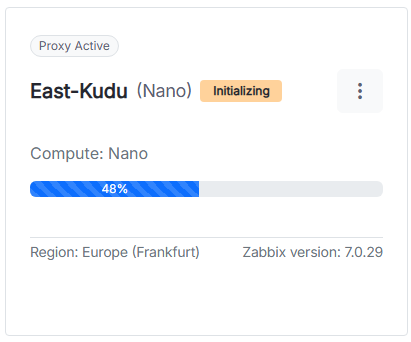
节点初始化期间,系统会显示相应消息,并且该节点已经出现在组织下。

要配置 Zabbix Cloud proxy,请参阅设置 Zabbix Cloud proxy。
开始使用 Zabbix
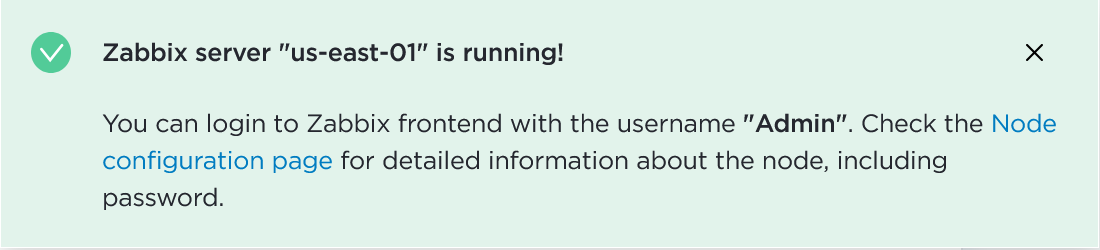
当服务器节点状态从 Initializing 变为 Running 时,您可以登录 Zabbix 前端。
要获取初始前端密码,请点击已创建的节点。
您将进入节点设置(概览、访问过滤器、加密、备份等)。 在 Connection info 中找到 Node password 字段,然后从下拉菜单中选择 Reset password for Admin。 密码重置后,点击同一下拉菜单并选择 Copy。
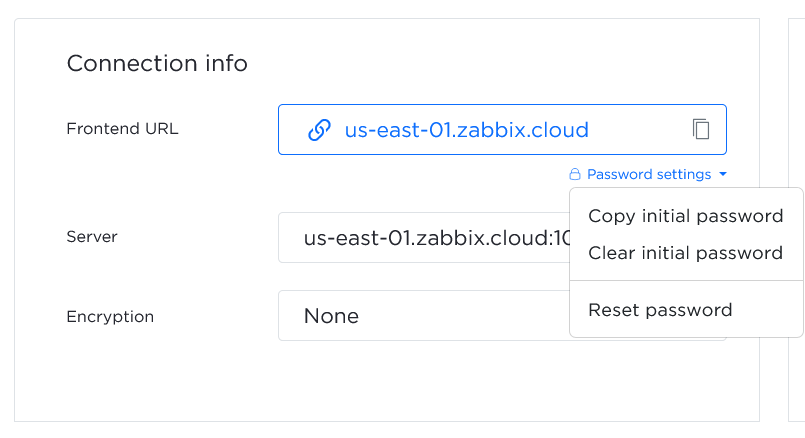
点击前端 URL 以打开 Zabbix 前端(excited-guanaco.zabbix.cloud)。
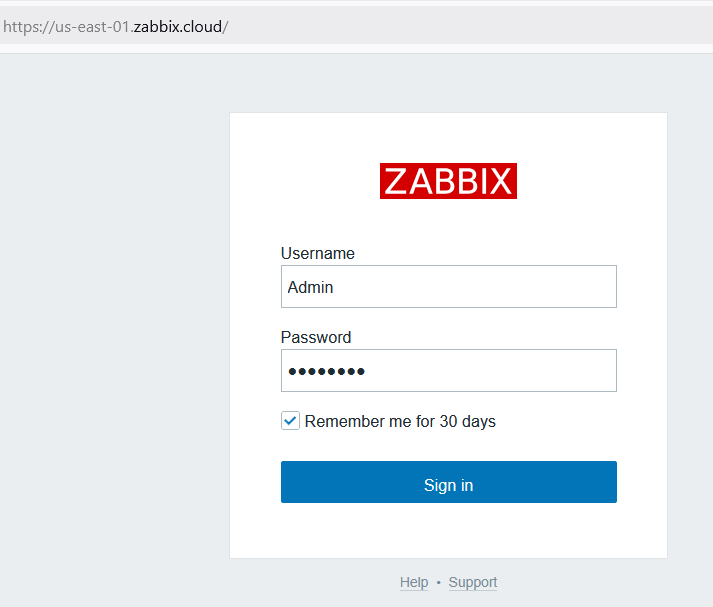
使用以下凭据登录:
- Username -
Admin - Password - 提供复制的密码
要开始监控,您需要定义访问过滤器 - 允许连接到 Zabbix Cloud 服务器的 IP 地址。 至少必须定义一个地址。
组织管理
组织是一个或多个节点的容器。 组织还可以帮助您构建资源结构并委派职责,例如:
- 节点管理
- 计费
登录 Zabbix Cloud 后,将显示所有组织页面。 默认情况下,系统会为您的账户创建一个私有组织。
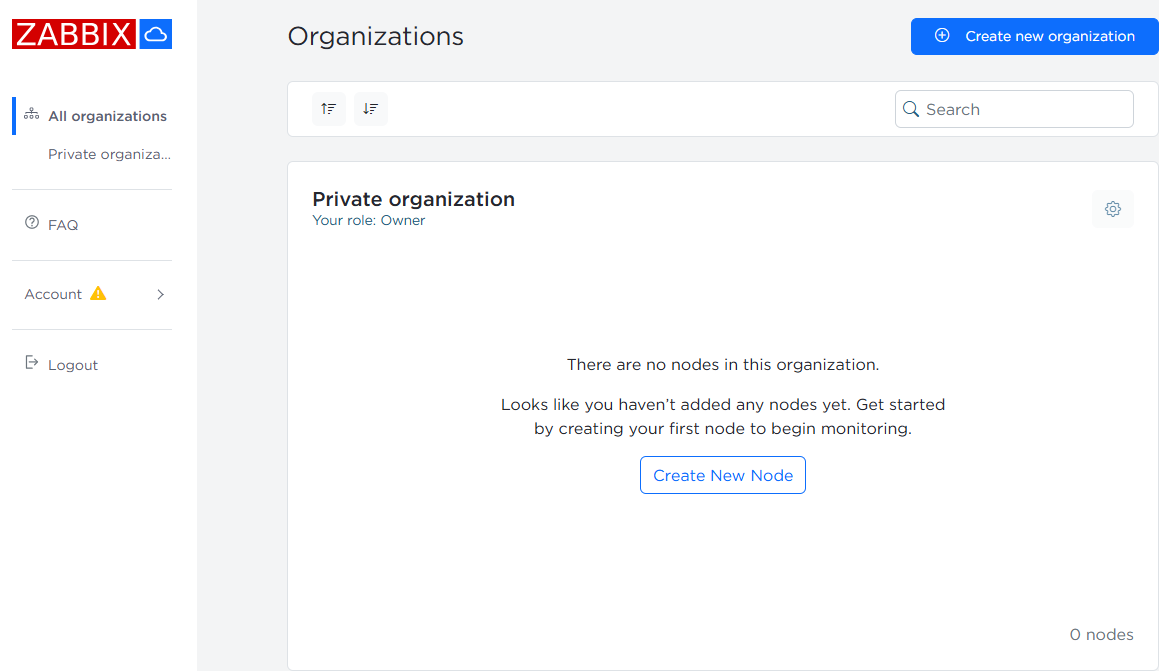
作为此组织的所有者,您可以管理用户、管理员、节点以及组织名称。
点击  设置按钮以访问管理选项。
账户管理
更改账户电子邮件地址
要更改账户电子邮件地址,请导航至 账户 > 配置文件设置。
在 用户电子邮件 字段中输入新的电子邮件地址,然后点击 保存更改。
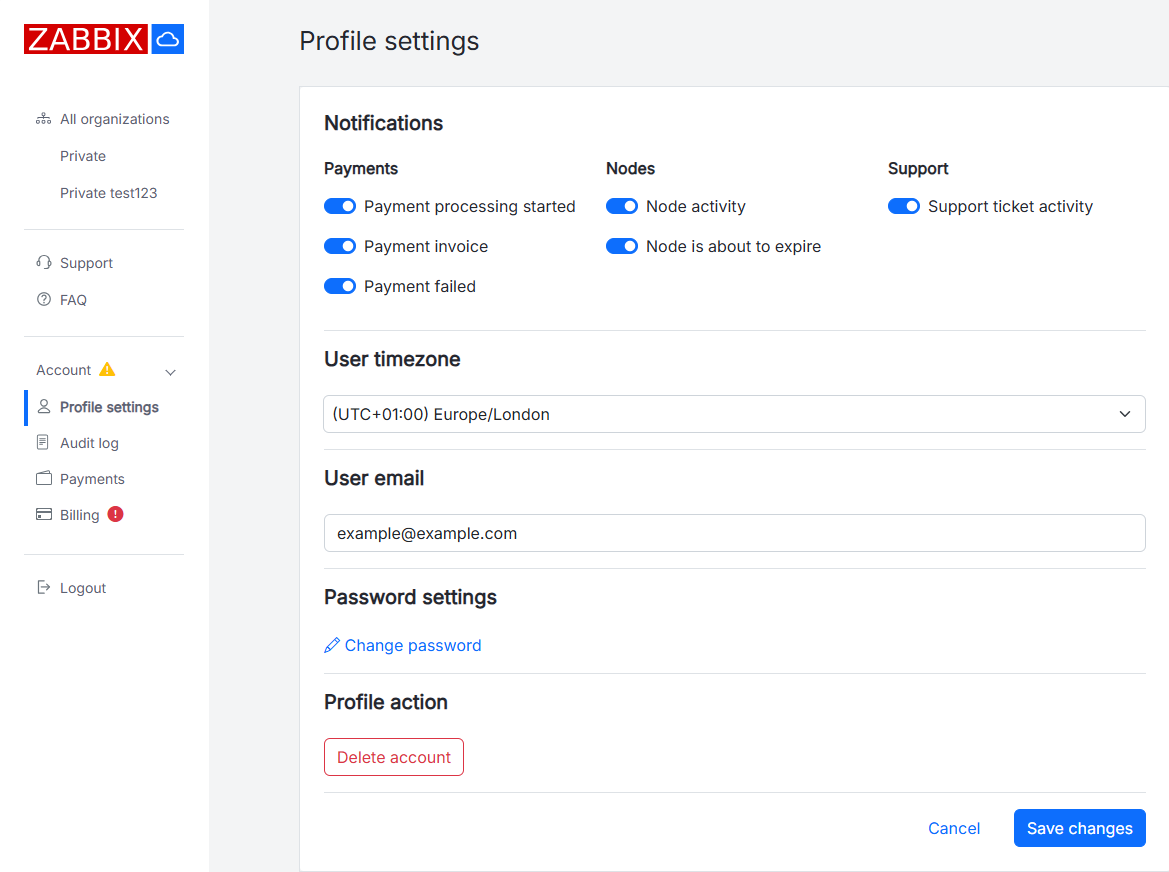
确认消息将发送到新的电子邮件地址。 请点击消息中的链接,以确认电子邮件地址更改。
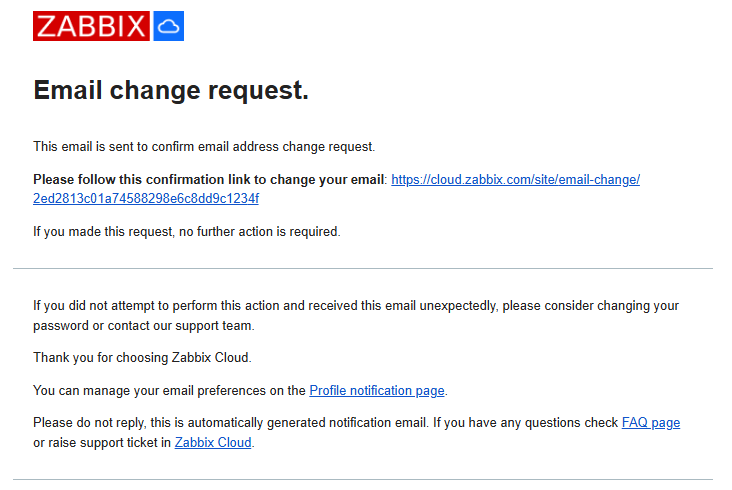
确认链接会打开 配置文件设置 页面,其中显示确认消息,并且“用户电子邮件”字段中已更新为新的电子邮件地址。
有关电子邮件地址更改的通知也会发送到之前的电子邮件地址。