
On this page
13 Map
Overview
In the map widget you can display either:
- a single configured network map;
- one of the configured network maps in the map navigation tree (when clicking on the map name in the tree).
Configuration
To configure, select Map as type:
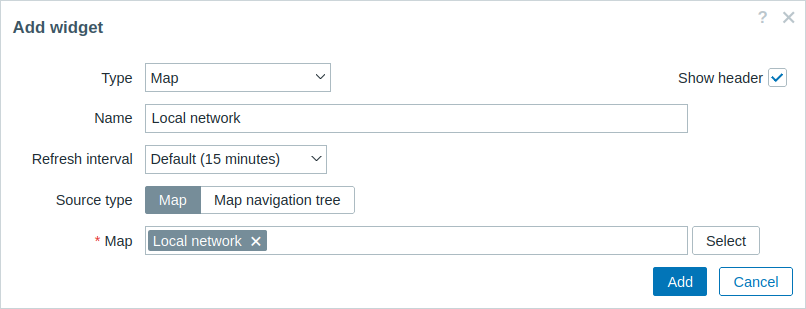
In addition to the parameters that are common for all widgets, you may set the following specific options:
| Source type | Select to display: Map - network map; Map navigation tree - one of the maps in the selected map navigation tree. |
| Map | Select the map to display. This field is auto-complete so starting to type the name of a map will offer a dropdown of matching maps. This option is available if 'Map' is selected as Source type. |
| Filter | Select the map navigation tree to display the maps of. This option is available if 'Map navigation tree' is selected as Source type. |